What Is a Tech Pack? Contents, Example and Template
A tech pack, short for technical package, is the set of documents that tells a factory exactly how to make a product: what it looks like, what it is made of, how big every part is in every size, and how it is put together. For clothing it holds the technical flats, the bill of materials, the measurement specification with grade rules and tolerances, the construction and artwork instructions, and the revision history. The factory quotes from it, cuts the first sample from it, and checks that sample against it.
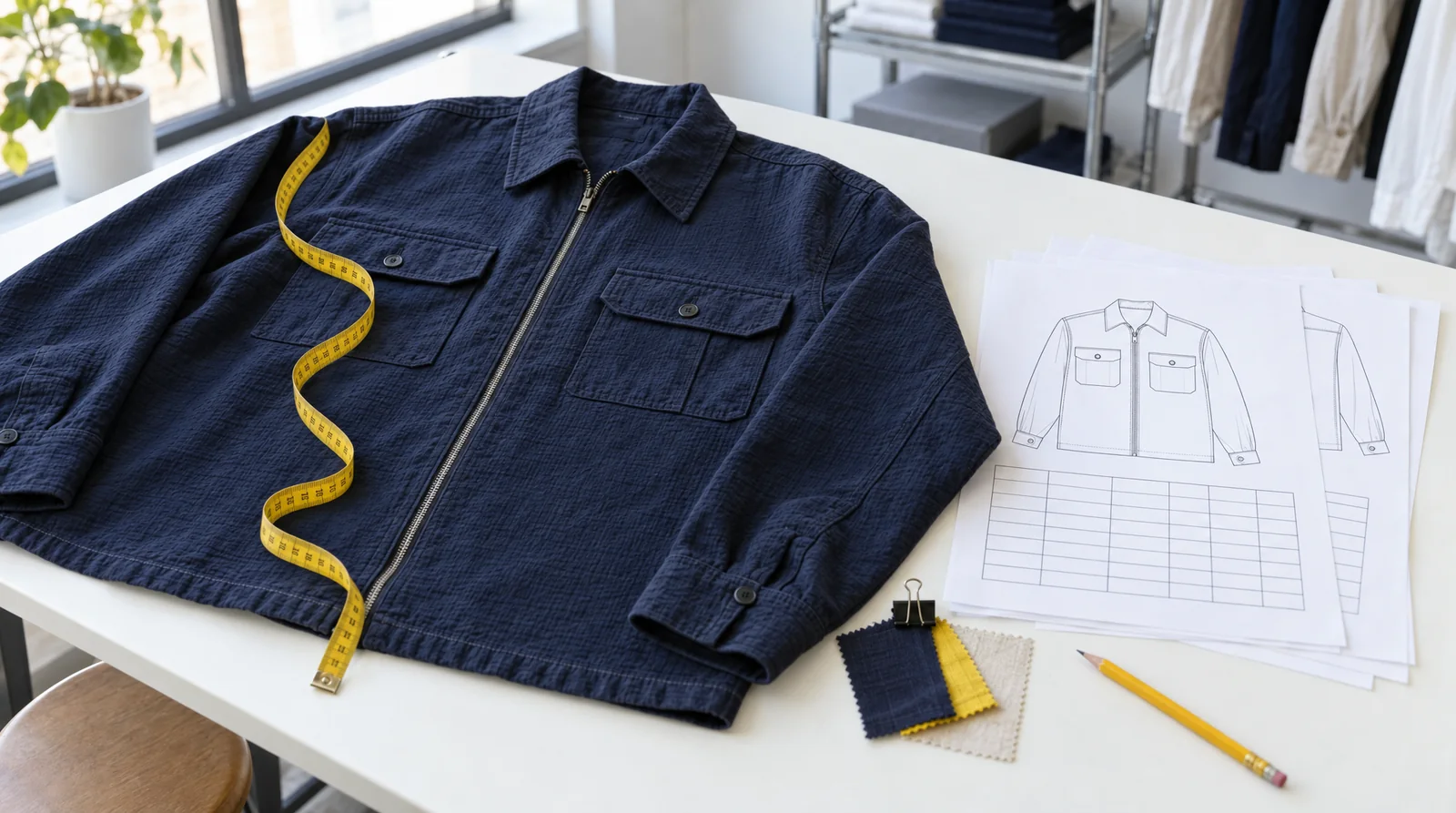
An editorial illustration of the document beside the garment. Every page shown further down is the real thing.
Create a tech pack from a product photo → or browse the free tech-pack templates.
Table of Contents
- What goes in a clothing tech pack?
- A real tech pack, page by page
- See a completed sample you can download
- Tech pack, spec sheet, pattern and line sheet
- Who prepares and checks it?
- How much does one cost?
- Frequently asked questions
What goes in a clothing tech pack?
Every tech pack answers the same set of questions, in roughly the same order. The document below is a men's navy utility overshirt: fourteen pages, thirty points of measure and twelve materials, generated in Adstronaut AI from two product photos and then edited. Six of its pages are enough to see the shape of the whole.
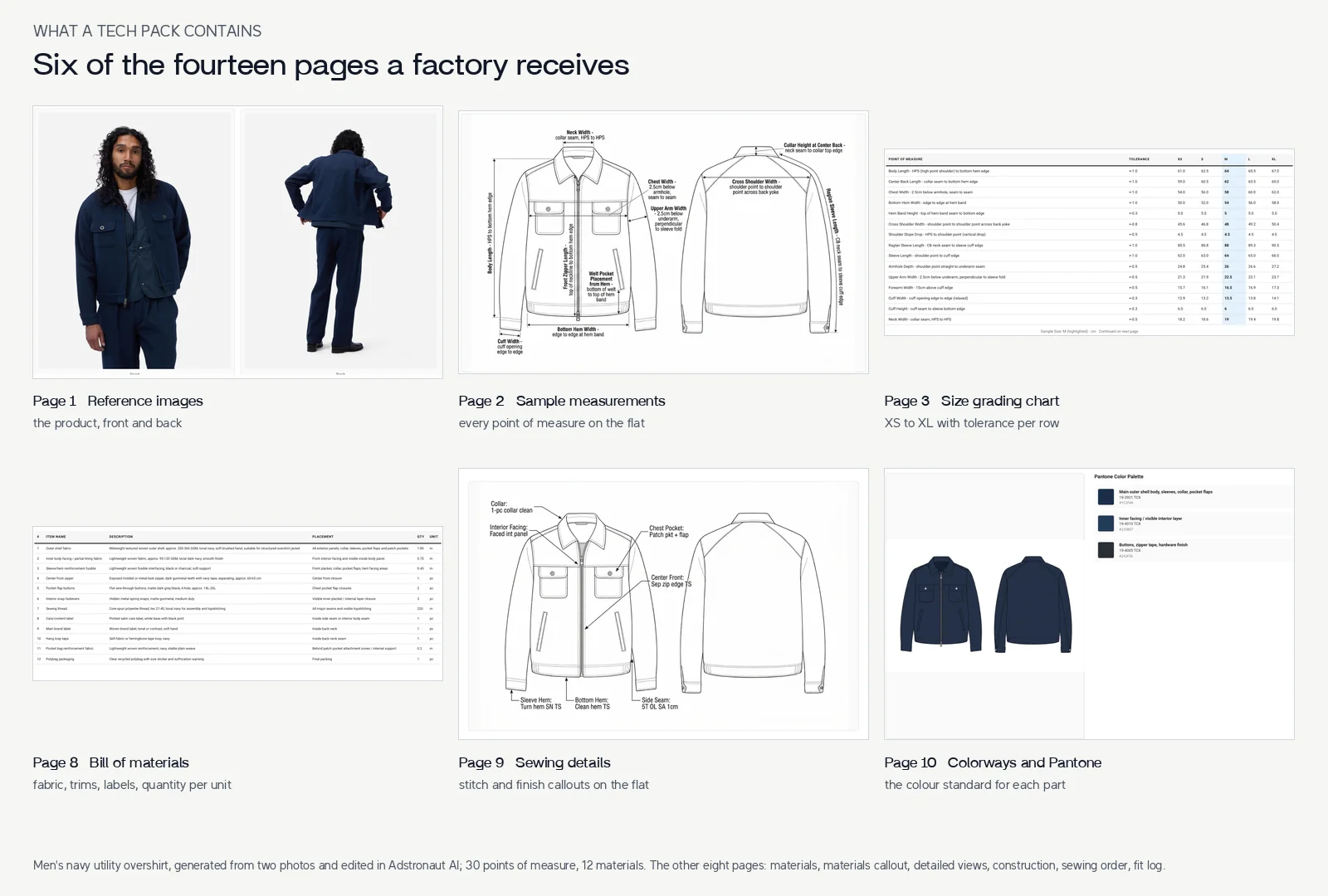
Pages 1, 2, 3, 8, 9 and 10 of the export, unchanged. Open the full PDF.
| Part | The question it should answer |
|---|---|
| Style identification | Which product, colorway, base size and revision is this? |
| Technical flats and detail views | What shape and construction details are intended? |
| Bill of materials | Which fabrics, trims, labels and components are required, and how much of each? |
| Measurement specification | Where and how is each dimension measured? |
| Size table and grade rules | How do the targets change across sizes, and how much deviation is allowed? |
| Construction and artwork | Which stitches, finishes, placements and artwork dimensions apply? |
| Colorways | Which colour standard does each part follow? |
| Revision and approval information | What changed, what remains open and which version should be used? |
The exact sections depend on the product and the stage of the request. A shoe needs upper and sole specifications; a bag needs panel and hardware information; knitwear introduces yarn and knit-structure decisions. A fixed page count does not establish completeness. The tech-pack examples library shows how the same document changes across fifteen product classes.
For the terminology used inside the pages, see the guides to flat sketches, garment BOMs and spec sheets. Keep corresponding values consistent between them.
A real tech pack, page by page
Reading one complete document is faster than reading a definition. This is what each page of the overshirt pack does.
Page 1, reference images. The front and back product photos the pack was generated from. They stay in the document so the factory can compare every drawing and note against the intended product.
Page 2, sample measurements. A front and back technical flat with every point of measure drawn where it is taken. The labels carry the method, not just the name: "Chest Width, 2.5 cm below armhole, seam to seam"; "Body Length, HPS (high point shoulder) to bottom hem edge". A factory can repeat a measurement written this way.
Pages 3 and 4, size grading chart. Thirty rows, one per point of measure, with the tolerance and the values from XS to XL. The sample size M is highlighted and every other size follows that row's grade rule. Chest width runs 54, 56, 58, 60, 62 cm with a tolerance of plus or minus 1 cm. Cross shoulder width grades by 1.2 cm per size. The hem band height is 5 cm in every size. A single "add 2 cm per size" rule would get most of these rows wrong, which is why the grading guide walks through this same chart.
Pages 5 to 7, materials and materials callout. Twelve materials with a swatch, a description and a specification each, then a callout page that pins every material to the place on the garment where it sits.
Page 8, bill of materials. The same twelve materials as a table: item, description, placement, quantity per unit and unit. The outer shell fabric is 1.85 metres per garment; the labels and the zipper are counted in pieces. This is the page a factory prices from.
Page 9, sewing details. Stitch and finish callouts on the flat: a one-piece clean collar, a patch chest pocket with flap, a separating zip set with an edge topstitch, side seams overlocked with a 1 cm allowance, turned hems.
Page 10, colorways and Pantone. The colourway rendered on the flat, with a Pantone TCX code for the shell, the facing and the hardware finish. See Pantone colour matching for how those codes are chosen.
Pages 11 to 13, detailed views, construction guide and sewing instructions. Close-ups of the zip, pocket, collar and facing; the trims and assembly notes; the order of operations for the sewing line.
Page 14, fit log and revisions. A dated history of what changed and what is still open. The revision number on every page header points here.
The tutorial How to create a tech pack shows how this document was produced and edited in seven steps, and the manufacturer handoff kit shows what to send with it.
See a completed sample you can download
The drop-shoulder hoodie sample is a full generated pack you can read online and download as a PDF. Start with two pages.
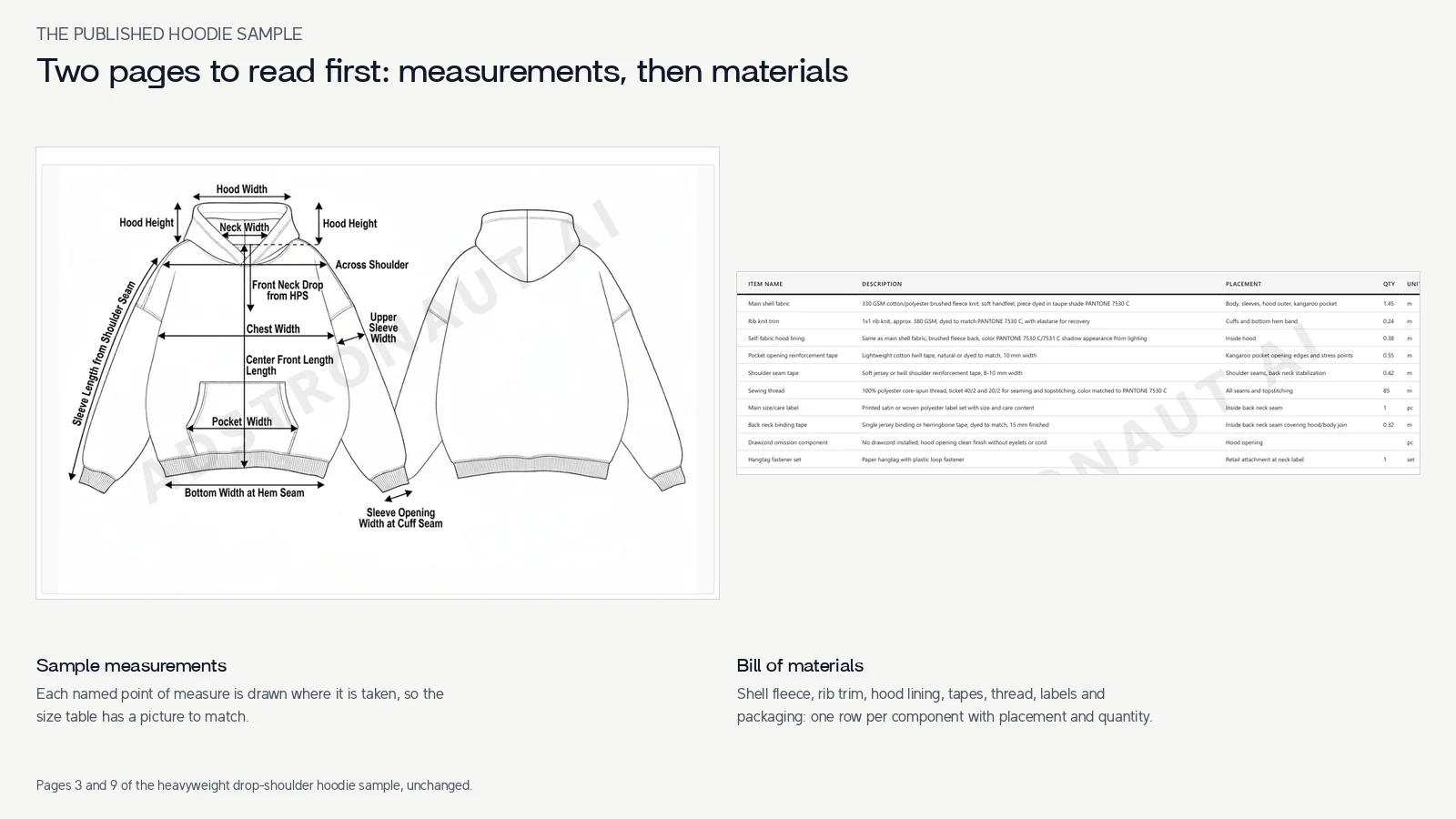
Pages 3 and 9 of the hoodie sample, unchanged. The measurement flat names hood height, hood width, across shoulder and pocket width; the bill of materials lists the brushed fleece shell, rib trim, hood lining, tapes, thread, labels and packaging with placement and quantity.
Read a pack in this order: identify the style and units, inspect the front and back drawing, compare the materials to the visible components, then follow the measurement names into the size table. Finally, list anything that needs clarification before a sample request. For a garment-specific starting point, use the hoodie template guide; for other classes, browse the tech-pack examples.
Tech pack, spec sheet, pattern and line sheet
| Document | Main job | What it does not establish by itself |
|---|---|---|
| Tech pack | Communicate product specifications | Physical sample approval |
| Garment spec sheet | Document measurements, methods, sizes and tolerances | The complete material and construction brief |
| Sewing pattern | Define the pieces used to construct the garment | Every commercial or product specification |
| Line sheet | Present product and order information to wholesale buyers | Manufacturing instructions |
Teams sometimes use "spec sheet" more broadly, so confirm what your manufacturer means. Ask which documents and source formats they require for your stage of development. The tech pack versus spec sheet guide goes deeper.
Who prepares and checks it?
A founder, designer, product developer or technical designer can assemble the pack. The important responsibility is identifying which details are known and which still need technical decisions. A factory may help resolve those decisions, but that agreement should be explicit.
The Adstronaut AI tech pack generator turns a photo or sketch and a brief into technical drawings, measurement tables, materials and construction details in minutes. You get an editable document to develop your product and communicate with your manufacturer, without assembling each section from scratch. Supply your intended dimensions and material choices, refine the generated details, and check the final export before sharing.
Follow how to create a tech pack for the workflow, or use the manufacturer handoff checklist when the document is ready for discussion.
How much does one cost?
Manual work depends on the drawings and specifications already available, garment complexity and the professional services required. Ask for a scope that distinguishes document preparation, patternmaking, fitting and revisions instead of comparing unlike quotes. The tech pack cost guide sets out typical ranges.
Adstronaut AI charges 25 credits per pack within a subscription. Signup includes 25 credits for a watermarked preview with the core sections visible. Standard starts at $29/month with 125 credits and clean PDF exports with every section; Pro adds editable Excel and CSV. Those subscriptions are not a single-pack checkout price. Check current plans.
Create a watermarked tech-pack preview →
Frequently Asked Questions
What does "tech pack" stand for?
Technical package. Both terms describe the same document: the technical specification a manufacturer uses to quote, sample and produce a product.
How many pages is a tech pack?
As many as the product needs. The overshirt above is fourteen pages; the published sample PDFs run from fifteen pages for the denim jeans to twenty-three for the intarsia sweater. A pack is complete when every question in the table above has an answer, not when it reaches a page count.
Do I need one for a simple T-shirt?
You still need to communicate the intended measurements, fabric, trims, artwork and construction. The appropriate document may be simpler than an outerwear pack, particularly with an established factory and an approved base style.
Is a tech pack a guarantee of a good sample?
No. It gives the team a defined specification to work from. Pattern development, material selection, production capability and physical fit review also affect the result.
Can I reuse a template?
Yes. Replace its values and irrelevant sections with your product's own specifications. Do not copy example measurements or materials without reviewing whether they apply.
Is an AI pack ready to manufacture immediately?
An AI-generated pack can be the working document you use with your manufacturer. Confirm the measurements, materials and construction choices for your style, then issue the agreed revision for sampling or production. Physical sample and fit checks remain part of garment development, whichever tool creates the pack.
Further reading
- Techpacker's overview of tech packs — another industry explanation of the document's role.
- Adstronaut AI's template library — reference files and garment guides.
- Tech pack versus spec sheet — how the documents relate.