The Perfect E-commerce Listing: A Step-by-Step Guide Using AI
Shopify reports that merchants who complete all recommended listing fields — title, description, multiple images, and structured attributes — see conversion rates up to 30% higher than those with incomplete pages. Yet a 2023 Salsify survey found that 40% of fashion brands take over two hours to create a single product listing manually. This guide shows how to build a complete, high-converting product page from one sample photo in under 15 minutes using AI.
You're juggling files from a freelance photographer, manually writing descriptions into a spreadsheet, and trying to come up with a comprehensive set of product tags, all while racing to get your new collection live. The result is often an inconsistent product page with just one or two photos and a hastily written description—a page that fails to build the customer confidence needed to make a sale.
What if you could build a perfect, high-converting product page from a single sample photo in less than 30 minutes? What if the process was so seamless that the output from one tool automatically fed into the next, creating a complete and consistent product launch kit with just a few clicks?
This is the power of using Adstronaut AI as a unified workflow. In this guide, we'll walk you through a step-by-step process for using three of our core tools—AI Photoshoots, the Product View Generator, and the Product Tagger—to create a comprehensive, professionally merchandised, and SEO-optimized e-commerce listing from scratch.
Table of Contents
- The Anatomy of a High-Converting Product Page
- Your Starting Point: A Single Product Photo
- Step 1: Create Your Hero Imagery with AI Photoshoots
- Step 2: Generate All Your Angles with the Product View Generator
- Step 3: Write All Your Copy with the Product Tagger
- The Final Result: A Complete, Import-Ready Listing
- From Hours of Chaos to Minutes of Flow
The Anatomy of a High-Converting Product Page
Before we build one, let's define what a "perfect" product page looks like from a customer's perspective. It's not just about a "Buy Now" button. It's about answering every potential question and eliminating every point of hesitation.
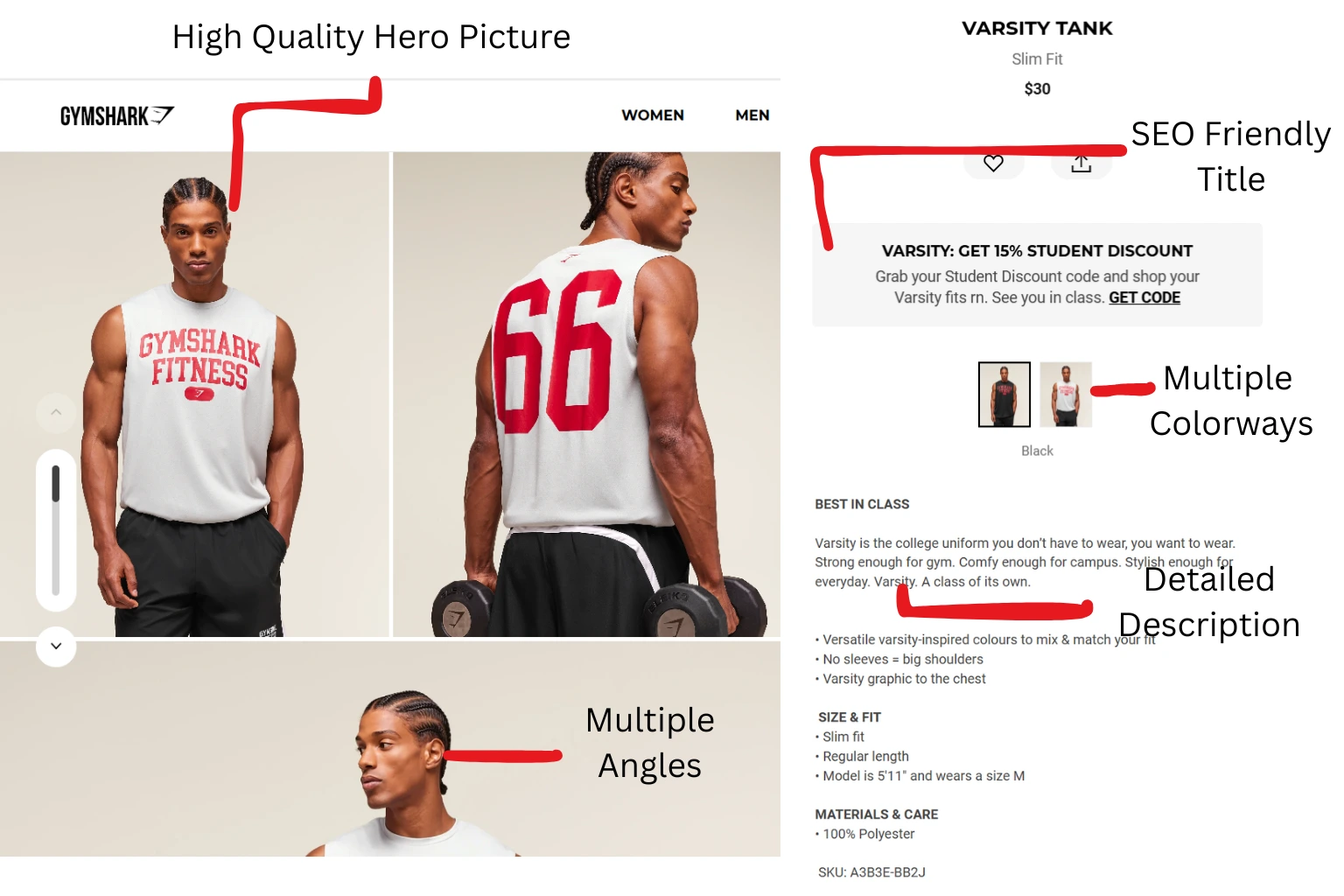 A high-converting product page answers every customer question visually and textually.
A high-converting page typically includes:
- A Clear, SEO-Friendly Title: Helps customers find you on Google.
- Multiple High-Quality Images: Shows the product from various angles (front, back, side) and in a lifestyle context.
- Engaging Product Description: Tells the story of the product and highlights its benefits.
- Scannable Bullet Points: Calls out the key features for quick reading.
- Detailed Attributes: Provides all the necessary specifics (material, fit, care, etc.) to inform a purchase decision.
Creating all these assets manually is the source of the workflow chaos. Now, let's build it with AI.
Your Starting Point: A Single Product Photo
Our entire workflow begins with just one image. For this example, let's say we've just received our first sample of a new trench coat, and we've snapped a quick, clean photo of it on a mannequin. This single, simple photo is all we need to generate everything else.
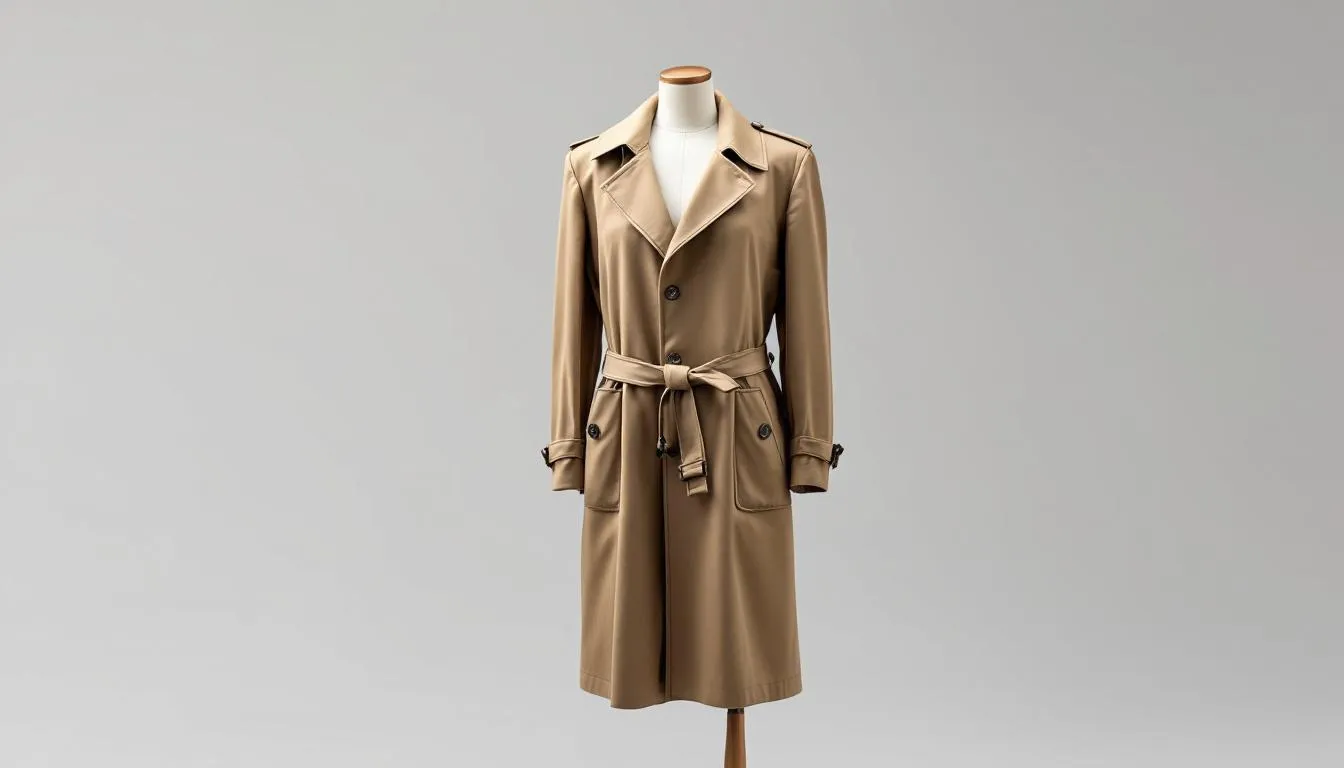 Our entire workflow starts with just one simple photo of your product sample.
Step 1: Create Your Hero Imagery with AI Photoshoots
First, we need stunning lifestyle and on-model images that will grab the customer's attention.
- Action: Go to the AI Photoshoots tool in Adstronaut AI.
- Input: Upload your single trench coat photo.
- Process: Select an AI model that fits your brand aesthetic and a background that tells a story (e.g., "Central Park" for a classic, urban vibe).
- Output: In about two minutes, you receive a gallery of professional, on-model photos of your trench coat. You can select the best 2-3 images to use as your main "hero" shots and for marketing materials.
| Time Elapsed | Cost | Result |
|---|---|---|
| ~5 Minutes | ~$3 (3 images) | Professional, on-model campaign imagery. |
Step 2: Generate All Your Angles with the Product View Generator
Now that we have our captivating hero shots, we need the practical, informative shots that help customers understand the product's fit and features.
- Action: Go to the Product View Generator.
- Input: Use the same original trench coat photo.
- Process: Select the essential e-commerce poses: "Back View," "Side Profile," and "Detail Close-Up."
- Output: In another two minutes, you receive three perfectly consistent product views, showing the trench coat from every critical angle.
| Time Elapsed | Cost | Result |
|---|---|---|
| ~10 Minutes (Total) | ~$3 (3 views) | A complete set of product detail shots. |
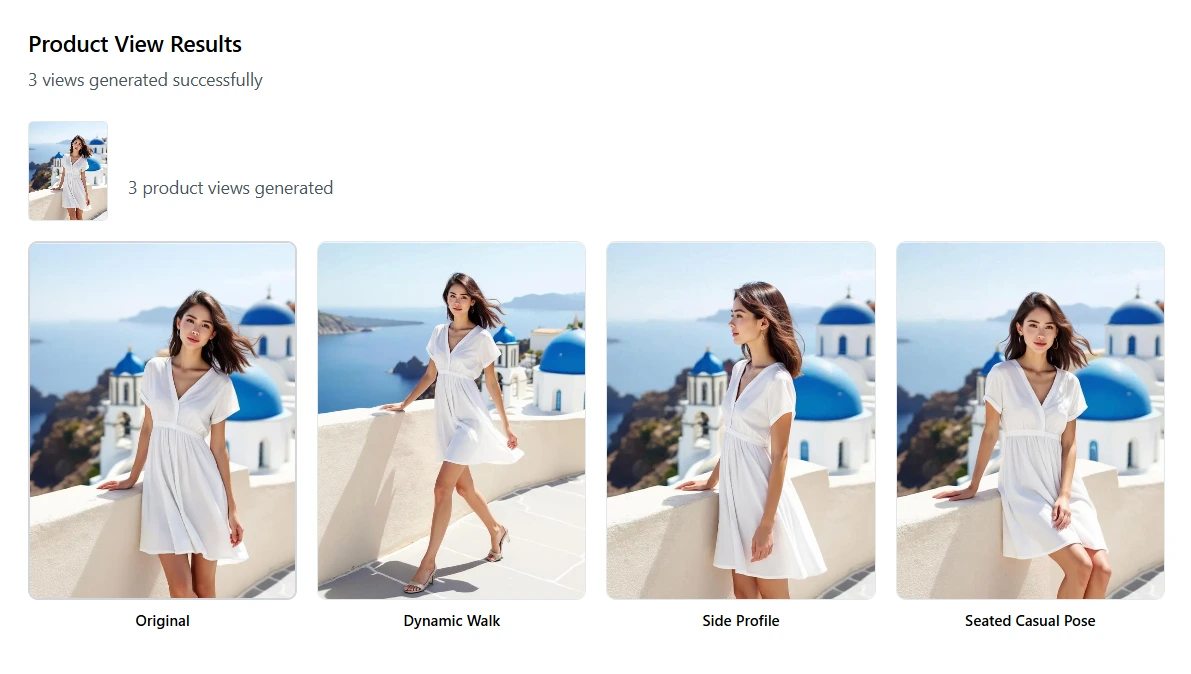 In minutes, Adstronaut AI turns your one source image into a complete set of hero shots and detailed product views.
Step 3: Write All Your Copy with the Product Tagger
With all our visual assets created, it's time to generate the text content. This is where the unified nature of the platform shines.
- Action: Go to the Product Tagger.
- Input: Again, use the original trench coat photo.
- Process: Click "Tag Products with AI." The AI analyzes the image and leverages its understanding of fashion to generate all the necessary text.
- Output: A complete data set for your product listing, including:
- Title: "Classic Double-Breasted Khaki Trench Coat"
- Description: "A timeless essential, this double-breasted trench coat offers a sophisticated silhouette... "
- Attributes: Category (Outerwear), Material (Cotton Twill), Closure (Button), etc.
| Time Elapsed | Cost | Result |
|---|---|---|
| ~15 Minutes (Total) | $0.20 | A complete, SEO-optimized set of product data. |
Build a complete product listing in minutes →
The Final Result: A Complete, Import-Ready Listing
In approximately 15 minutes, and for a total cost of around $6.20, you have successfully created every single asset needed for a high-converting product page.
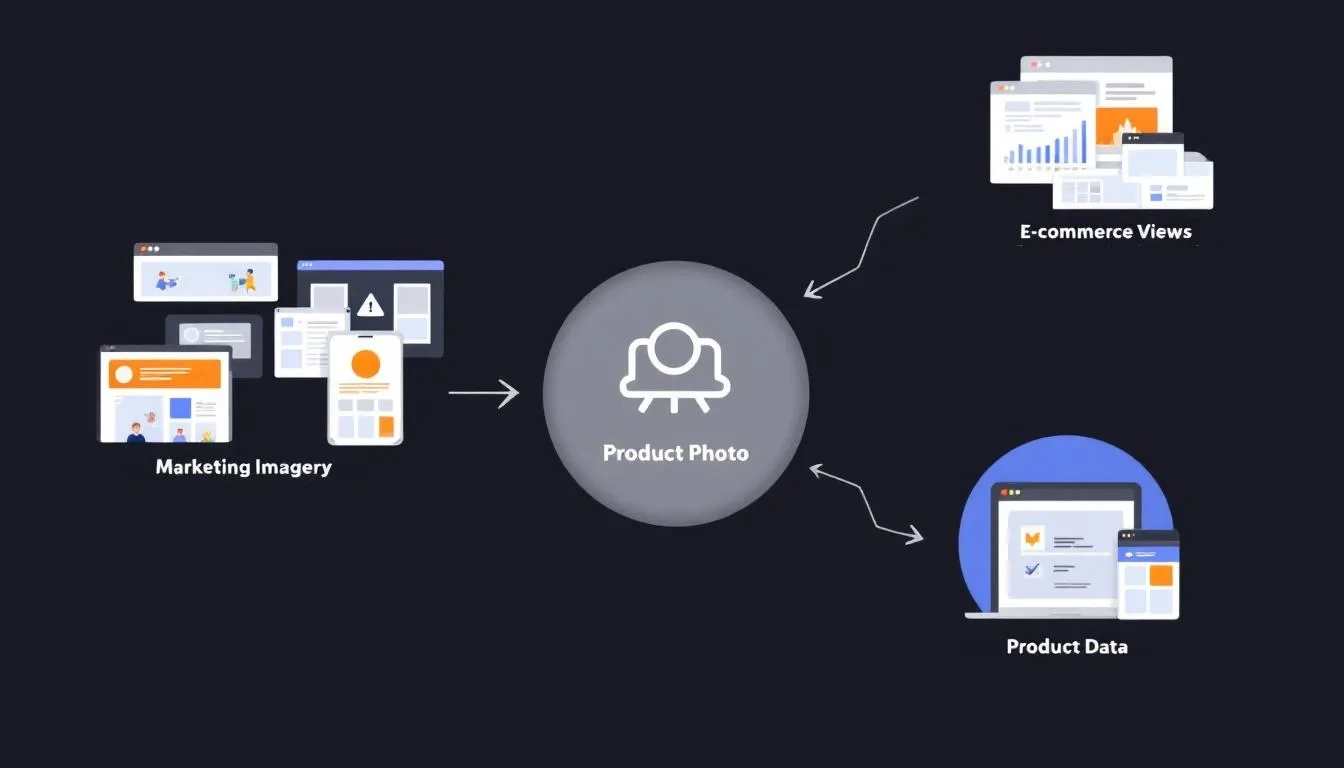 The Adstronaut AI workflow efficiently creates every asset you need for a successful product launch from a single source.
You now have:
- A folder of professional hero images.
- A full set of front, back, and side product views.
- A CSV file with a complete, SEO-rich product listing, ready to be uploaded directly to Shopify, WooCommerce, BigCommerce, or your e-commerce platform of choice.
The process that used to take days of coordination across tools like Adobe Lightroom, Google Sheets, and Canva, and hundreds (if not thousands) of dollars is now a streamlined, predictable, and incredibly affordable workflow.
From Hours of Chaos to Minutes of Flow
This isn't just about making one part of your job faster. It's about fundamentally changing the way you operate. When the process of creating a product listing becomes this easy, it unlocks new possibilities:
This streamlined approach becomes even more powerful when you can explore variations and recolor your products instantly, creating multiple listings from a single design.
- Launch products more frequently.
- Ensure every product has a complete, professional page.
- Spend less time on data entry and more time on design and strategy. According to McKinsey, brands that automate product content creation reduce time-to-market by an average of 50%.
- Free yourself from the stress and chaos of a fragmented workflow.
Adstronaut AI provides the tools to not just manage your brand, but to scale it efficiently and creatively. This is part of our broader vision to unify your entire fashion toolkit and help you calculate the true ROI of adopting AI across your business.
Create your next product listing in minutes →
Frequently Asked Questions
What e-commerce platforms does this workflow support?
The exported CSV is compatible with Shopify, WooCommerce, BigCommerce, and most major e-commerce platforms. The generated images can be uploaded to any platform that accepts standard JPEG or WebP formats.
How long does it take to create a complete product listing with AI?
From a single product photo to a fully finished listing — including hero imagery, multi-angle views, title, description, and attributes — typically takes 15-20 minutes. Manual creation of the same assets averages 2-4 hours.
Are the AI-generated product descriptions SEO-optimized?
Yes. The Product Tagger generates titles and descriptions that include relevant fashion keywords, structured attributes, and natural language patterns designed to perform well in Google Shopping and marketplace search results.
Can I edit the AI-generated copy before exporting?
Absolutely. Every AI-generated field — title, description, tags, and attributes — is fully editable within the platform. The AI output is a starting point that you can refine to match your brand voice.
What kind of product photo works best as a starting point?
A clear, well-lit photo on a clean background produces the best results across all three tools. Mannequin shots and flat lays both work well. On-model photos are ideal for the photoshoot and product view steps.
Sources and further reading:
- Shopify — Product Page Conversion Optimization — Research on listing completeness and its impact on conversion rates
- Salsify — 2023 Consumer Research Report — Survey data on product content creation timelines across fashion brands
- McKinsey & Company — The State of Fashion 2025 — Analysis of automation's impact on time-to-market in fashion retail