Best AI Tools for Fashion Design in 2026 — A Comprehensive Comparison
The best AI tools for fashion design in 2026 are Adstronaut AI (end-to-end design-to-production, $29-$99/mo), CLO 3D (3D garment simulation, $50-$500/mo), Midjourney/DALL-E (concept generation, $10-$60/mo), Resleeve AI (AI fashion design, $19-$99/mo), The New Black (AI clothing generator, $18-$48/mo), and Designovel (trend forecasting + design, custom pricing). The right tool depends on whether you need concept ideation, production-ready specs, or photorealistic visualization.
This guide compares 8 AI fashion design tools across every category — end-to-end platforms, 3D simulation, concept generation, and specialized tools — with honest pricing, strengths, weaknesses, and use-case guidance so you can pick the right tool for your workflow.
Table of Contents
- Quick Comparison Table
- End-to-End Platforms
- 3D Design and Simulation
- AI Concept Generation
- Specialized Tools
- Feature-by-Feature Comparison
- How to Choose the Right AI Fashion Tool
- What AI Can and Cannot Do in Fashion Design
- Frequently Asked Questions
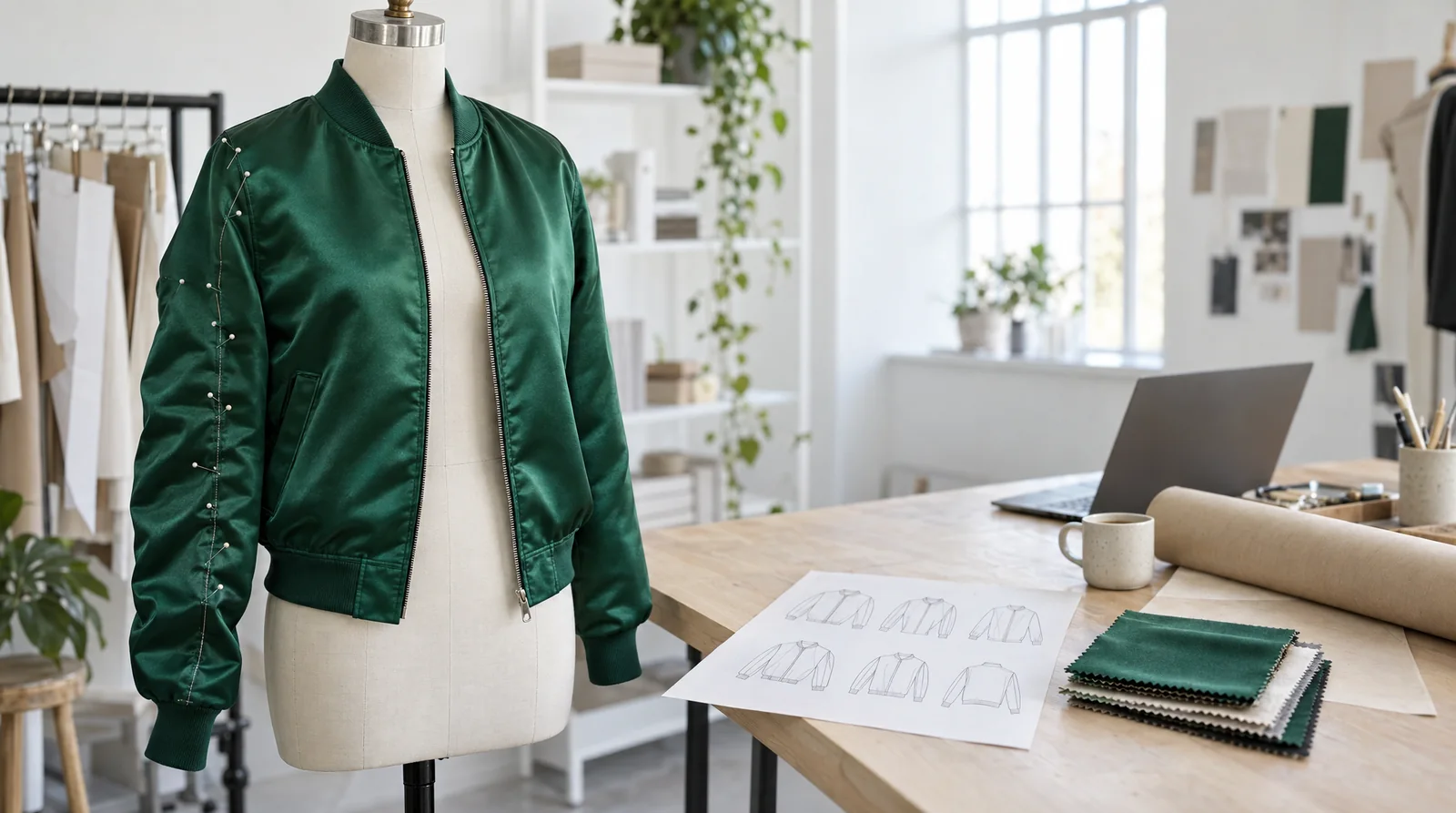
Fashion designer working with AI tools on a large touchscreen display showing AI-generated garment concepts and Pantone swatches
Quick Comparison Table {#quick-comparison-table}
| Tool | Price | Best For | Learning Curve | Output Type |
|---|---|---|---|---|
| Adstronaut AI | $29–$99/mo | Production-ready workflow | Low | Production-ready specs, photoshoots, variations |
| CLO 3D | $50–$500/mo | 3D fit simulation | High | 3D prototypes, pattern files |
| Browzwear | Enterprise pricing | Enterprise 3D development | High | 3D digital twins, PLM integration |
| Midjourney | $10–$60/mo | Concept exploration | Low | Concept images |
| DALL-E (ChatGPT) | $20–$200/mo | Concept exploration | Low | Concept images |
| Resleeve AI | $19–$99/mo | Sketch-to-design concepts | Low | Design concepts from sketches |
| The New Black | $18–$48/mo | Quick concept generation | Low | AI-generated fashion concepts |
| Designovel | Custom pricing | Trend-driven design | Medium | Trend reports + design suggestions |
| Vue.ai | Custom pricing | E-commerce photography | Medium | Virtual try-on, product images |
According to McKinsey's State of Fashion report, fashion companies that invest in AI tools across their value chain have seen a 10–20% increase in revenue through faster time-to-market, reduced sampling costs, and improved sell-through rates. The question is no longer whether to adopt AI — it is which tools to adopt first.
End-to-End Platforms {#end-to-end-platforms}
1. Adstronaut AI — Best for Production-Ready Workflow {#adstronaut-ai}
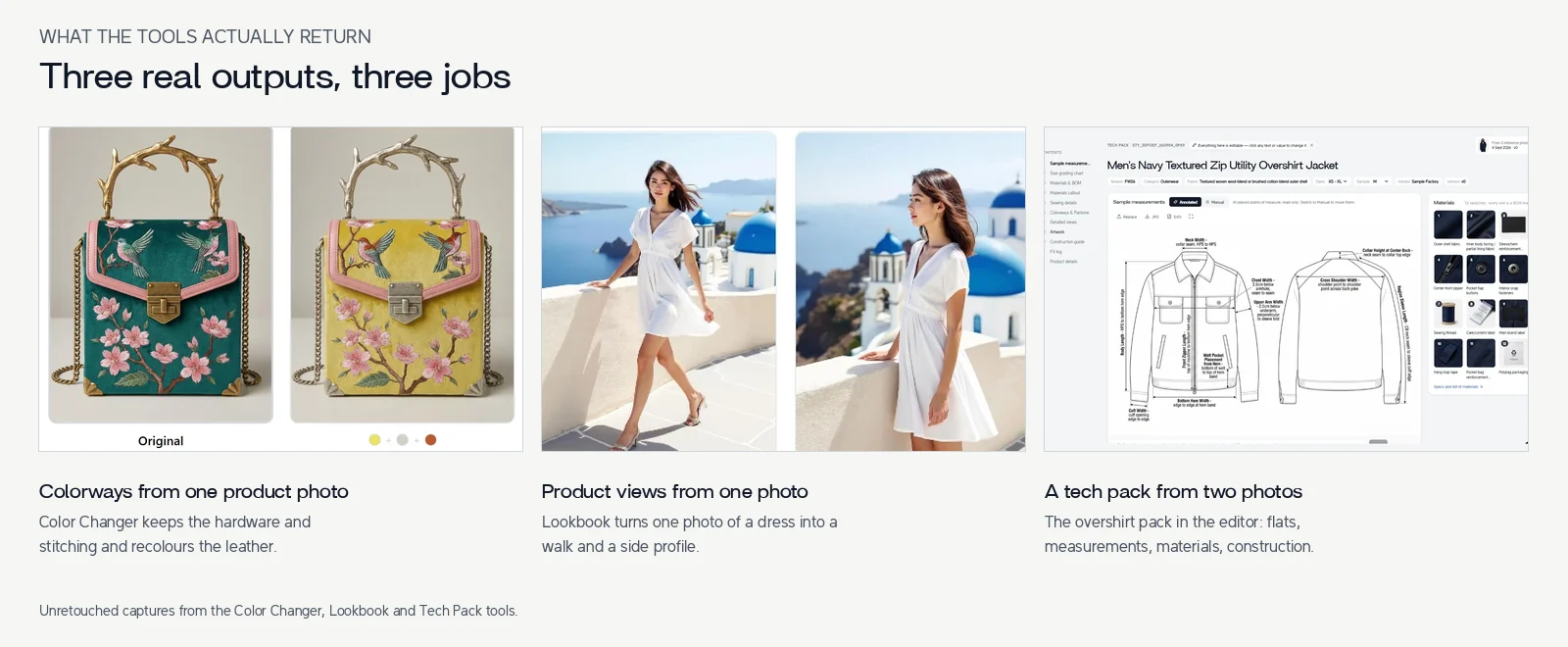
How it works: A unified platform covering the full spectrum from design to production. Upload a product photo or generate a design from a moodboard, then create AI photoshoots, tech packs, color variations, fabric swaps, and product tags — all from one dashboard.
Pricing: $29/month (Starter), $59/month (Pro), $99/month (Business). Credit-based usage within each tier.
Key features:
- AI photoshoots — generate on-model product images from flat-lay photos
- Tech pack generation — photo-to-factory-ready PDF in minutes
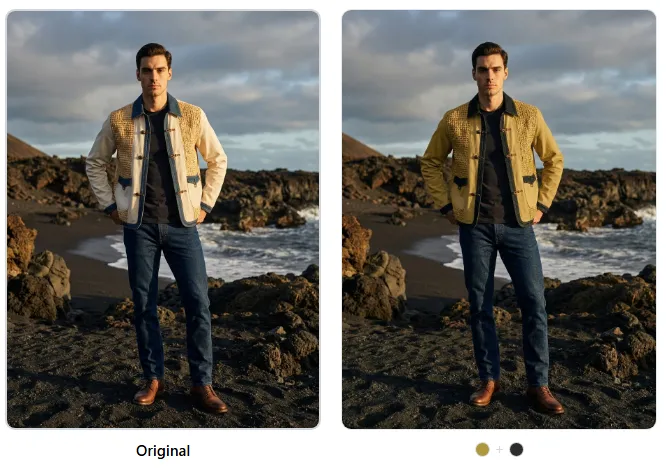
- Color changing — recolor garments into unlimited colorways with Pantone matching
- Fabric swapping — test different materials on your designs without physical samples
- Design variation generator — create dozens of design alternatives from a single starting point
- Product tagging — auto-generate SEO-optimized e-commerce attributes
Best for: Indie brands and small-to-mid-size teams that need production-ready output across multiple workflow stages — not just inspiration, but files you can send to a factory or upload to Shopify.
Limitations:
- Newer platform with a smaller user community than established tools like CLO 3D
- AI-generated tech pack specs may need manual review for highly complex garments (structured blazers, technical outerwear)
- 3D garment simulation is not part of the current feature set
- Best results require clear, well-lit input photos
Learning curve: Low. No design software skills required. Most users are productive within their first session.
Verdict: The strongest option if your bottleneck is the gap between having a design idea and having production-ready assets. No other single tool covers photoshoots, tech packs, color changes, and fabric swaps in one place. However, if your primary need is 3D fit simulation or high-end concept art, other tools on this list may serve you better for those specific tasks.
3D Design and Simulation {#3d-design-and-simulation}
2. CLO 3D — Best for Fit Simulation {#clo-3d}
How it works: Industry-leading 3D garment design software. Create patterns from scratch or import them, drape them on virtual avatars, and simulate how different fabrics behave. Produces photorealistic 3D renders and exportable pattern files.
Pricing: $50/month (Individual), $100/month (Business), up to $500/month for enterprise tiers with advanced collaboration features. Free 30-day trial.
Key features:
- Photorealistic 3D garment simulation with accurate fabric physics
- Virtual fitting on customizable body models
- Direct pattern export to factory cutting systems
- Growing library of digital fabric presets
- Integration with Adobe Illustrator for 2D/3D hybrid workflows
Best for: Brands that need to reduce physical sampling rounds and want to see exactly how fabric drapes, fits, and moves before cutting a single swatch. Adopted by major brands including Adidas, Hugo Boss, and Tommy Hilfiger.
Limitations:
- Very steep learning curve (3–6 months to become productive)
- Requires understanding of pattern making and garment construction
- Not a standalone production tool — you still need separate software for tech packs, photoshoots, and e-commerce assets
- Expensive when combined with the other tools you still need
- Desktop software (Windows/Mac) — no browser-based access
Learning curve: High. CLO 3D is professional-grade software comparable in complexity to learning a 3D modeling tool. Budget 3–6 months of regular practice.
Verdict: Unmatched for 3D fit simulation. If reducing physical samples is your top priority and you have the time to learn it (or the budget to hire someone who already knows it), CLO 3D is the industry standard. But it solves one part of the puzzle — you will still need other tools for the rest of your workflow.
A 2024 Business of Fashion survey found that 73% of fashion executives consider AI a top-three strategic priority, with 3D design and virtual sampling cited as the highest-impact investment area for reducing pre-production costs.
3. Browzwear — Best for Enterprise 3D Workflows {#browzwear}
How it works: Enterprise-grade 3D design and product development platform with full PLM integration. Create digital twins of garments, collaborate across global teams, and connect directly to manufacturing systems.
Pricing: Custom enterprise pricing (typically $10,000–$50,000+/year per team). No self-serve pricing.
Key features:
- End-to-end 3D product development from concept to manufacturing
- Full PLM integration (Centric, Flex PLM, Bamboo Rose)
- Digital twin technology for accurate virtual prototyping
- Advanced collaborative workflows for global teams
- Fabric simulation library with manufacturer-verified digital materials
Best for: Large fashion enterprises with 100+ styles per season, dedicated technical design teams, and existing PLM infrastructure. Used by Under Armour, Levi's, and PVH.
Limitations:
- Prohibitively expensive for small and mid-size brands
- Months-long implementation process
- Requires dedicated IT support and training
- Overkill for brands producing fewer than 50 styles per season
Learning curve: High. Enterprise onboarding with dedicated training programs.
Verdict: The most comprehensive enterprise 3D solution available. If you are a global brand with the budget and infrastructure, Browzwear delivers unmatched capabilities. For everyone else, it is out of scope — included here for completeness.
AI Concept Generation {#ai-concept-generation}
4. Midjourney — Best for Moodboarding and Concept Art {#midjourney}
How it works: A general-purpose AI image generator accessed through Discord or the Midjourney web app. Enter text prompts describing your design vision and generate high-quality concept images. Not fashion-specific, but widely used by designers for moodboarding and early-stage ideation.
Pricing: $10/month (Basic), $30/month (Standard), $60/month (Pro). Image generation limits vary by tier.
Key features:
- Exceptional aesthetic quality — among the best general-purpose AI image generators
- Style control through detailed prompting and style references
- Variations and upscaling of generated images
- Community gallery for inspiration
- Pan, zoom, and region editing for iterative refinement
Best for: Designers who need high-quality concept art, moodboard imagery, and visual inspiration at the earliest stages of the design process.
Limitations:
- Not fashion-specific — lacks garment construction awareness, pattern understanding, or technical detail
- Generated images are conceptual only — they cannot be sent to a factory as-is
- Inconsistent garment details (buttons, seams, proportions often inaccurate)
- No production pipeline — no tech packs, measurements, or BOM generation
- Copyright questions remain unresolved for AI-generated imagery
Learning curve: Low. Text-based prompting is intuitive, though mastering prompt engineering for consistent fashion results takes practice.
Verdict: Outstanding for concept exploration and visual storytelling. Many designers use Midjourney to rapidly explore ideas before refining them in production-oriented tools. Just know that the output is the starting point, not the finish line — you cannot manufacture from a Midjourney image alone.
5. DALL-E (via ChatGPT) — Best for Accessible Concept Generation {#dall-e}
How it works: OpenAI's image generation model, integrated into ChatGPT. Describe your design in natural language and generate concept images through conversation. More accessible than Midjourney's Discord-based workflow.
Pricing: Included with ChatGPT Plus ($20/month) or ChatGPT Pro ($200/month). Free tier has limited image generation.
Key features:
- Conversational interface — describe and refine designs through natural language
- Text rendering in images (useful for branded elements)
- Inpainting — edit specific regions of generated images
- Integrated into a chat interface most users already know
Best for: Designers who want a quick, conversational way to explore ideas without learning a new tool. Good for generating initial concepts, testing color palettes, and visualizing trends.
Limitations:
- Lower aesthetic quality than Midjourney for fashion-specific imagery
- Same fundamental limitation: conceptual output only, no production pathway
- Less fine-grained control over style and composition
- Rate limits on image generation, especially on lower tiers
Learning curve: Low. If you can use ChatGPT, you can use DALL-E.
Verdict: The lowest barrier to entry for any AI image generation. Good enough for early exploration, particularly if you already pay for ChatGPT. For higher-quality fashion concept art, Midjourney generally produces stronger results.
According to McKinsey, the fashion industry spends approximately $1.7 billion annually on design technology, a figure projected to grow 25–30% year over year as AI tools mature. The shift from manual to AI-assisted design is not a trend — it is a structural change in how fashion companies operate.
6. Resleeve AI — Best for Sketch-Based Design Generation {#resleeve-ai}
How it works: A fashion-specific AI platform that generates design concepts from text prompts, uploaded sketches, or reference images. Focused on turning rough ideas into polished fashion design concepts.
Pricing: $19/month (Starter), $49/month (Pro), $99/month (Business). Free trial available.
Key features:
- Fashion-trained AI models (better garment understanding than general-purpose tools)
- Sketch-to-design: upload a rough sketch and generate polished design concepts
- Text-to-design: describe your garment and see visual concepts
- Style transfer: apply the aesthetic of a reference image to your design
- Batch generation for exploring multiple concepts quickly
Best for: Designers who want to move from rough sketches or verbal ideas to polished visual concepts without manual rendering. Good for designers who think in sketches rather than text prompts.
Limitations:
- Output is concept-level — no production-ready specs, tech packs, or manufacturing files
- Smaller model and training dataset compared to Midjourney or DALL-E
- Generated details (hardware, stitching, closures) may not be technically accurate
- Limited post-generation editing tools
Learning curve: Low. Upload and generate workflow is straightforward.
Verdict: A solid option for designers who want a fashion-specific concept generator rather than a general-purpose one. The sketch-to-design feature is genuinely useful for designers who work in traditional sketchbooks. But like all concept generators, there is a gap between the AI output and something you can actually produce.
7. The New Black — Best for Quick Fashion Concept Generation {#the-new-black}
How it works: An AI clothing generator that creates fashion design concepts from text prompts. Focused on speed and simplicity — type a description, get a design concept.
Pricing: $18/month (Basic), $28/month (Standard), $48/month (Premium). Free trial with limited generations.
Key features:
- Fast text-to-design generation optimized for clothing
- Multiple design variations from a single prompt
- Collection builder — generate coordinated pieces for a collection
- Simple interface designed for non-technical users
- Affordable entry-level pricing
Best for: Emerging designers, students, and entrepreneurs who want to rapidly visualize clothing ideas without design software or rendering skills.
Limitations:
- Lower image quality compared to Midjourney or Resleeve for detailed fashion imagery
- Limited control over specific garment details
- Concept-only output — no path to production without additional tools
- Less versatile than general-purpose generators for non-standard garment types
Learning curve: Low. Designed for simplicity.
Verdict: The most affordable fashion-specific concept generator. Good for quickly testing ideas and building early-stage moodboards. For more refined output, Resleeve or Midjourney will produce stronger results, but at a higher price point.
Evolution from traditional fashion sketching to AI-generated photorealistic garment designs showing hand-drawn sketches transforming into digital renderings
Specialized Tools {#specialized-tools}
8. Designovel — Best for Trend-Driven Design {#designovel}
How it works: Combines AI trend forecasting with design generation. Analyzes market data, social media trends, and runway patterns to predict upcoming trends, then generates design concepts aligned with those predictions.
Pricing: Custom pricing based on company size and feature requirements. Typically mid-to-high-end for brands and retailers.
Key features:
- AI-powered trend forecasting using runway, social media, and retail data
- Design generation guided by predicted trends
- Color palette and pattern trend reports
- Market intelligence dashboards
- Seasonal planning tools
Best for: Brands and retailers that make merchandising decisions based on trend data and want AI to bridge the gap between trend analysis and design ideation.
Limitations:
- Custom pricing puts it out of reach for many indie brands
- Trend-driven design may not align with brands focused on timeless or niche aesthetics
- Design output is conceptual — still requires production tools downstream
- Effectiveness depends on the quality and relevance of the trend data for your specific market
Learning curve: Medium. Trend analysis features require some merchandising knowledge to interpret effectively.
Verdict: A unique positioning in the market — the only tool that tightly couples trend data with design generation. Most valuable for brands where trend alignment directly drives purchasing decisions (fast fashion, mass market). Less relevant for brands with a strong independent design point of view.
9. Vue.ai — Best for E-Commerce Product Imagery {#vue-ai}
How it works: An AI-powered platform focused on e-commerce product photography and virtual try-on. Generates on-model product images, automates image editing, and creates virtual try-on experiences for online shoppers.
Pricing: Custom pricing based on volume and feature requirements.
Key features:
- On-model product photography from flat-lay images
- Virtual try-on technology for e-commerce integration
- Automated image editing (background removal, color correction)
- Product tagging and attribute extraction
- Personalized styling recommendations for shoppers
Best for: E-commerce brands and retailers that need high volumes of on-model product photography and want to offer virtual try-on experiences to customers.
Limitations:
- Enterprise-oriented pricing structure
- Not a design tool — focused on post-design e-commerce operations
- Virtual try-on quality varies by garment type (works best for simple silhouettes)
- Implementation requires technical integration with your e-commerce platform
Learning curve: Medium. Requires technical setup and e-commerce platform integration.
Verdict: Strong for e-commerce image production at scale. If your primary challenge is generating product photography for hundreds of SKUs, Vue.ai solves that specific problem well. Note that Adstronaut AI also offers AI photoshoot capabilities at a more accessible price point, so compare both if on-model imagery is your primary need.
Feature-by-Feature Comparison {#feature-by-feature-comparison}
| Feature | Adstronaut AI | CLO 3D | Midjourney | Resleeve AI | The New Black | Designovel |
|---|---|---|---|---|---|---|
| Concept generation | Yes | No | Yes | Yes | Yes | Yes |
| Production-ready tech packs | Yes | Partial | No | No | No | No |
| AI photoshoots | Yes | No | No | No | No | No |
| 3D fit simulation | No | Yes | No | No | No | No |
| Color changing | Yes | Yes | No | No | No | No |
| Fabric swapping | Yes | Yes (digital) | No | No | No | No |
| Trend forecasting | No | No | No | No | No | Yes |
| Product tagging | Yes | No | No | No | No | No |
| No design skills required | Yes | No | Yes | Yes | Yes | Partial |
| Browser-based | Yes | No | Partial | Yes | Yes | Yes |
How to Choose the Right AI Fashion Tool {#how-to-choose-the-right-ai-fashion-tool}
The right tool depends on where your biggest bottleneck sits. Use this decision framework:
Start with Your Primary Need
| If your biggest challenge is... | Start with... | Why |
|---|---|---|
| Turning ideas into production files | Adstronaut AI | End-to-end: concept to factory-ready specs |
| Reducing physical sample rounds | CLO 3D | 3D simulation shows fit before you cut fabric |
| Generating design concepts quickly | Midjourney or Resleeve AI | Strong concept output at low cost |
| Getting product photos without photoshoots | Adstronaut AI or Vue.ai | AI on-model imagery from flat-lay photos |
| Trend analysis to guide design | Designovel | Data-driven trend insights |
| Enterprise-scale 3D development | Browzwear | PLM integration and global collaboration |
| Exploring AI with minimal budget | The New Black or DALL-E | Lowest cost entry points |
Consider Combining Tools
Most brands will benefit from combining tools rather than relying on a single one:
- Concept + Production: Use Midjourney or Resleeve for early ideation, then Adstronaut AI for tech packs and photoshoots
- 3D + Documentation: Use CLO 3D for virtual prototyping, then Techpacker or Adstronaut AI for tech pack documentation
- Trend + Design: Use Designovel for trend intelligence, then any design tool for execution
Budget Guidance
| Monthly Budget | Recommended Stack |
|---|---|
| Under $30/mo | The New Black or DALL-E for concepts |
| $30–$100/mo | Adstronaut AI for production workflow + DALL-E for concepts |
| $100–$300/mo | Adstronaut AI + CLO 3D Individual |
| $300+/mo | Full stack: CLO 3D + Adstronaut AI + Midjourney Pro |
| Enterprise | Browzwear + dedicated tech pack solution |
What AI Can and Cannot Do in Fashion Design {#what-ai-can-and-cannot-do-in-fashion-design}
AI tools are powerful, but it is important to understand their boundaries. Being honest about limitations helps you use these tools effectively rather than being disappointed when they fail to deliver something they were never designed to do.
What AI Does Well
Speed and scale. AI compresses hours of manual work into minutes. Generating 20 color variations of a design, producing on-model product photos, or creating a tech pack from a photo — these tasks that used to take days can now happen in a single session.
Exploration and iteration. AI removes the cost of trying things. You can test 50 fabric combinations, generate 100 design variations, or explore wildly different aesthetic directions without financial risk. This encourages creative experimentation that manual workflows cannot support.
Consistency and formatting. AI excels at producing standardized, correctly formatted output — measurement charts, product tags, structured tech pack documents. These are tasks where human error is common and AI precision is valuable.
What AI Cannot Replace
Taste and creative vision. AI can generate options. It cannot tell you which option is right for your brand. The creative direction — the curation, the editing, the point of view that defines a label — remains entirely human. No AI tool can replicate the designer's eye that turns a collection from generic to compelling.
Tactile and material decisions. AI can show you what a linen-cotton blend looks like in a rendering. It cannot tell you how it feels against skin, how it pills after 30 washes, or how it behaves in a humid climate. Physical sampling will always be part of fashion, even if AI reduces how many physical samples you need.
Brand strategy. AI does not understand your customer, your pricing architecture, your competitive positioning, or your brand story. It produces assets. The strategic decisions about what to design, who to sell to, and how to position your brand remain human decisions.
Complex construction engineering. For highly technical garments — tailored blazers, engineered performance wear, complex draping — AI-generated specs need significant human review and refinement. AI is strongest with straightforward garment types and needs more oversight as construction complexity increases.
The brands getting the most from AI in 2026 are not the ones trying to automate creativity. They are the ones using AI to eliminate the tedious, repetitive work that surrounds creativity — freeing designers to spend more time on the parts of the job that actually require human judgment.
Frequently Asked Questions {#frequently-asked-questions}
Can AI replace fashion designers?
No. AI tools automate specific tasks within the design workflow — generating concepts, creating tech packs, producing product photography, recoloring garments. They do not replace the creative vision, brand strategy, material expertise, and market intuition that human designers bring. The most accurate framing: AI is replacing specific tasks, not entire roles. Designers who learn to use AI tools will be more productive than those who do not, but the designer's eye and judgment remain essential.
What AI tools do major fashion brands use?
Major fashion brands typically use a combination of tools. CLO 3D and Browzwear are the most widely adopted for 3D design (Adidas, Nike, Under Armour, PVH). Many brands use Midjourney and DALL-E internally for concept exploration and moodboarding. Trend forecasting platforms like WGSN and Designovel are used for merchandising planning. For production workflows, brands increasingly use AI-powered tech pack and photography tools to reduce time and cost in pre-production. The trend is toward multi-tool stacks rather than a single solution.
Is AI-generated fashion copyrightable?
This is an evolving legal area. In the United States, purely AI-generated images without significant human creative input are generally not eligible for copyright protection under current guidance from the U.S. Copyright Office. However, designs that involve substantial human creative direction, curation, editing, and modification may qualify. The safest approach is to use AI output as a starting point and add meaningful human creative contribution. For a deeper analysis, see our guide to AI-generated fashion copyright.
How much do AI fashion tools cost?
AI fashion design tools range from free to enterprise pricing. Entry-level concept generators like The New Black start at $18/month. General-purpose AI generators (Midjourney, DALL-E) run $10–$60/month. Fashion-specific platforms like Resleeve AI and Adstronaut AI range from $19–$99/month. Professional 3D tools like CLO 3D cost $50–$500/month. Enterprise solutions like Browzwear require custom pricing starting at $10,000+/year. Most indie brands can access effective AI tools for $30–$100/month.
Can AI create production-ready fashion designs?
It depends on what you mean by "production-ready." AI can generate factory-ready tech packs with flat sketches, measurements, BOMs, and construction details (Adstronaut AI). AI can produce pattern files for manufacturing (CLO 3D). AI can generate e-commerce-ready product photography (Adstronaut AI, Vue.ai). However, no AI tool can produce a physical garment — the output still needs to enter a traditional manufacturing pipeline. And for complex garments, AI-generated specs should be reviewed by someone with garment construction knowledge before sending to a factory.
What is the best free AI tool for fashion design?
There is no fully free AI tool that provides a complete fashion design workflow. The best free options are: (1) DALL-E through ChatGPT's free tier, which offers limited image generation for concept exploration; (2) free trials from fashion-specific platforms — Adstronaut AI, Resleeve AI, The New Black, and CLO 3D all offer free trials; (3) Canva's free tier, which includes basic AI image generation. For serious design work, plan to invest in at least one paid tool. The $18–$30/month entry points for tools like The New Black or Midjourney Basic are accessible for most designers.
How do I integrate AI tools into my existing design workflow?
Start with one tool that addresses your biggest bottleneck, rather than trying to adopt everything at once. If you spend too much time on photoshoots, start with an AI photoshoot tool. If tech packs slow you down, start there. Use AI output as a first draft that you refine, not a finished product. Most designers find that AI tools integrate best when they replace the most tedious parts of the workflow (creating measurement charts, generating flat sketches, producing color variations) while keeping human control over the creative decisions.
Which AI tool is best for someone with no design experience?
For someone completely new to fashion design, start with a concept generator (The New Black or Midjourney) to visualize your ideas, then move to a production tool (Adstronaut AI) when you are ready to turn concepts into actual garments. These tools are specifically designed to be accessible without design software experience. Avoid starting with CLO 3D or Browzwear — their learning curves assume prior knowledge of garment construction and pattern making.
Try Adstronaut AI — from design concept to production-ready assets
Sources and further reading:
- McKinsey & Company — The State of Fashion 2025 and The State of Fashion 2026 (AI investment ROI data, industry technology spending figures)
- Business of Fashion — Technology Survey 2024 (executive AI priority rankings, digital transformation adoption data)
- CLO Virtual Fashion — official platform and pricing documentation
- Browzwear — enterprise platform capabilities and brand partnerships
- Midjourney — official pricing and feature documentation
- OpenAI — DALL-E and ChatGPT pricing tiers
- Resleeve AI — official platform and pricing documentation
- The New Black — official platform and pricing documentation
- Designovel — platform capabilities and trend forecasting methodology
- Vue.ai — platform capabilities and e-commerce integration documentation
- U.S. Copyright Office — guidance on AI-generated works and copyright eligibility