Best Clothing Design Software and Apps in 2026, by Job
The best clothing design software depends on the job you need done. Procreate ($12.99 once, iPad) is the best app for sketching ideas; Adobe Illustrator ($22.99 a month) is the industry standard for technical flats, with Inkscape as the free alternative; Seamly2D (free) and CLO ($50 a month) draft patterns; CLO and Browzwear ($75 a month) handle 3D samples; and the Adstronaut AI tech pack generator turns a product photo into a factory-ready tech pack. Most small brands use two or three of these, not one.
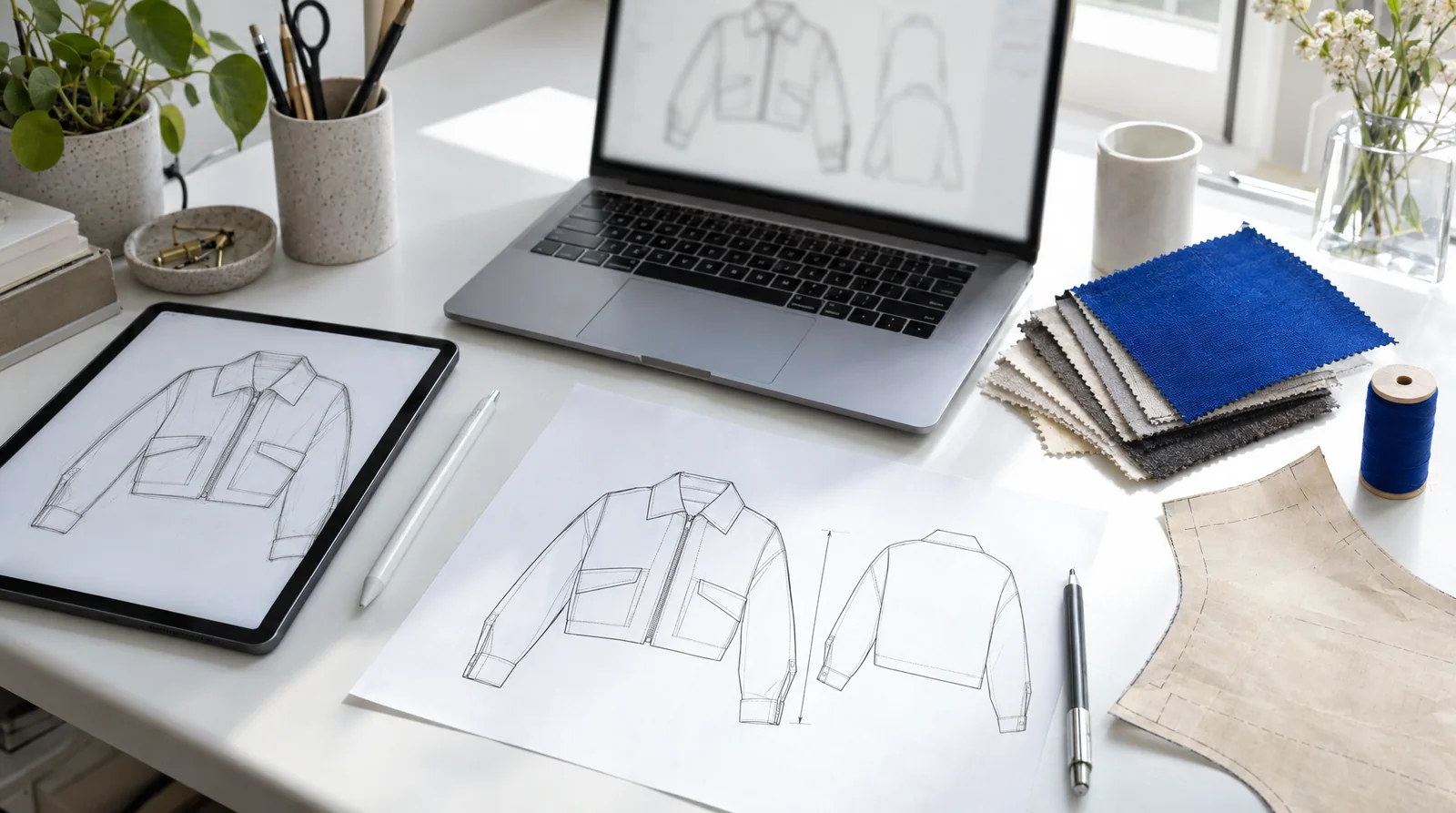
An editorial illustration of the workflow this guide covers: sketch, flat, pattern, fabric.
Table of Contents
- Which clothing design software does each job?
- What is the best app for sketching clothing designs?
- What software do fashion designers use for technical flats?
- Which software makes clothing patterns?
- Is 3D clothing design software worth it?
- Which software makes the tech pack?
- Is there free clothing design software?
- Which software stack fits your stage?
- Frequently Asked Questions
Which clothing design software does each job?
Designing a garment for production is five jobs, and each has a different best tool. Pick by the job in front of you, not by a single "best" app.
| Job | Best pick | Free option | Price (US, September 2026) | Runs on |
|---|---|---|---|---|
| Sketch ideas | Procreate | Pencil and paper, then photograph it | $12.99 one-time | iPad |
| Technical flats | Adobe Illustrator | Inkscape | $22.99/month, annual plan billed monthly | Mac, Windows, iPad |
| Patterns | CLO (pattern + 3D) | Seamly2D | CLO $50/month or $450/year; Seamly2D free | Mac, Windows (Seamly2D also Linux) |
| 3D samples | CLO or Browzwear VStitcher | CLO 14-day trial; Browzwear learner license for students | CLO $50/month; Browzwear Freelancer $75/month | Mac, Windows |
| Tech pack | Adstronaut AI tech pack generator | Excel or Google Sheets template | From $29/month for 5 packs; first pack a free preview | Browser |
A founder making a first collection rarely needs 3D software. A technical designer at a brand with a sampling budget uses almost all five. The rest of this guide takes each job in turn.
What is the best app for sketching clothing designs?
Procreate is the best app for sketching clothing on an iPad: a one-time purchase of $12.99, pressure-sensitive brushes with an Apple Pencil, layers, and no subscription. It is where many designers work out silhouette, proportion and detail before anything is measured.
Sketches are for ideas, not for factories. A sketch shows what a garment feels like; a factory needs a technical flat with exact seams, closures and stitch lines, and a table of measurements. Treat the sketch as the brief for the next step.
If you do not have an iPad, a pencil sketch photographed on your phone does the same job. Adstronaut AI's AI Designer takes a written brief and reference images and renders the concept on a dress form, which is useful when you want to see a design in fabric before committing to it.
What software do fashion designers use for technical flats?
Adobe Illustrator is the standard for technical flats: the black-line front and back drawings that go in a tech pack. It costs $22.99 a month on an annual plan billed monthly, and the plan includes Illustrator on the iPad. Factories and technical designers expect Illustrator files, so it remains the safe choice if you are hiring a designer or working with a brand's existing library of blocks.
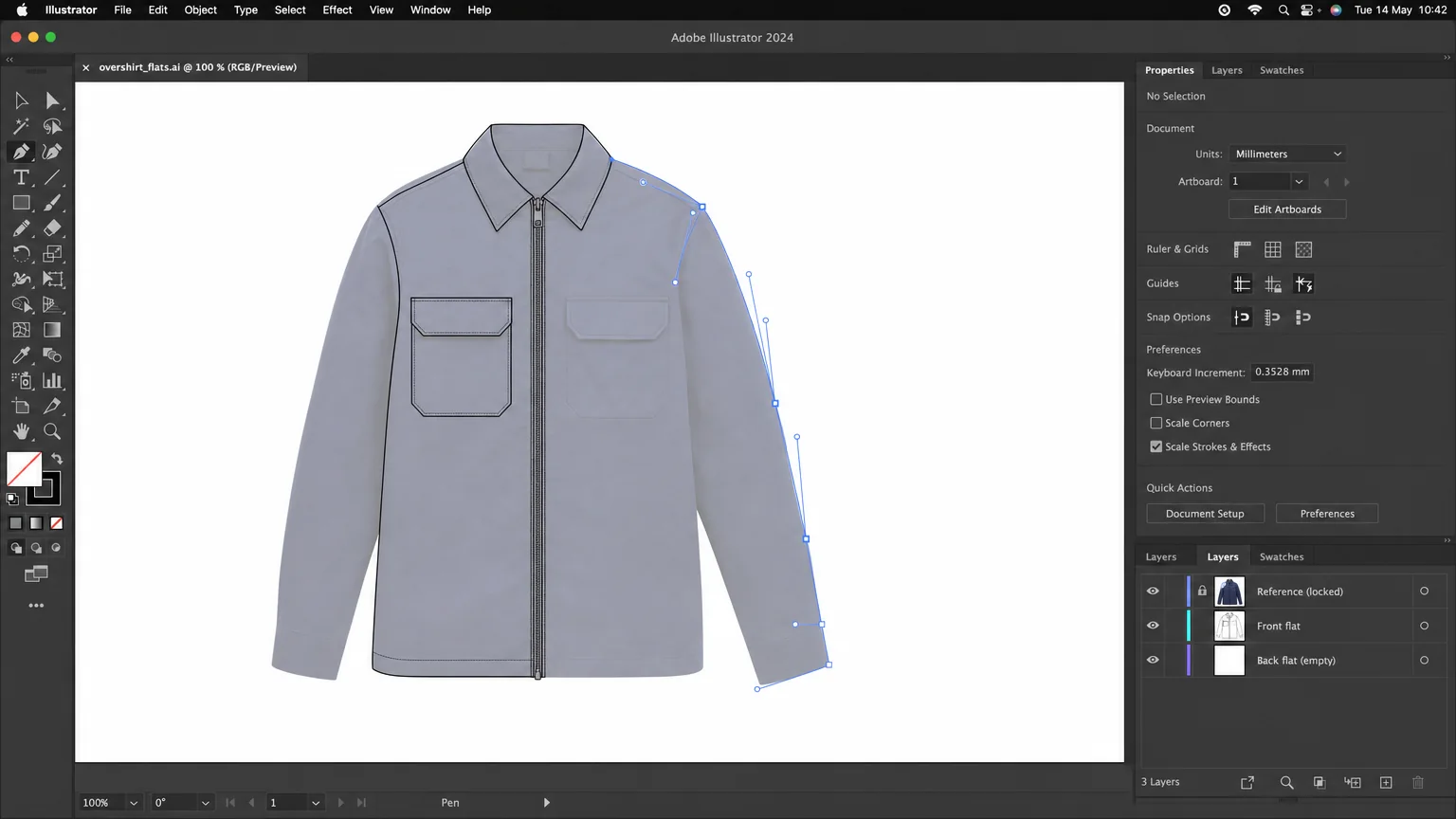
Illustration: tracing a flat over a product photo with the Pen tool, the usual Illustrator workflow. Drawing the front and back of a mid-complexity garment takes a fluent designer two to four hours.
Inkscape is the free alternative. It is open-source vector software for Windows, Mac and Linux with the same core tools: a Bézier pen, layers, stroke styles and SVG export. The learning curve is similar to Illustrator's, and the files open in Illustrator when you hand them on.
The limit of both is the same: they draw. Measurements, materials and construction notes live in a separate spreadsheet, and keeping the drawing and the spreadsheet in sync is manual work. The software comparison builds the same overshirt in Illustrator and in the Adstronaut AI generator, with the hours for each step.
Which software makes clothing patterns?
Patterns are the cut pieces a garment is sewn from, and they need different software from flats.
Seamly2D is free, open-source pattern-making software for Windows, Mac and Linux. It drafts parametric patterns from a measurement file, so one pattern can be regenerated for a standard size run or for an individual's measurements. It suits designers who draft their own patterns and want full control without a subscription.
CLO combines 2D pattern drafting with 3D simulation. The Individual plan is $50 a month or $450 a year, for freelancers and one-person businesses, with a 14-day free trial. Its advantage is that the pattern and the 3D garment are the same object: change a seam line and the draped garment updates.
Most small brands do not draft patterns themselves. The factory or a freelance pattern maker drafts from the tech pack and the approved sample. If that is your route, the software you need is the one that produces a clear tech pack, not a pattern tool.
Is 3D clothing design software worth it?
3D software is worth it when you are paying for repeated physical samples and your team has, or will build, the pattern skills to use it. CLO ($50 a month, Individual) and Browzwear VStitcher (Freelancer $75 a month or $750 a year; Teams $3,950 a year for up to three users) simulate fabric on an avatar from real patterns, so fit and drape problems show up before a sample is cut.
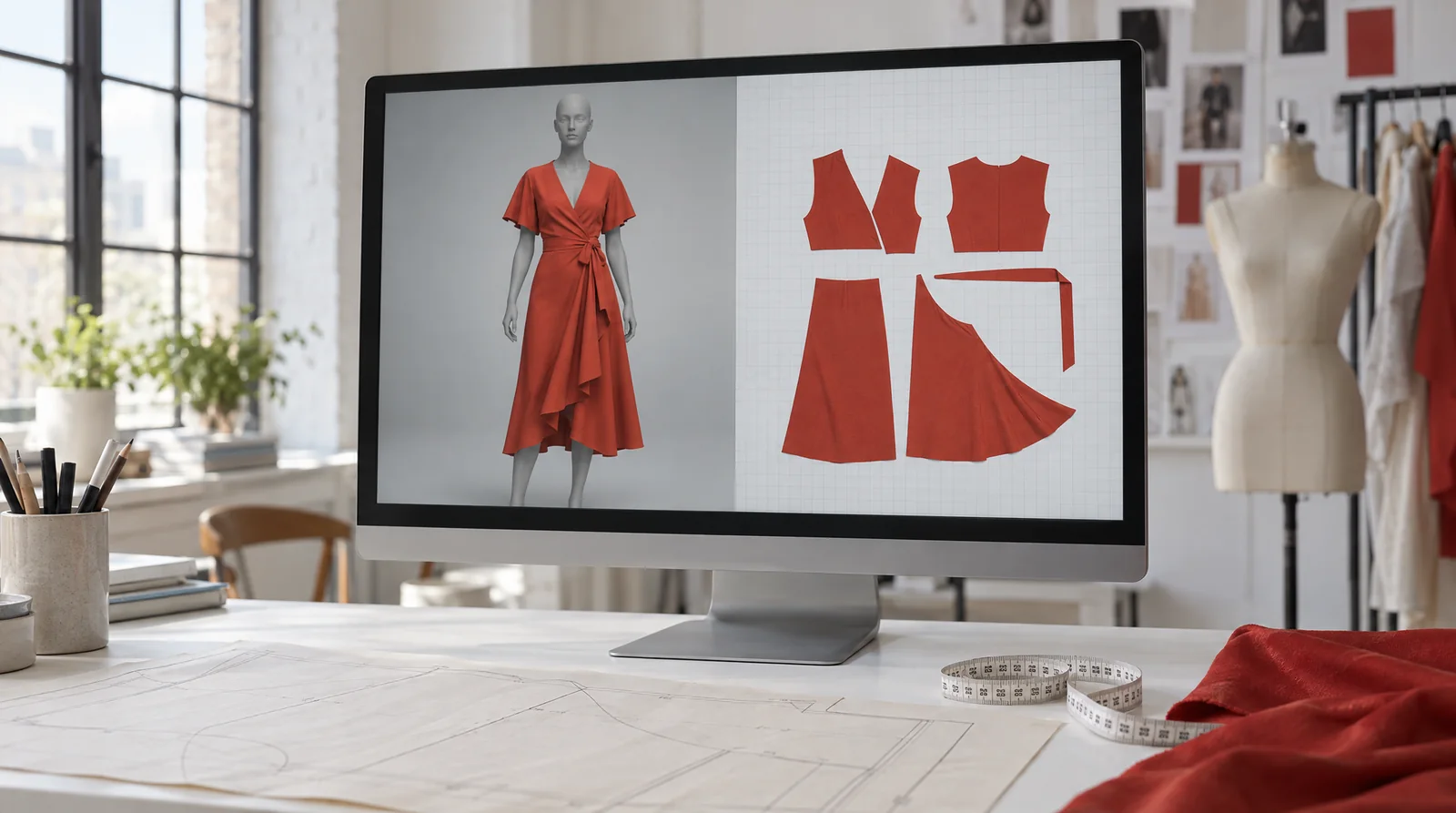
Illustration of 3D sampling: the garment is simulated from its pattern pieces, which is why 3D tools need patterns to start from.
It is not worth it for a founder without patterns. 3D tools simulate what the pattern says; they do not invent the pattern. Both vendors offer ways to try before paying: CLO's 14-day trial and Browzwear's six-month learner license for students and recent graduates.
Which software makes the tech pack?
The tech pack is the document the factory quotes and samples from: flats with points of measure, a graded size chart, the bill of materials, construction details and colourways. There are two ways to make one.
The spreadsheet way. Draw the flats in Illustrator or Inkscape, type the measurements, materials and construction into Excel or Google Sheets, and lay the pages out. It costs nothing beyond the software, and it takes roughly a working day per style for a fluent designer. Free tech pack templates and a spec sheet workbook give you the structure.
The generator way. The Adstronaut AI tech pack generator takes a product photo, or a sketch, and writes the whole document in three to five minutes: front and back flats with points of measure, a size grading chart with a tolerance on every row, materials with swatches, the bill of materials, sewing details and colourways. You review and edit it, then export a PDF; Pro adds the editable Excel file, and paid plans download the flats as SVG for Illustrator.
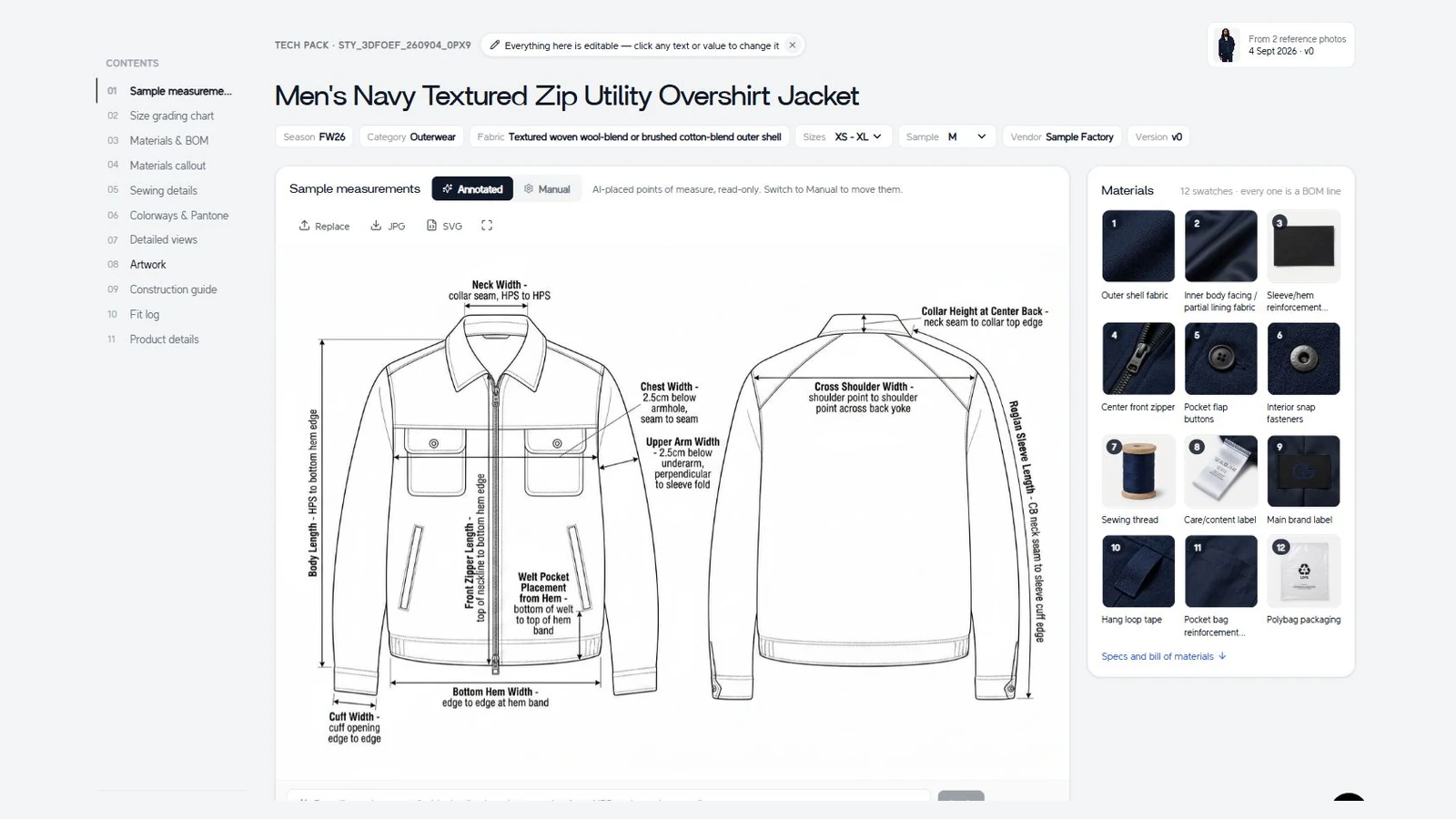
A real capture: the overshirt's generated tech pack open in the Adstronaut AI editor. Its 14-page export is free to download.
Adstronaut AI does not draft patterns or simulate fit. It replaces the flat-drawing and document-assembly step, which is the part that takes a founder longest and that most design software leaves to you.
Is there free clothing design software?
Yes, for every job except 3D simulation.
| Job | Free software | What you give up |
|---|---|---|
| Sketching | Paper and a phone camera; free drawing apps | Layers and brushes, but not the idea |
| Technical flats | Inkscape | Nothing essential; fewer fashion-specific templates |
| Patterns | Seamly2D | 3D preview |
| Specs and BOM | Google Sheets with a free BOM template | Time: every value is typed and kept in sync by hand |
| Tech pack | Free Excel tech pack templates; Adstronaut AI's first generated pack is a free watermarked preview | The preview is watermarked; paid plans unlock every section |
| 3D sampling | CLO 14-day trial; Browzwear learner license (students) | Commercial use beyond the trial |
A founder can take a first style from idea to a factory-ready pack for the price of Procreate, or for nothing, if they are willing to spend the hours.
Which software stack fits your stage?
| Stage | Stack | Monthly software cost |
|---|---|---|
| First collection, no designer | Procreate for ideas, Adstronaut AI for tech packs, Google Sheets for costing | About $29 plus a one-time $12.99 |
| Freelance or in-house designer | Illustrator for flats, Excel for specs, Adstronaut AI to draft packs faster | $22.99 plus from $29 |
| Brand paying for repeated samples | CLO or Browzwear for patterns and 3D, Illustrator for flats, a tech pack tool | $50 to $150 plus $22.99 and up |
The expensive part of clothing design is not the software; it is the sample rounds. The software worth paying for is the one that removes the step you spend the most hours on. For most founders that step is the tech pack, which is why the how to create a tech pack walkthrough is the next thing to read.
Frequently Asked Questions
What is the best software for clothing design?
There is no single best tool. Adobe Illustrator is the standard for technical flats, Procreate is the best sketching app on iPad, CLO leads for patterns with 3D simulation, and the Adstronaut AI tech pack generator is the fastest way to turn a design into a factory-ready tech pack.
What app can I use to design clothes?
On an iPad, Procreate ($12.99 once) for sketching and Adobe Illustrator for iPad (included in the $22.99 a month Illustrator plan) for flats. On a computer, Illustrator or the free Inkscape for flats, and Adstronaut AI in the browser to turn a photo or sketch into a tech pack.
Is there free clothing design software?
Yes. Inkscape draws technical flats and Seamly2D drafts patterns, both free and open source, and Google Sheets handles specs and the bill of materials. For 3D, CLO has a 14-day free trial and Browzwear offers a six-month learner license to students.
Do I need 3D software to start a clothing brand?
No. 3D software simulates garments from patterns, so it pays off once you have patterns and are paying for repeated physical samples. A first collection needs sketches, a tech pack and a factory; the factory drafts the patterns.
Do fashion designers still use Illustrator?
Yes. Illustrator remains the file format most factories and technical designers expect for flats. Tools that generate flats, including Adstronaut AI, export SVG so a designer can keep refining them in Illustrator.
How much does clothing design software cost?
From free (Inkscape, Seamly2D) to $12.99 once (Procreate), $22.99 a month (Illustrator), $29 a month for 5 tech packs (Adstronaut AI), $50 a month (CLO Individual) and $75 a month (Browzwear Freelancer). Prices are US list prices checked in September 2026.
Turn your design into a factory-ready tech pack →
Sources and further reading:
- Adobe Creative Cloud plans — Illustrator single-app plan, $22.99 a month on an annual plan billed monthly, including Illustrator on iPad
- Procreate — one-time purchase, $12.99, iPad
- CLO plans and CLO Virtual Fashion's pricing guide — Individual plan $50 a month or $450 a year; 14-day trial
- Browzwear pricing plans — Freelancer $75 a month or $750 a year, Freelancer Plus $150 a month, Teams $3,950 a year, learner license
- Seamly2D on GitHub — free, open-source pattern-making software
- Inkscape — free, open-source vector graphics
- Best tech pack software: Illustrator vs Adstronaut, step by step — the same overshirt built both ways