
Free garment spec sheet template
Updated September 22, 2026
Create a clear garment measurement sheet without starting from scratch. This free template includes an editable Excel workbook with grade formulas, a printable PDF and a worked example. Download both without signing up, then fill in your product’s measurements, size targets and tolerances.
Download the files
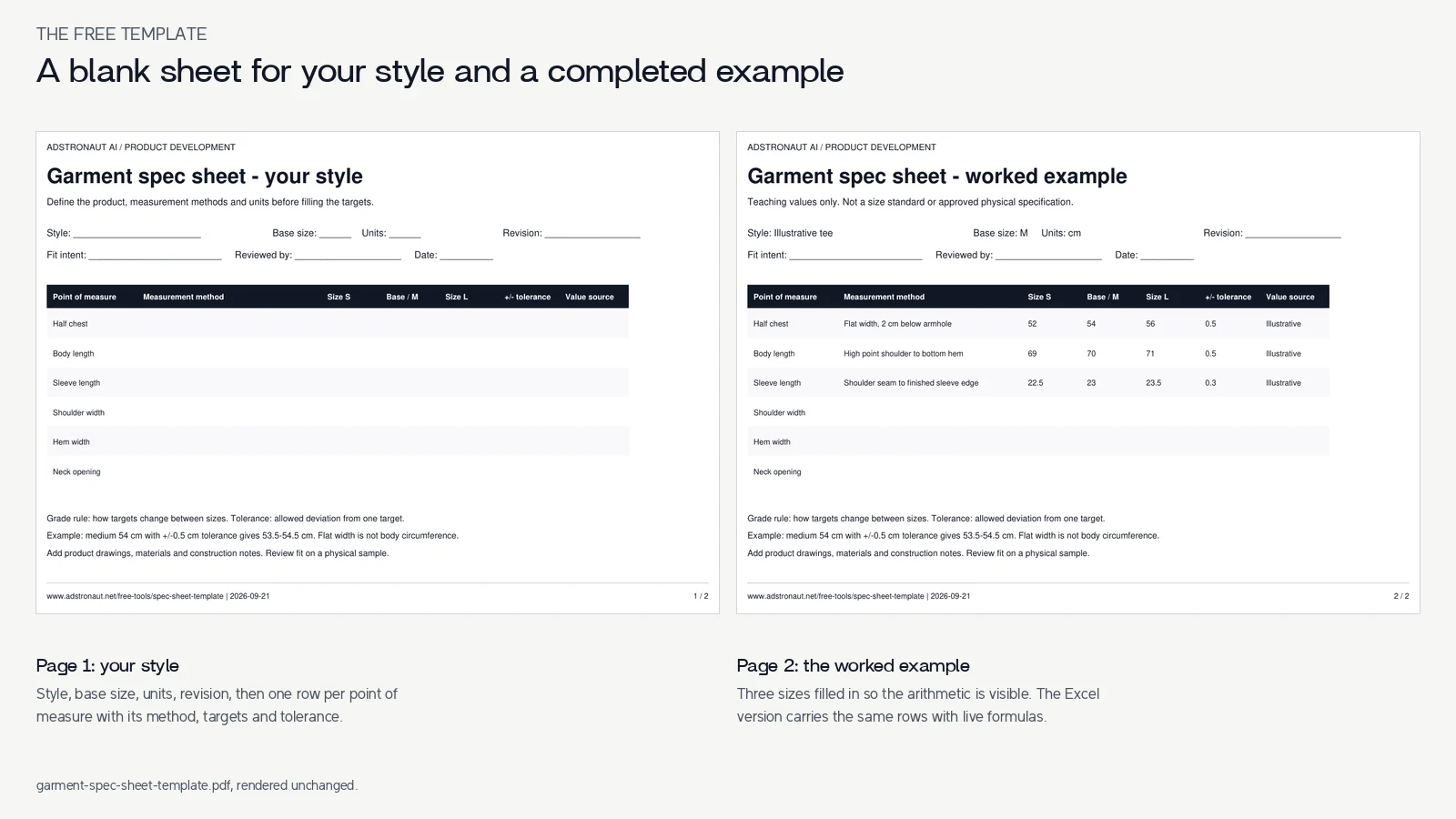
Download the Excel spec-sheet template — two sheets: a blank worksheet for your style and a clearly labeled worked example. Editable base measurements and grade increments calculate two adjacent-size targets.
Download the printable PDF — a blank worksheet and the same worked example, ready to print. Neither file requires an account.
Need the complete document? Browse the tech-pack template library for drawings, materials and construction context.
What each field means
| Field | What you enter or check |
|---|---|
| Style, revision and reviewer | Identify the product and the version you are working on. |
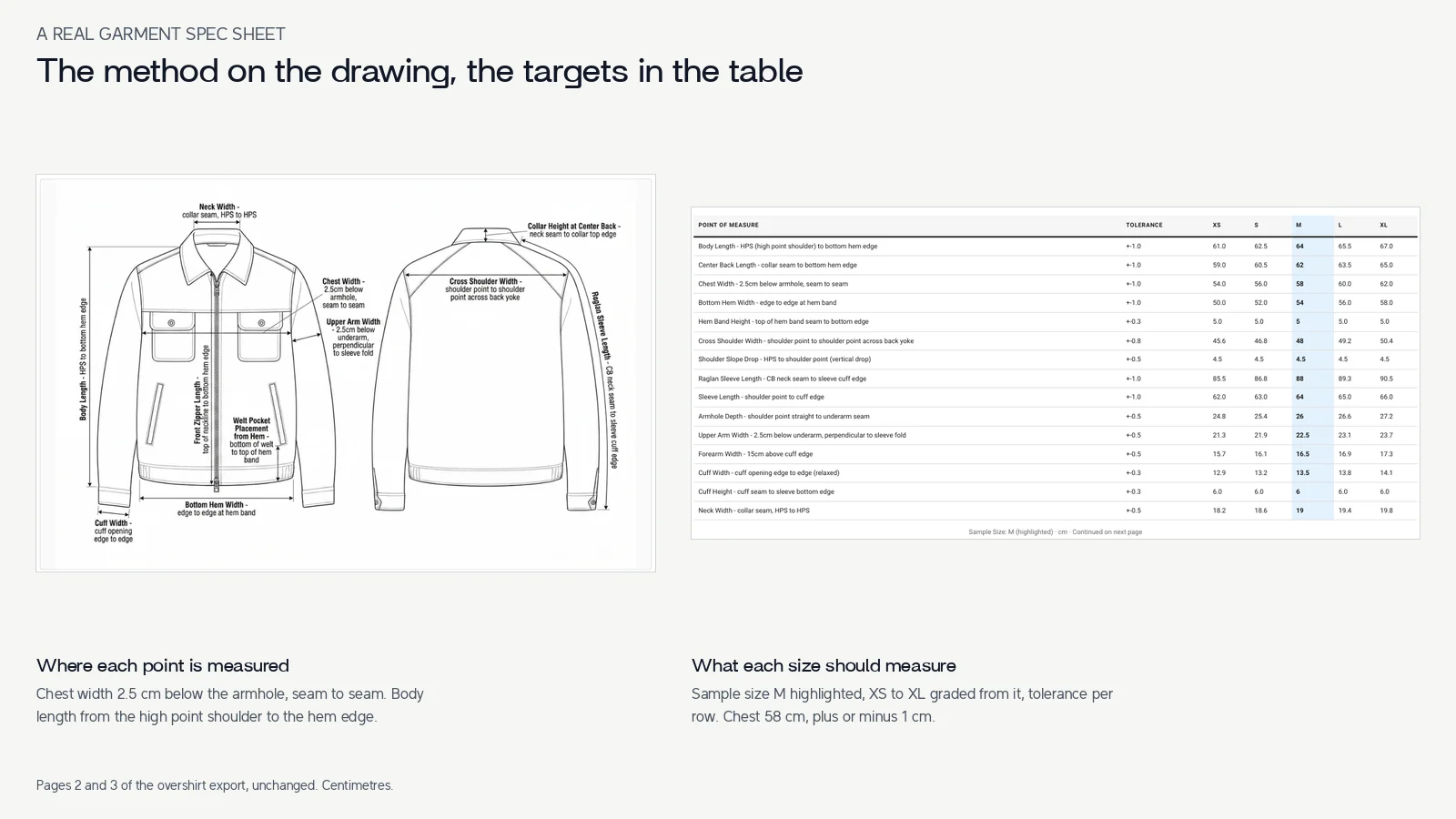
| Units and measurement method | State cm or inches and exact endpoints; specify flat width or circumference. |
| Base size / M | Supply a measured value or a declared design target. |
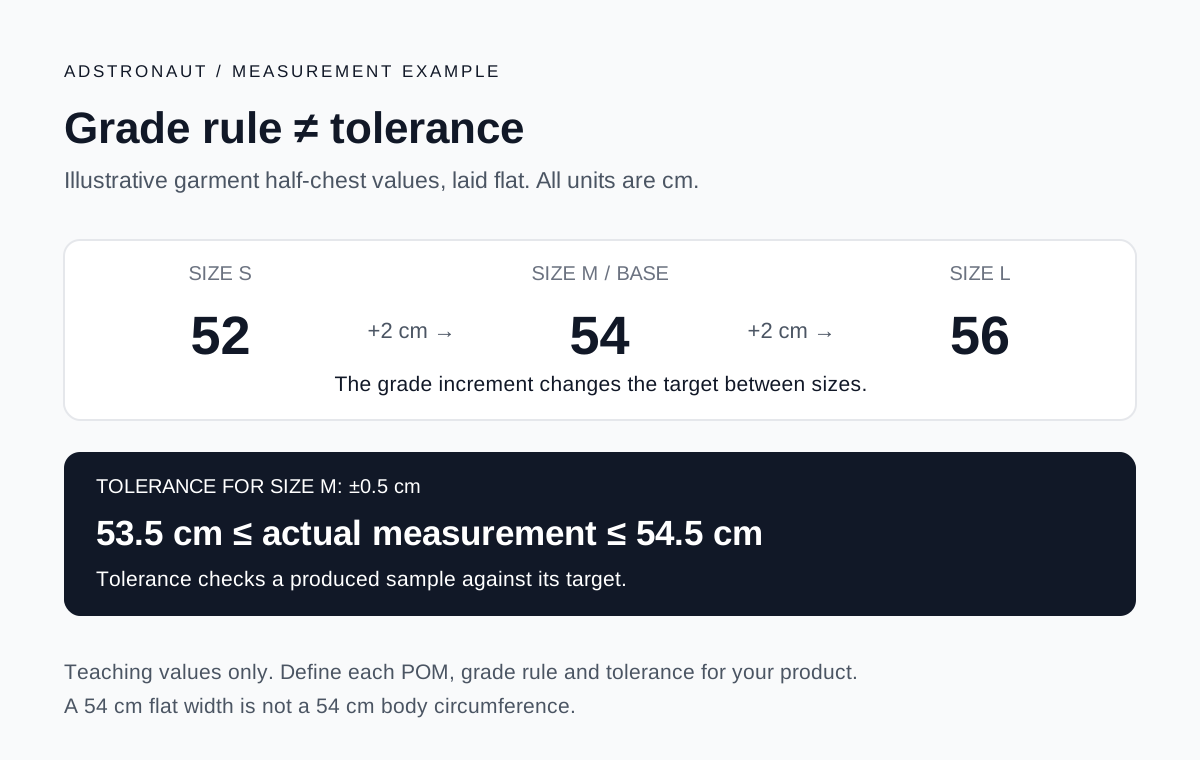
| S to M and M to L increase | Enter separate increments for each point of measure. |
| Adjacent-size targets | The workbook subtracts/adds the supplied increments; blanks stay blank. |
| Tolerance | State the acceptable deviation from one target. It is not a grade increment. |
Fill in a spec sheet for your garment
Start with the Your spec sheet tab. Identify the style, base size, units and revision. For each row, define the measurement method before entering the number. Replace unused POMs with the ones your product needs.
Enter the base value and the two adjacent-size increments. The small and large targets calculate only when their inputs are numeric. The example models three adjacent sizes; rename labels and extend the table carefully for your actual size run. Changing a unit label does not convert existing values.
Keep the tolerance separate, and record whether values came from a measured sample or proposed design targets. Review physical fit before treating the table as an approved production specification.
A spec sheet is one part of the tech pack
This download covers measurement documentation. It does not replace front/back flats, a garment bill of materials, construction instructions or artwork files. Those belong in the broader tech pack.
Compare the worksheet with a completed hoodie sample, then follow the tech-pack creation guide. If you need an AI-generated starting point, Adstronaut can prepare a draft from references and your brief; its assumptions still need review.
Share a clear revision with your manufacturer
Export the version you intend to send and verify that it matches the editable file. Explain whether you are asking for a quotation, first sample or revision. Record unknown material or construction choices instead of filling them with plausible guesses. The manufacturer handoff checklist includes a free cover brief and email template.
Frequently asked questions
Is the garment spec-sheet template free?
Yes. Both files download without signup. Adstronaut's generation tools have separate credit and plan rules.
Are the example measurements industry standards?
No. They demonstrate the arithmetic and document structure. Use measured values or reviewed design targets for your product.
Does changing cm to inches convert the numbers?
No. The units cell labels your data. Convert the measurements, increments and tolerances consistently before changing units.
Can I use the file in Google Sheets?
You can import the Excel workbook into Google Sheets. Check the formulas, formatting and validation after import; this download was generated and checked as an Excel workbook.
Start the rest of your tech pack
Generate a draft from your product reference, then review its drawings and specifications. Free signup includes 25 credits for a watermarked preview.
Explore the tech-pack generatorRelated resources
Sources and further reading
- Techpacker: garment spec sheets — Industry context for measurement documentation. Download values are our own labeled teaching example.