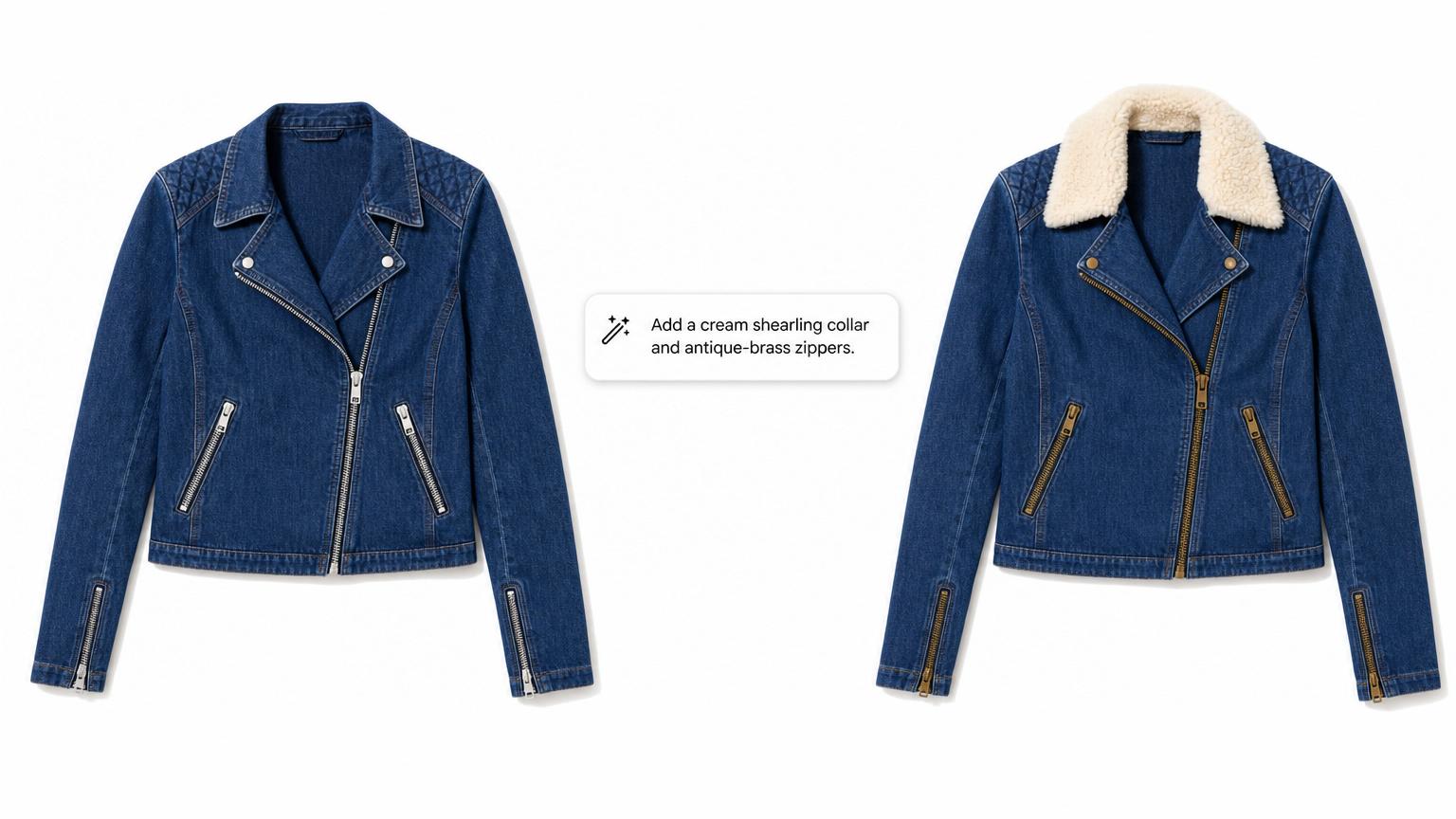
Type the edit. The AI does it.
Most product photo tweaks are small visual changes — recolor a panel, change a button, add a trim, soften a wash, swap a hardware finish.
The traditional path runs through Photoshop (months of learning curve), a freelance retoucher ($30–$100 per hour with 24–48 hour turnaround), or an in-house designer you don't have yet.
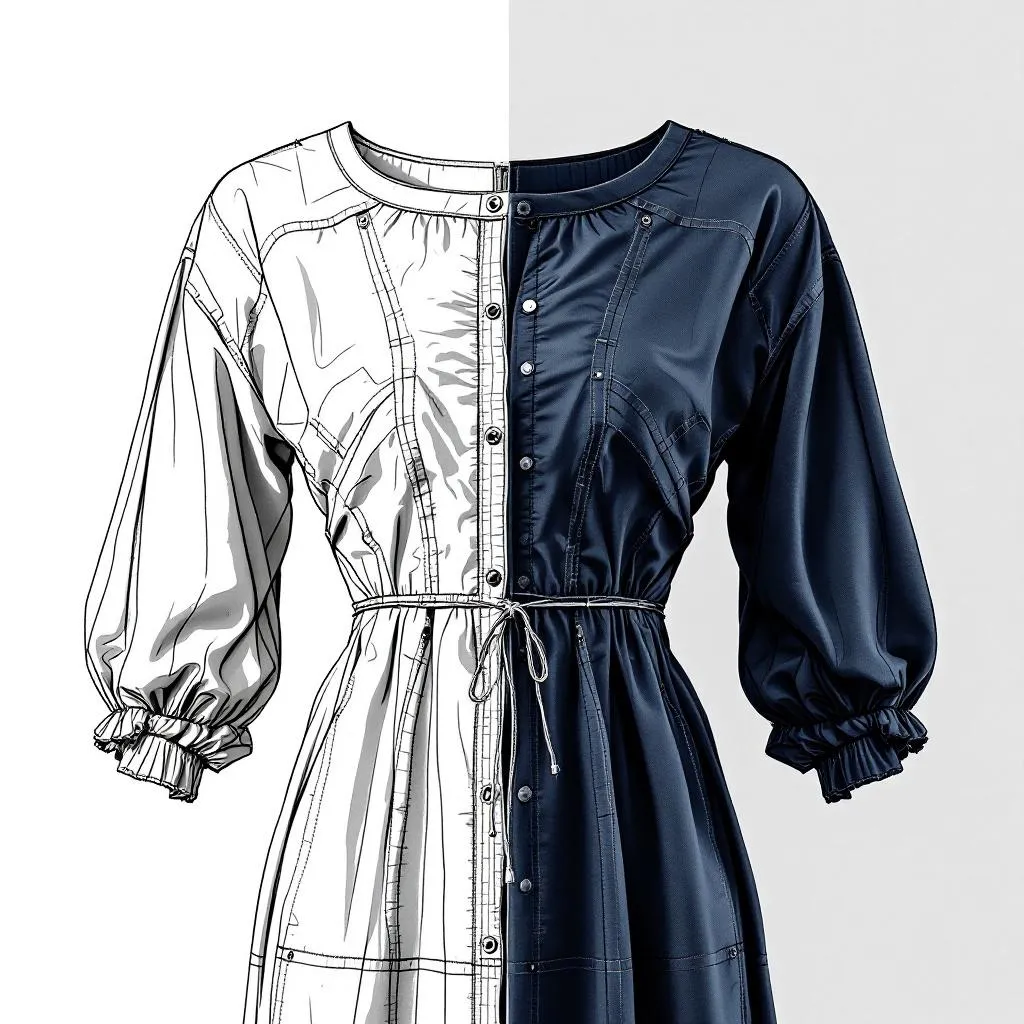
Adstronaut absorbs the loop. You type the edit in plain English — "add a shearling collar," "change the buttons to brass," "make the wash darker" — and the AI returns the new image in under a minute.
Built for indie founders who'd rather describe their idea than learn vector software, and e-commerce teams testing photo variants without booking studio time.
Start a Free Edit
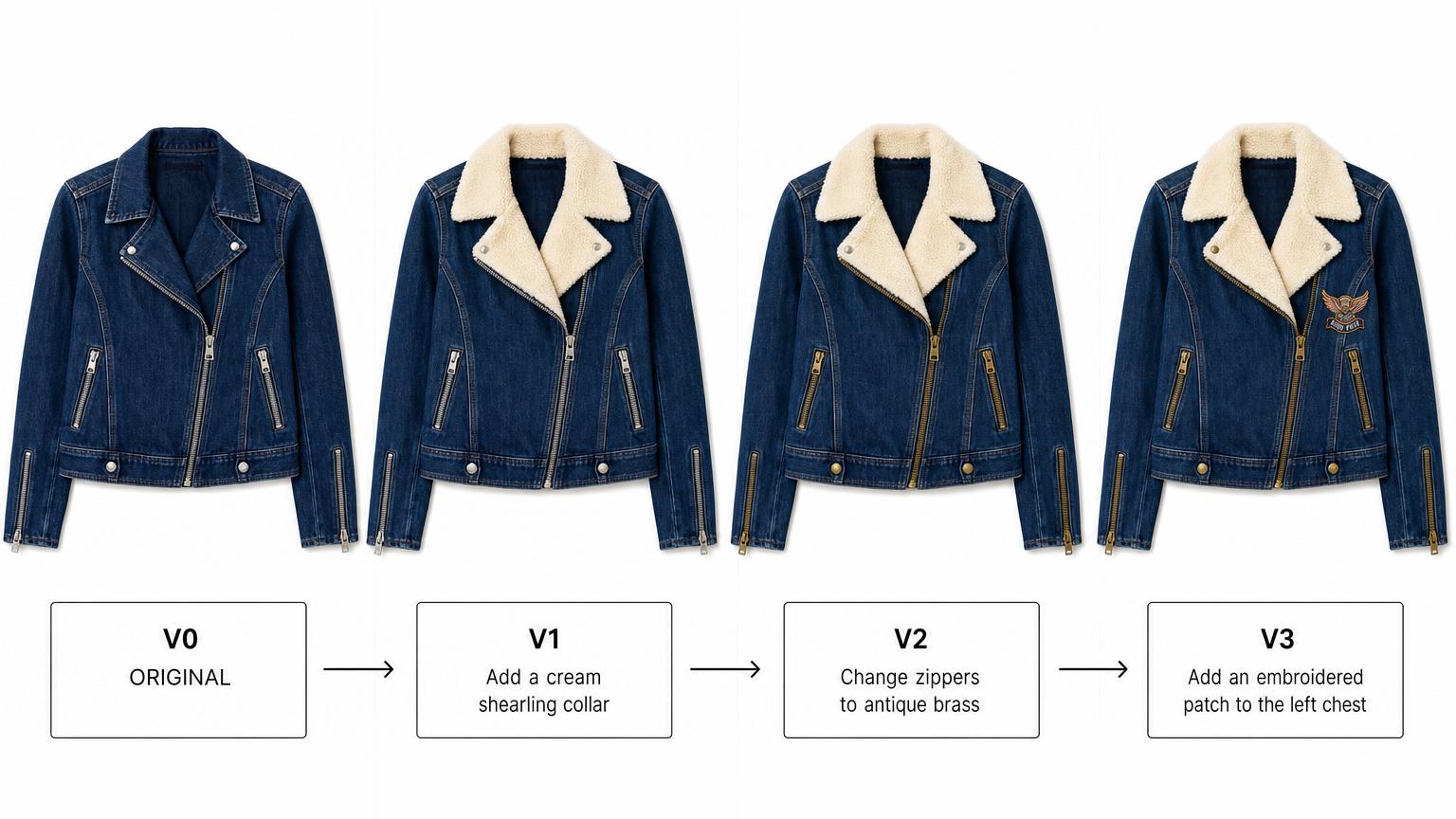
Every edit becomes a saved version.
Real design iteration isn't one edit — it's twenty edits before you land on the right one.
Adstronaut treats every edit as a saved version in a clean side-by-side history. Edit twelve says it should be darker; edit thirteen says you went too dark; edit fourteen brings it back.
Jump to any prior version with one click — the version chain stays intact forever. Export the version you actually want when you're done.
Critical for designers running internal reviews where stakeholders want to see options, and for solo founders who change their mind three times before they're sure.
See the Version History
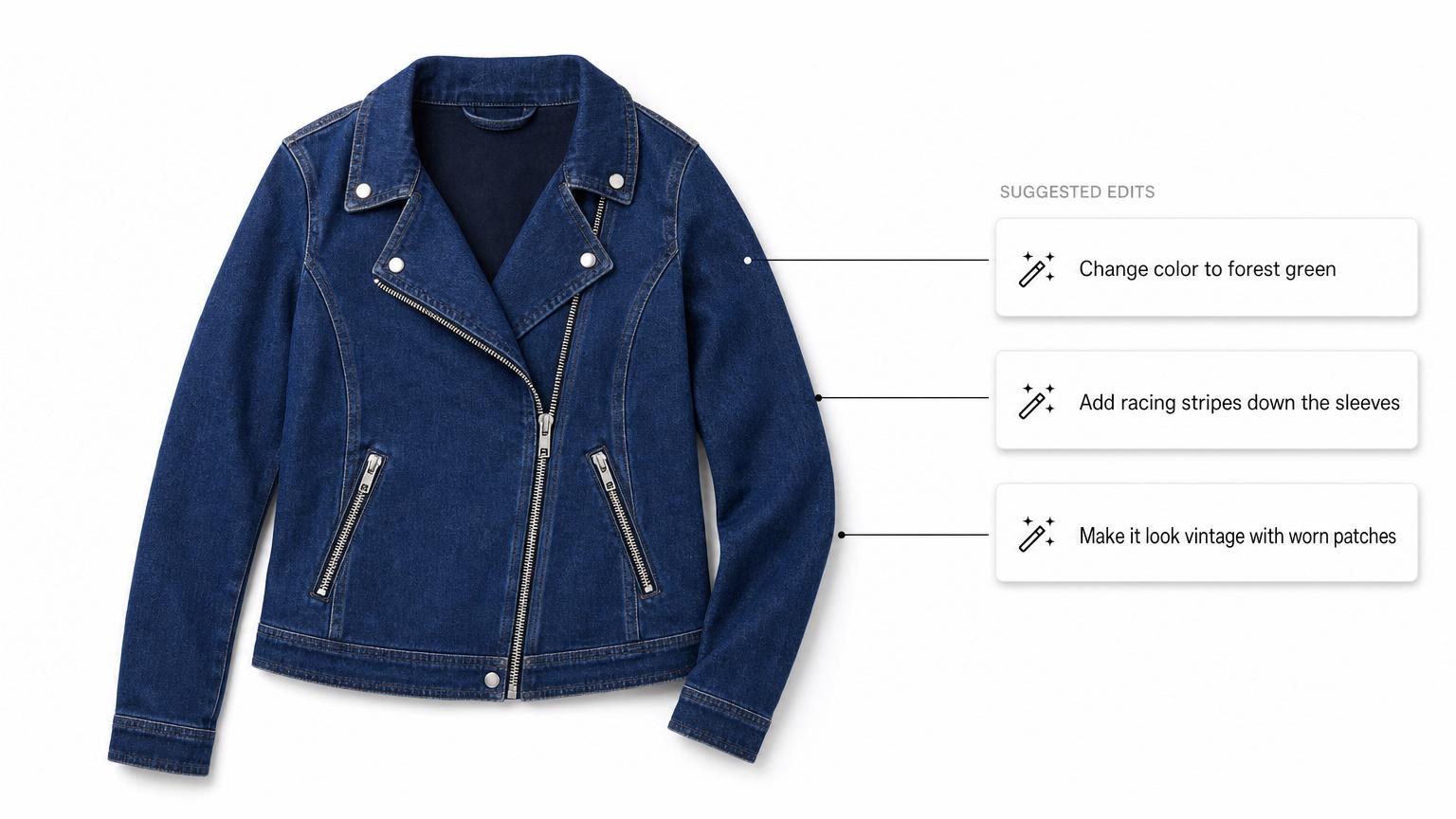
Suggested edits for when you're not sure where to start.
Sometimes you know the photo isn't quite right but you can't articulate why.
Adstronaut ships with one-tap suggested edits — "Change color to navy blue," "Add racing stripes to sleeves," "Make it look vintage with worn patches" — that produce a finished result in seconds so you have something concrete to react to.
Use them as starters, then write your own follow-ups ("darker navy," "thinner stripes," "more worn at the elbows").
Built for first-time founders who haven't developed a design vocabulary yet, and for any designer working through creative fatigue at 11pm.
Try a Suggested Edit
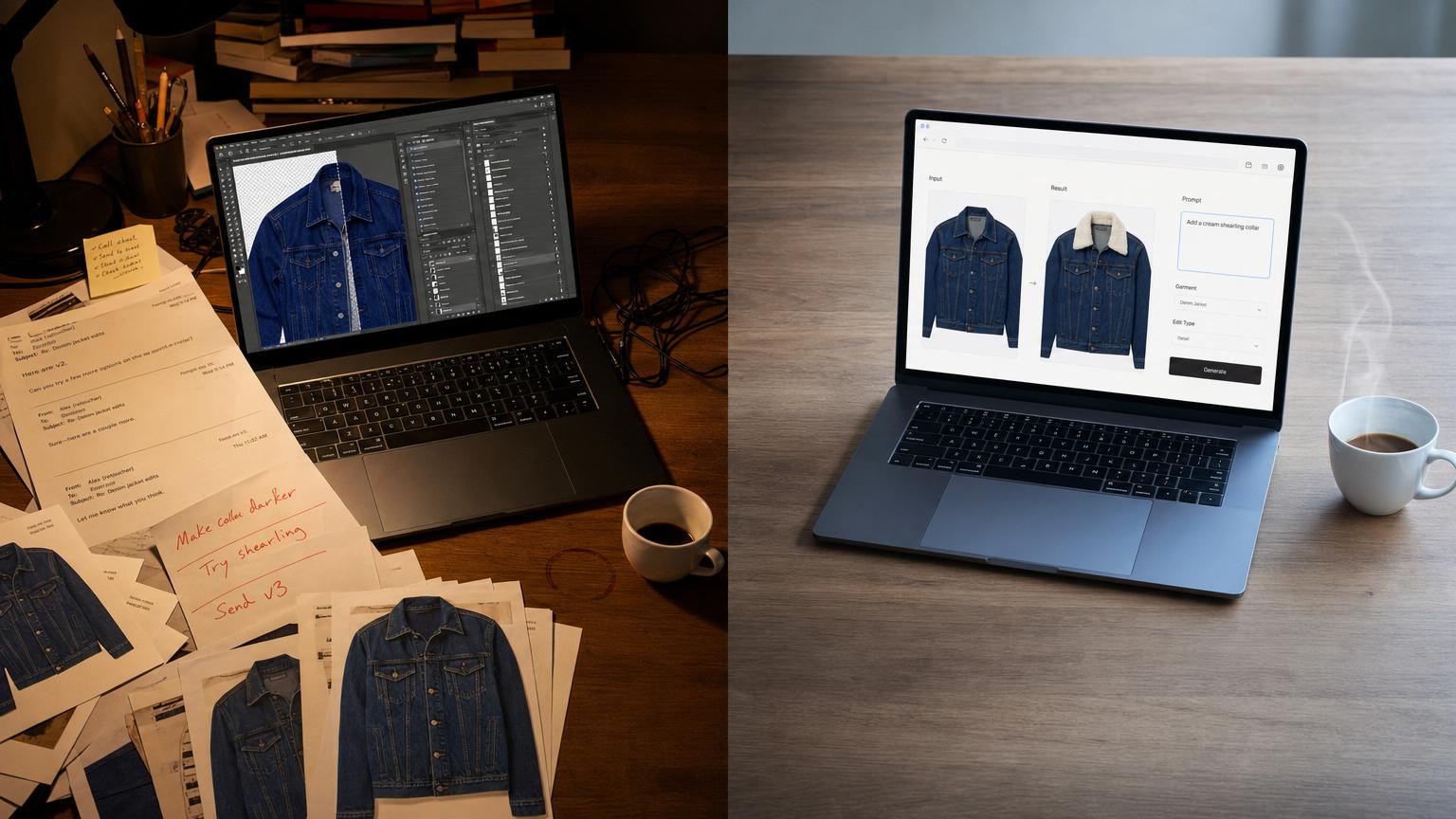
Replaces Photoshop, retouchers, and waiting on a sample.
The old workflow: pay a freelance retoucher $30–$100 per hour with 24–48 hour turnaround, or order a new physical sample to see a small change in person (two to four weeks, hundreds of dollars per sample), or learn Photoshop (months of tutorials before you can mask a sleeve cleanly).
Adstronaut absorbs the loop. Two credits per edit, results in under a minute, no design background needed.
Once the edit is right, send it straight to the Tech Pack Generator for factory specs, or to AI Photoshoots to render the edited garment on a model.
Best for indie founders, e-commerce teams testing PDP variants, and any non-technical operator who's tired of being blocked by their lack of vector skills.
Read the Honest Comparison
Trusted by founders who'd rather type than mask.
"I had an idea to add a shearling collar to our bestselling jacket. Instead of sampling it ($380 and three weeks), I typed it. Thirty seconds later I had a clean visual to show my team. We approved the change the same meeting and sent the brief to the factory the same afternoon."
— Liam P., Head of Design
"I'm not a Photoshop person — never learned it, don't plan to. Adstronaut lets me test ideas like changing button colors or adding pockets myself. Saved me about $1,200 in retoucher fees last quarter and roughly two weeks of waiting for someone else to make the edits."
— Aisha K., Brand Founder
"We visualized a denim version of our canvas tote bag with a single text edit, posted it to Instagram to gauge interest, hit 2,000+ reactions overnight, and fast-tracked it into production. The AI image was the validation. We didn't sample until we had pre-orders."
— Carlos R., E-commerce Strategist
Garment Editor questions, answered straight.
Real questions from indie streetwear founders, brand owners without Photoshop skills, and e-commerce teams testing photo variants.
What kind of edits can I make with text?
Material and color swaps ("change to plaid wool"), trim and hardware changes ("add a gold zipper," "change buttons to brass"), style modifications ("make the neckline a V-neck," "add racing stripes to sleeves"), wash and finish changes ("make the denim darker," "add worn patches"), and detail additions ("add tonal embroidery to the chest," "add a chest pocket"). The AI is fashion-specialized — it understands garment construction concepts the way a technical designer would.
Do I need any design or Photoshop skills?
No. The whole point is that you don't. If you can describe what you want in a sentence, you can produce the edit. No vector software, no masking, no layer panels, no learning curve. Most first-time founders are producing their first usable edit within five minutes of uploading their first photo.
Can I edit specific parts of the garment, or only the whole thing?
Edits are whole-image, prompt-driven — there's no manual masking or region selection in the editor. The AI infers the right region from your prompt: "add a chest pocket" only changes the chest, "change the sleeves to leather" only changes the sleeves. This produces clean results for most fashion edits because the AI is trained to localize the change to the garment region you describe. For more granular per-region control over fabric (different fabric on each region simultaneously), use the AI Fabric Swapper tool.
Is this more powerful than Photoshop?
For specific fashion-design edits, significantly faster. Photoshop is a general-purpose image editor with months of learning curve. Adstronaut is a fashion-specialized image AI you talk to in plain English. For a designer who already knows Photoshop, Adstronaut runs the same edit in seconds instead of an hour. For a founder who doesn't know Photoshop, Adstronaut is the only way to produce the edit at all without hiring a retoucher.
How does the version history work?
Every edit becomes a saved version in a side-by-side history pane. You can jump back to any prior version with one click — your edit chain stays intact forever within the project. Useful when you've gone too far in one direction and want to rewind, or when stakeholders want to compare three earlier versions side by side. Export any version you want.
What's a "suggested edit"?
One-tap preset prompts that get you going when you're not sure what to type. The three built-in suggestions are: "Change color to navy blue," "Add racing stripes to sleeves," and "Make it look vintage with worn patches." Pick one to see an instant result, then write your own follow-ups to refine. Useful for first-time founders or anyone working through creative fatigue.
How much does an edit cost?
Two credits per edit (about $0.40 on most plans). For comparison: a freelance fashion retoucher charges $30–$100 per hour, ordering a physical sample to see the change runs $200–$500 plus two to four weeks of lead time, and Photoshop alone is $22.99/month before you've even learned to use it.
What photos work best as input?
Clear, well-lit, front-facing photos of your product. On-model, mannequin, dress-form, or flat-lay all work. JPG, PNG, or WEBP up to 3MB (auto-optimized to 2048×2048). The clearer the input photo, the more precise the edit.
Can I use the edited images commercially?
Yes. Every edit is high-resolution and commercially licensed for product pages, marketing, social, line sheets, lookbooks, technical specifications, and tech pack briefs. No royalty fees, no usage caps.
Will the edited image still look like my real garment?
Yes — that's the priority. The AI is fashion-specialized and preserves the underlying garment's silhouette, seams, hardware, and overall construction. Only the parts you described in your prompt get changed. Customers viewing the edited image see the same garment they would receive, just with the new color or trim or detail you specified.