
Pantone TCX finder
Search 2,310 textile colours by code, name or hex, or pick a colour from your photo.
| Swatch | Code | Name | Screen hex |
|---|---|---|---|
| 13-4304 TCX | Ballad Blue | #C0CEDA | |
| 14-4313 TCX | Aquamarine | #9DC3D4 | |
| 14-4210 TCX | Celestial Blue | #A3B4C4 | |
| 15-3919 TCX | Serenity | #91A8D0 | |
| 16-4132 TCX | Little Boy Blue | #6EA2D5 | |
| 16-3929 TCX | Grapemist | #8398CA | |
| 16-4127 TCX | Heritage Blue | #5D96BC | |
| 17-3933 TCX | Silver Bullet | #81839A | |
| 17-3917 TCX | Stonewash | #74809A | |
| 17-4033 TCX | Pacific Coast | #5480AC | |
| 18-3937 TCX | Blue Yonder | #5A77A8 | |
| 17-4716 TCX | Storm Blue | #47788A | |
| 18-4217 TCX | Bluestone | #577284 | |
| 17-4028 TCX | Riverside | #4C6A92 | |
| 18-4032 TCX | Deep Water | #266691 | |
| 18-4222 TCX | Bluesteel | #35637C | |
| 18-4028 TCX | Bering Sea | #4B5B6E | |
| 19-4227 TCX | Indian Teal | #3C586B | |
| 19-4050 TCX | Nautical Blue | #1A5091 | |
| 19-4056 TCX | Olympian Blue | #1A4C8B | |
| 19-4014 TCX | Ombre Blue | #434854 | |
| 19-4031 TCX | Sargasso Sea | #35435A | |
| 19-4028 TCX | Insignia Blue | #2F3E55 | |
| 19-4034 TCX | Sailor Blue | #0E3A53 |
Hex values are screen approximations of physical cotton swatches. Search any code, name or hex, or match a colour from a photo, in the finder.
A Pantone TCX code, such as 19-4052 TCX (Classic Blue), names a textile colour standard printed on cotton. The first two digits are the lightness from 11 (lightest) to 19 (darkest), the middle two the hue around Pantone's colour circle, and the last two the chroma from 00 (neutral) to 64 (brightest). This finder searches 2,310 TCX colours by code, name or hex, and matches any colour you pick from a photo to its nearest codes using the CIEDE2000 colour difference. Use it to find a code for your tech pack, then approve the colour against a physical swatch.
How to read a TCX code
Every TCX code has the same three-part structure. Classic Blue, 19-4052 TCX, reads like this:
| Digits | What they mean | In 19-4052 |
|---|---|---|
| First two | Lightness, from 11 (lightest) to 19 (darkest) | 19: among the darkest |
| Middle two | Hue, from 01 to 65 around the colour circle: about 10 yellow, 15 orange, 20 red, 30 purple, 40 blue, 50 blue-green, 60 green | 40: blue |
| Last two | Chroma, from 00 (neutral) to 64 (brightest) | 52: strongly saturated |
| Suffix | The material the standard is printed on: TCX is cotton; TSX polyester, TN nylon and TPG paper are other Pantone libraries | TCX: cotton |
The finder explains the digits of whichever colour you open.
The screen colour is a reference, not the standard
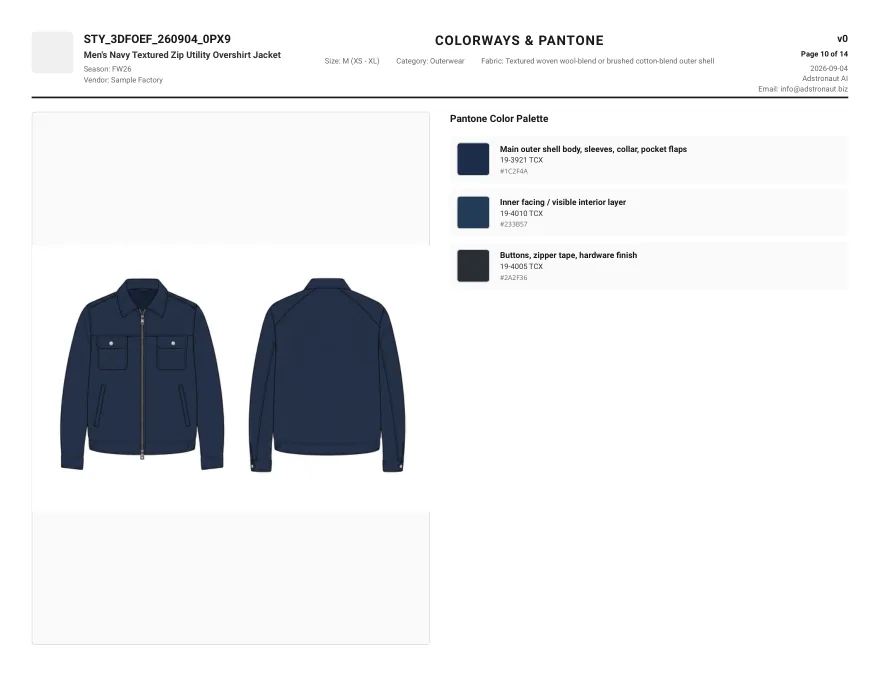
A TCX colour is defined by a physical cotton swatch. Every hex value, on this page or anywhere else, is a screen approximation of it, and different libraries approximate the same code differently: the overshirt tech pack below lists 19-3921 TCX as #1C2F4A, while this finder's library shows it as #2B3042. Both describe the same standard.
That is why the code, not the hex, goes to the factory. Put the TCX code in the tech pack, ask the mill for a lab dip against the physical swatch, and approve the dyed fabric in daylight. Use the finder to choose and name the colour; use the swatch to sign it off. Pantone colour matching for fashion covers the lab-dip process step by step.
Finding the right TCX code for a garment
- 1
Start from what you have
A code from a supplier, a colour name from a trend report, a hex from your brand guide, or a photo of a fabric or a reference garment. Type the first three into the search box; use the photo picker for the last. - 2
Pick from a photo in good light
The photo picker reads the pixels you tap, so shadows and warm indoor light shift the result. Tap a flat, evenly lit area of the fabric, and compare two or three spots. - 3
Compare the nearest codes, not just the first
The results are ranked by CIEDE2000 colour difference. Under about 2 is hard to tell apart on screen; above that, look at the neighbours and pick by eye. Open any swatch to see its nearest alternatives. - 4
Give each part of the garment its own code
Shell, lining, trims and hardware often need different codes. The overshirt uses three: one for the shell, one for the facing and one for the hardware finish. - 5
Approve against a physical swatch
Order or borrow the TCX swatch, request a lab dip from the mill, and approve the dyed fabric, not the screen.
From a code to a coloured product
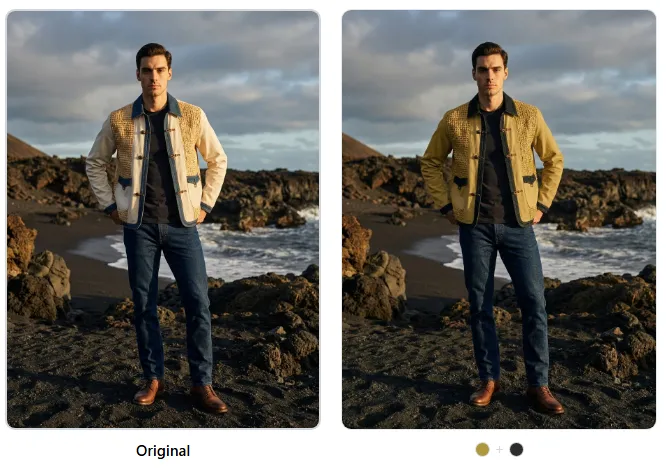
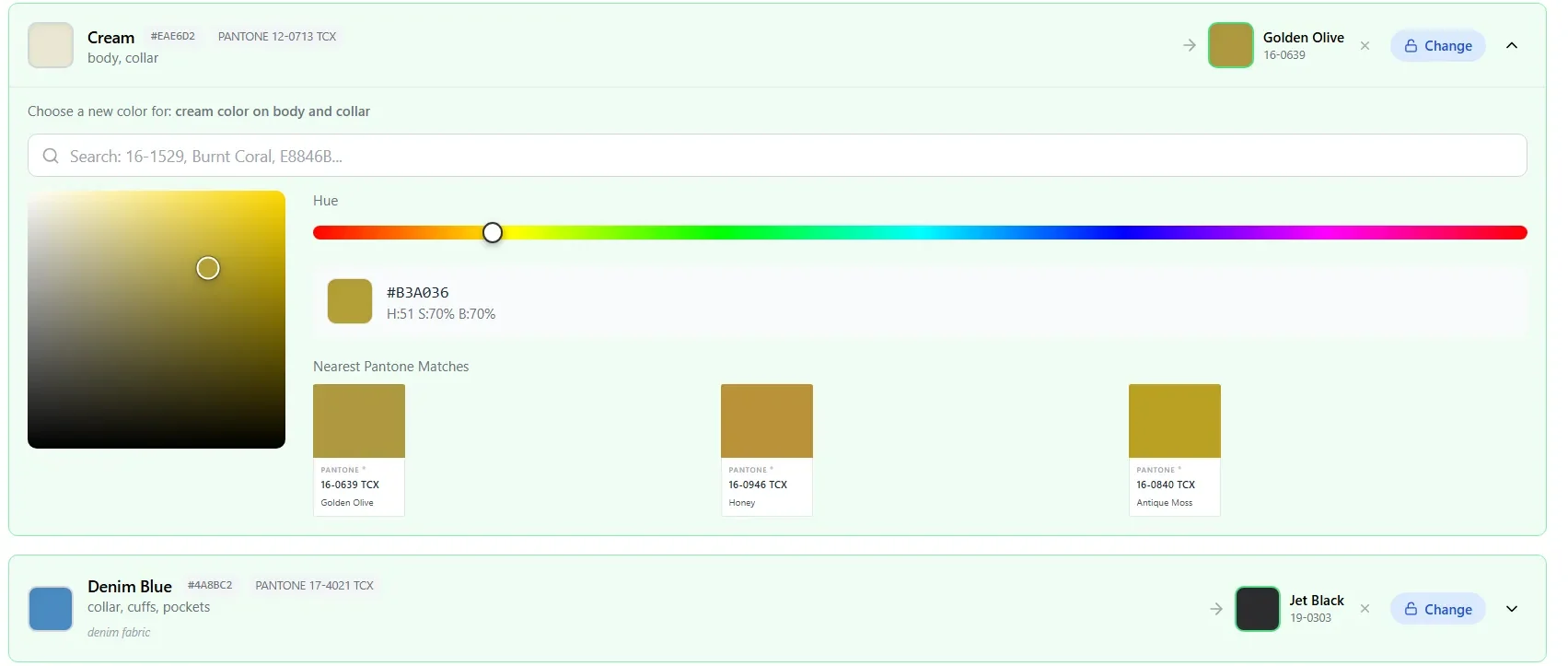
Once you have the code, see it on the actual product before anything is dyed. The Color Changer recolours a product photo zone by zone to a TCX code, keeping the texture, seams and hardware, so you can compare colourways side by side. When the colour is chosen, the tech pack generator puts the code on the colourway page with the rest of the specification.
New to the system? What a Pantone TCX code is explains the library in more depth.
Pantone TCX finder questions
Is the Pantone TCX finder free?
Yes, with no signup. It searches 2,310 TCX colours and matches colours from your photos entirely in your browser; the photo is never uploaded.
How do I find a Pantone colour from an image?
Choose a photo in the finder, then tap the part of the image you want to match. The tool averages a small area around that point and lists the nearest TCX codes, ranked by CIEDE2000 colour difference. It also suggests the main colours it finds in the photo. Lighting in the photo affects the result, so use an evenly lit area.
Can I convert a hex code to a Pantone TCX code?
You can find the nearest TCX codes to any hex value: type it into the search box or use the colour picker. There is no exact conversion, because a TCX colour is a physical swatch and hex is a screen colour, so treat the result as the closest candidates and confirm with the swatch.
What is the difference between TCX and TPG?
They are different Pantone libraries: TCX colours are printed on cotton for textiles, TPG colours on paper. For garments and fabric, use TCX, or TSX for polyester where a supplier works to that library.
Why does the same TCX code show different hex values in different tools?
Each tool approximates the physical swatch on screen in its own way. The overshirt tech pack on this page shows 19-3921 TCX as #1C2F4A; this finder shows #2B3042. The code is the standard, which is why factories match to the code and a physical swatch, never to a hex value.
See your TCX colour on the product
Upload a product photo to the Color Changer and recolour it to any TCX code, zone by zone, before you order a lab dip.
Recolour a product photoRelated resources
Sources and further reading
- VeriVide: what the Pantone numbering system means — Lightness, hue and chroma structure of the six-digit code.
- Color Confidence: how to read your colour references — The hue scale around the circle and the chroma range.
- Sharma, Wu and Dalal (2005): the CIEDE2000 colour-difference formula — The formula used to rank matches; this implementation reproduces the published test values.