What Is a Flat Sketch in Fashion Design? Types, Tools, and Examples
A flat sketch (also called a technical flat, "flat," or "technical drawing") is a 2D line drawing of a garment as it would appear laid flat on a surface, showing every construction detail — seam lines, stitch types, closures, pockets, hardware placement, and accurate proportions — without any 3D perspective, body shape, shading, or styling. Flat sketches are the universal language between designers and manufacturers. According to Maker's Row, over 90% of factories will not begin sampling without a flat sketch, making it the single most important page in a tech pack.
This guide explains what flat sketches are, the different types, how they differ from fashion illustrations, the tools used to create them, and how AI is changing flat sketch creation for indie brands.
Table of Contents
- What Does a Flat Sketch Show?
- Flat Sketch vs Fashion Illustration: Key Differences
- Types of Flat Sketches
- What Must Be Included in a Flat Sketch
- Tools for Creating Flat Sketches
- How AI Is Changing Flat Sketch Creation
- Common Flat Sketch Mistakes
- Frequently Asked Questions
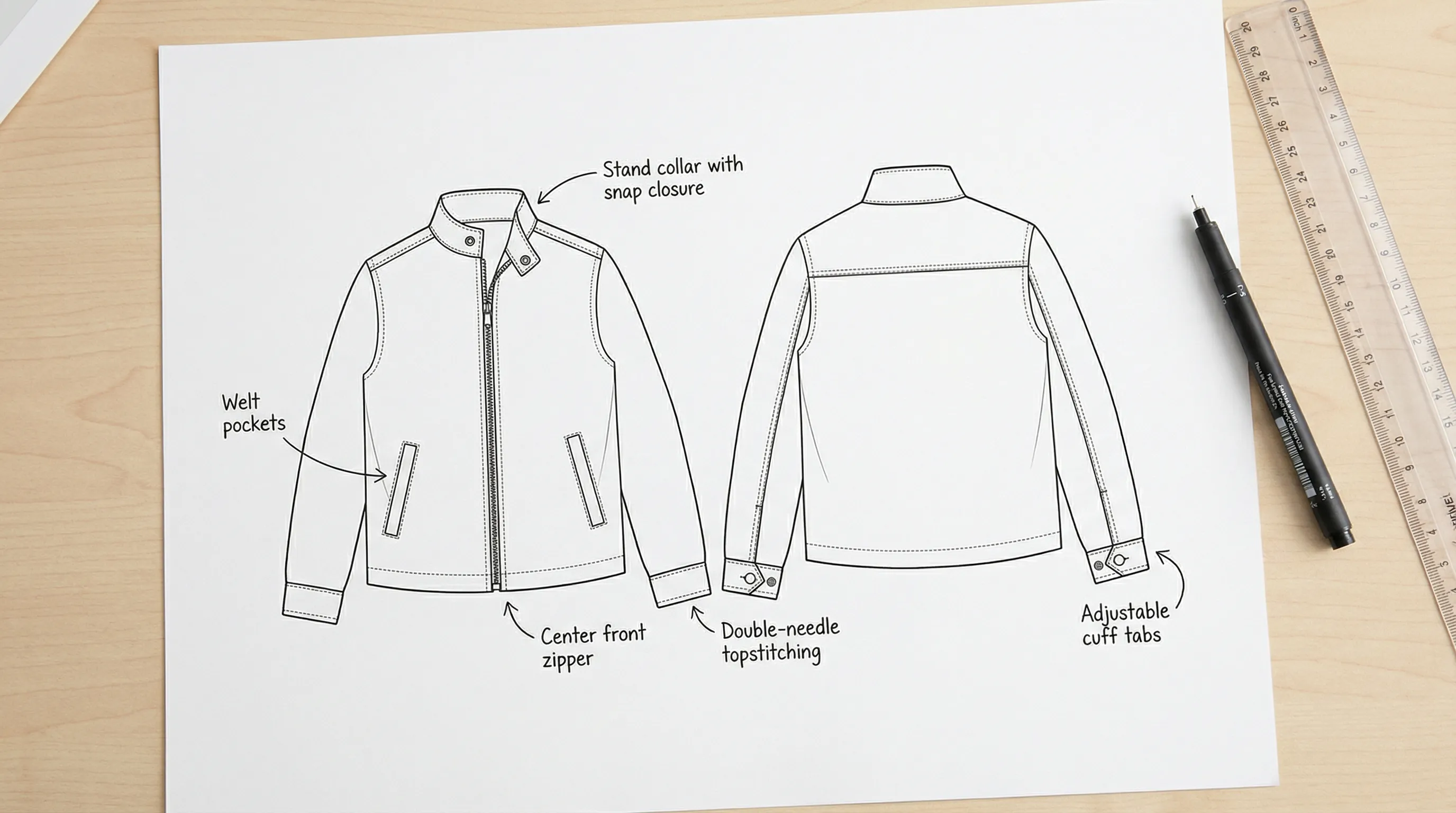 Fashion flat sketch technical drawing of a jacket showing front and back views with construction callouts for seams, pockets, and closures
What Does a Flat Sketch Show?
A flat sketch communicates the exact design intent to a factory pattern maker. It is the blueprint from which the pattern is drafted, and every line on the sketch translates to a physical construction decision.
A professional flat sketch must show:
- Silhouette: Overall shape and proportions of the garment
- Seam lines: Every seam — side seams, yoke seams, princess seams, panel seams
- Stitch types: Topstitching, coverstitching, blind stitching (indicated by dashed, dotted, or double lines)
- Closures: Buttons, zippers, snaps, ties, hooks — with placement and quantity
- Pockets: Shape, size, position, and construction type (patch, welt, inseam)
- Hardware: Grommets, rivets, D-rings, buckles — with placement
- Details: Pleats, darts, gathers, elastic, drawstrings, cuffs, hemlines
- Trim placement: Label position, loop placement, tape application
Both front and back views are required. Some garments (jackets, complex dresses) also benefit from side views and interior views showing lining construction.
The flat sketch is always drawn in black and white line art. Color is never used on a flat sketch — color specifications go on a separate colorway page in the tech pack. This convention exists because factories print tech packs in black and white to save costs, and color on a flat sketch would be lost or misleading.
Flat Sketch vs Fashion Illustration: Key Differences {#flat-sketch-vs-fashion-illustration}
These two types of drawings serve completely different purposes, yet many new designers confuse them or submit fashion illustrations to factories instead of flat sketches.
| Feature | Flat Sketch (Technical Flat) | Fashion Illustration |
|---|---|---|
| Purpose | Manufacturing instruction | Creative expression, selling a vision |
| Perspective | 2D, as if laid flat on a table | 3D, on a stylized human figure |
| Proportions | Accurate to real garment measurements | Exaggerated (9-head figure, elongated limbs) |
| Details | Every seam, stitch, and closure shown | Selective — mood and movement over precision |
| Shading | None — line art only | Shading, color, texture, movement |
| Body | No body — garment only | On a figure (croquis) |
| Audience | Pattern makers, factory workers | Buyers, clients, press, consumers |
| Format | Black and white line drawing | Full color, artistic rendering |
Critical distinction: A fashion illustration shows what a garment feels like. A flat sketch shows what a garment is — structurally, precisely, and unambiguously. A factory cannot make a garment from a fashion illustration because proportions are distorted, details are omitted, and the 3D perspective makes accurate measurements impossible.
According to ASTM D5585, technical drawings for garment specifications must accurately represent construction details in a flat, proportional format. Fashion illustrations, by definition, do not meet this standard.
Types of Flat Sketches {#types-of-flat-sketches}
1. Design Flat (Concept Stage)
A simplified flat sketch used during the design phase to communicate the general design idea. It shows the overall silhouette and key design features but may omit some construction details.
Used for: Internal design reviews, collection planning, mood boards, client presentations.
2. Technical Flat (Production Stage)
A fully detailed flat sketch with every construction element specified. This is what goes into the tech pack and is sent to the factory.
Used for: Tech packs, pattern making, factory sampling, production.
Must include:
- All seam lines with stitch type indicators
- Hardware placement (size and type)
- Measurement callout points (arrows indicating where each measurement is taken)
- Construction callouts (e.g., "1/4 inch topstitch," "flatlock seam," "blind hem")
3. Specification Flat (Detailed Callouts)
An enhanced technical flat with detailed annotation callouts pointing to specific construction details. Each callout includes a description of the construction method, materials, or finish required.
Used for: Complex garments (tailored jackets, technical outerwear), where standard flat sketches alone are insufficient for factory interpretation.
4. Colorway Flat
A flat sketch filled with the actual garment colors to show colorway options. Each colorway variation gets its own colored flat, accompanied by Pantone color references.
Used for: Color approval, sales presentations, line sheet product images.
What Must Be Included in a Flat Sketch {#what-must-be-included}
The exact details required depend on the garment type, but every flat sketch must include these universal elements:
For All Garments
- Front view and back view (minimum)
- All seam lines
- Neckline/collar shape and construction
- Hemline type (straight, curved, vented)
- Closure type and placement
- Label placement
- Stitch type indicators
Garment-Specific Requirements
| Garment Type | Additional Flat Sketch Details |
|---|---|
| T-shirt | Neck binding width, sleeve hem style, body hem style |
| Hoodie | Hood construction (2-piece vs 3-piece), drawcord routing, kangaroo pocket shape |
| Jeans | Pocket angles (front and back), rivet placement (5 standard), yoke shape, fly construction |
| Dress | Dart placement, zipper position, waist seam, skirt fullness |
| Blazer | Lapel shape and roll line, pocket style (welt, flap, patch), vent type (single, double, none), button stance |
| Swimwear | Strap routing, elastic placement, cup construction, lining coverage |
| Outerwear | Zipper type and gauge, snap placement, pocket layering, drawcord placement, hood attachment |
For detailed guides on specific garments, see our hoodie tech pack, denim jeans tech pack, jacket tech pack, and swimwear tech pack guides.
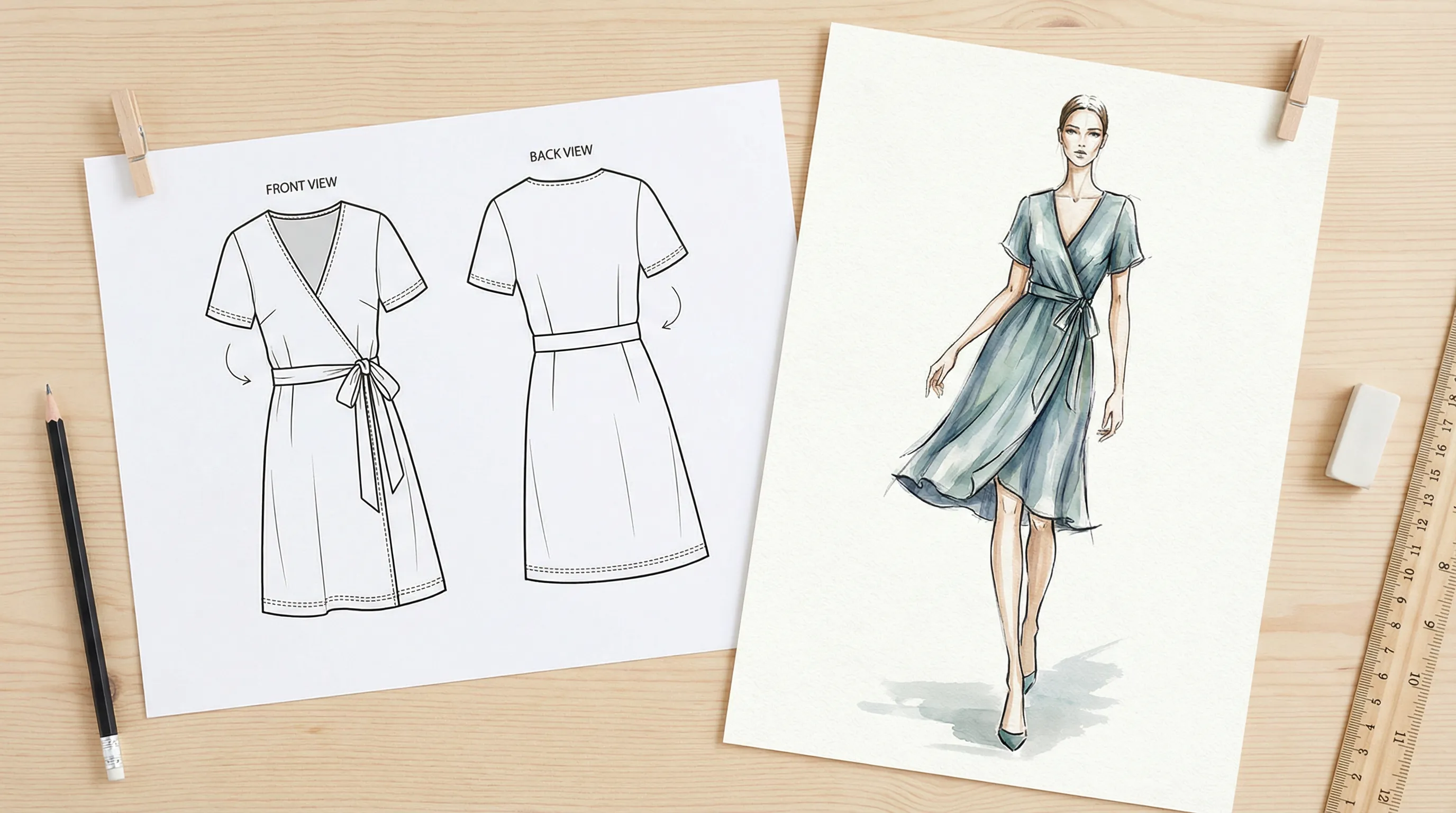 Side by side comparison of a technical flat sketch (2D line drawing) and a fashion illustration (stylized figure on a croquis) of the same dress
Tools for Creating Flat Sketches {#tools-for-creating-flat-sketches}
Adobe Illustrator — The Industry Standard
Adobe Illustrator ($23/month) is the dominant tool for professional flat sketches. Its vector-based drawing tools create clean, scalable line art that can be resized without quality loss.
Advantages: Complete creative control, industry-standard format, vector output scales to any size, extensive template libraries available. Disadvantages: Steep learning curve (6–12 months to become proficient), expensive for single-style projects, requires drawing skill.
According to the Fashion Institute of Technology (FIT), Adobe Illustrator is taught in 100% of accredited fashion design programs in the United States as the primary tool for technical flat creation.
CorelDRAW
CorelDRAW ($28/month or $550 one-time) is the second most common vector tool for fashion flats, particularly popular in Europe and Asia.
Advantages: Similar capabilities to Illustrator, one-time purchase option, strong in pattern-heavy technical drawings. Disadvantages: Smaller community and fewer fashion-specific templates than Illustrator.
Procreate / iPad Drawing
Procreate ($13 one-time purchase on iPad) is increasingly used by independent designers for quick design flats.
Advantages: Intuitive drawing experience, affordable, portable. Disadvantages: Raster-based (not vector), less precise for technical specifications, not standard for factory submission.
Free/Budget Alternatives
| Tool | Cost | Best For | Limitation |
|---|---|---|---|
| Inkscape | Free | Vector drawing on a budget | Steeper learning curve than Illustrator |
| Figma | Free tier | Collaborative flat sketches | Not designed for fashion; no garment templates |
| Canva | Free – $13/mo | Very basic flats | Limited drawing tools; not precise enough |
| Hand-drawn + scan | Free | Quick concept communication | Not scalable; factories may not accept |
AI-Powered Flat Sketch Generation
A new category has emerged: AI tools that generate flat sketches from garment photos. This eliminates the need for Illustrator skills entirely. See the section below for details.
How AI Is Changing Flat Sketch Creation {#how-ai-is-changing-flat-sketch-creation}
The traditional flat sketch workflow — sketch by hand → redraw in Illustrator → refine details → export — takes 1–4 hours per garment for a skilled technical designer. For indie designers without Illustrator skills, the options were: learn the software (6–12 months), hire a freelancer ($50–$200 per flat sketch), or submit hand-drawn sketches (which most factories reject).
AI flat sketch generation solves this bottleneck. Tools like Adstronaut AI accept a photo of a garment (flat-lay, mannequin, hanger, or even a design rendering) and generate a clean technical flat sketch showing the garment's construction details — seam lines, closures, pockets, and proportions.
How it works:
- Upload a garment photo (front and optionally back)
- AI identifies the garment type, construction details, and design features
- A clean line-art flat sketch is generated in the correct proportions
- The flat sketch is integrated into a complete tech pack with BOM, measurements, and construction specs
When AI flats work well:
- Standard garment types (t-shirts, hoodies, jeans, dresses, jackets)
- Clear, well-lit reference photos
- Garments with visible construction details
When AI flats need manual refinement:
- Highly complex or unconventional designs (draped, deconstructed, asymmetric)
- Garments with intricate embroidery or hand-crafted details
- Reference photos that are blurry, heavily styled, or partially obscured
For most indie brands producing standard garment types, AI-generated flat sketches are accurate enough for factory sampling. The factory will refine the pattern based on the sketch plus your measurement chart and construction notes. A 90% accurate AI flat sketch plus clear written specs is more useful to a factory than a 100% hand-drawn sketch with no accompanying specifications.
Turn a garment photo into a flat sketch instantly →
Common Flat Sketch Mistakes {#common-flat-sketch-mistakes}
1. Submitting a fashion illustration instead of a flat sketch Factories cannot draft patterns from a stylized figure drawing. The proportions are wrong, details are missing, and the 3D perspective makes measurements impossible. Always provide a 2D flat sketch.
2. Missing the back view Front-only flat sketches leave the factory guessing about back construction. Does the t-shirt have a center back seam? Is the back yoke dropped? Where is the back zipper? Always include front and back views.
3. Inaccurate proportions If your flat sketch shows a pocket that is 30% of the front panel but you actually want it at 15%, the factory will follow your sketch. Double-check that the proportions in your flat sketch match your intended measurements.
4. Not indicating stitch types A solid line, a dashed line, and a dotted line mean different things on a flat sketch. Solid = seam line or edge. Dashed = topstitch. Dotted = hidden seam or fold line. Using the same line style for everything creates ambiguity.
5. Forgetting hardware details Showing a button without specifying the button size (in ligne), material (plastic, metal, horn), and hole count (2-hole, 4-hole, shank) forces the factory to make assumptions. Every hardware element on the flat sketch should have an accompanying specification in the BOM.
6. Not drawing to consistent scale If your collection has 10 styles, all flat sketches should be drawn at the same scale. A hoodie should appear larger than a crop top. Inconsistent scaling signals lack of professionalism to factories.
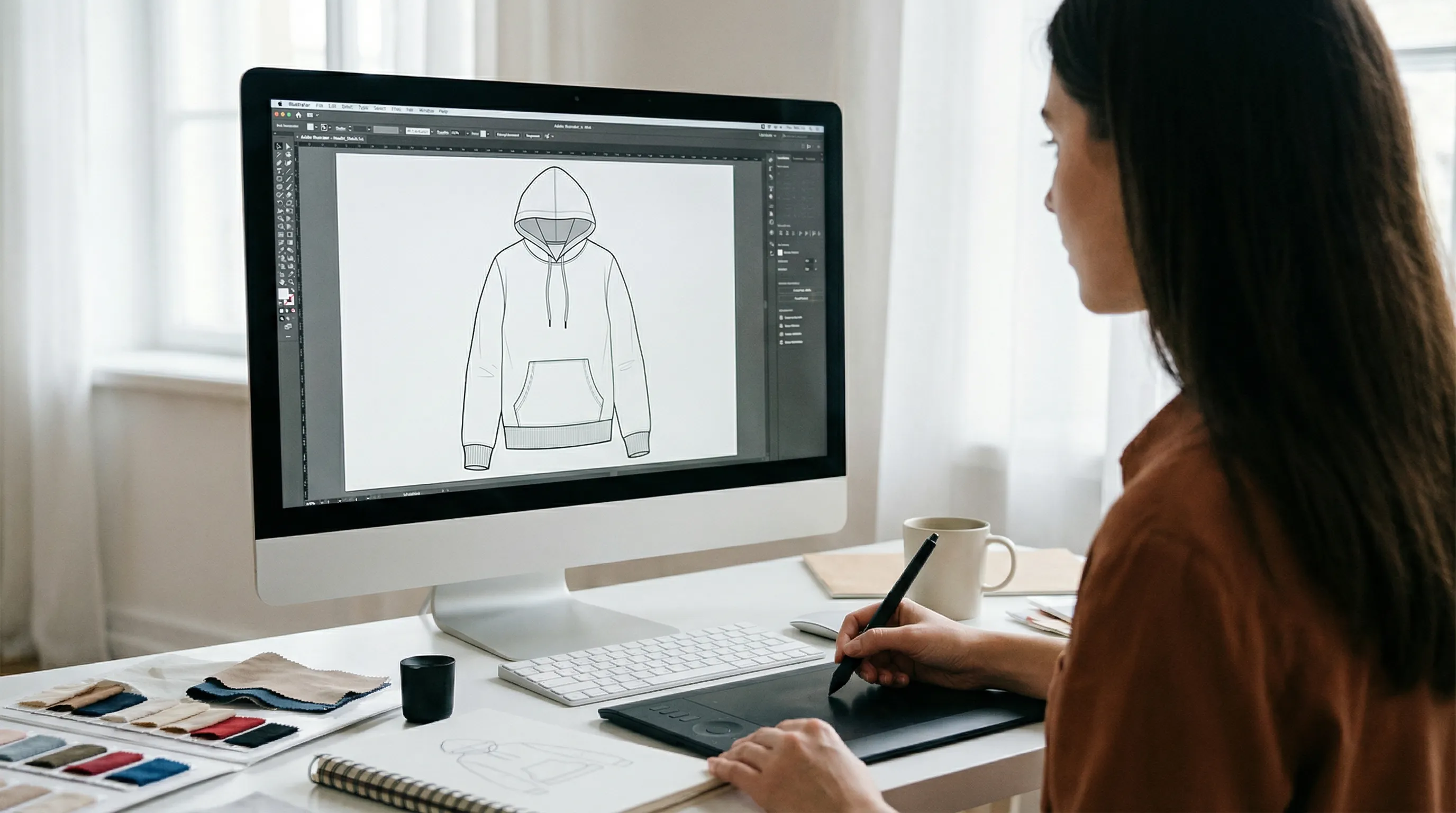 Fashion designer creating a technical flat sketch on a computer using Adobe Illustrator with pen tool drawing garment outlines
Frequently Asked Questions
Do I need to know how to draw to create a flat sketch?
Not anymore. While traditional flat sketches require Illustrator skills and fashion drawing knowledge, AI tools like Adstronaut AI can generate technical flat sketches from a garment photo. For brands that prefer manual creation, Illustrator templates and garment croquis (base flat sketch templates) are available that you can modify rather than draw from scratch.
What is the difference between a flat sketch and a CAD drawing?
In fashion, "CAD" (Computer-Aided Design) typically refers to flat sketches created digitally in Adobe Illustrator or CorelDRAW. "Flat sketch" and "CAD" are often used interchangeably. Technically, CAD encompasses any computer-assisted design work, while a flat sketch specifically refers to the 2D garment drawing format. In practice, when a factory asks for a "CAD," they mean a digital flat sketch.
How detailed does a flat sketch need to be for a factory?
A factory-ready flat sketch should show every seam line, closure placement, pocket shape, and hardware position. The level of detail should match the complexity of the garment. A basic t-shirt needs minimal detail (neckline, hem, sleeves). A tailored blazer needs extensive detail (lapel roll line, pocket types, vent construction, button stance, lining placement). When in doubt, add more detail — it is always better to over-specify than under-specify.
Can I hand-draw my flat sketches?
You can, but most factories prefer digital flat sketches because they are cleaner, easier to scale, and can be annotated without ambiguity. If you hand-draw, use a fine-point pen (0.3–0.5 mm), draw on grid paper for accurate proportions, and scan at 300 DPI minimum. Many factories in China and Bangladesh specifically request digital CAD files and may reject hand-drawn sketches.
What file format should flat sketches be in?
The industry standard is Adobe Illustrator (.ai) or scalable vector format (.svg or .eps). These vector formats can be scaled to any size without quality loss. If sending as part of a tech pack PDF, ensure the sketch is embedded at high resolution. Avoid sending flat sketches as low-resolution JPGs — they cannot be scaled and become blurry when printed.
How many flat sketches do I need per style?
At minimum: front view and back view. For complex garments, add: side view, interior/lining view, and detail callout views (zoomed sections of complex construction). A basic t-shirt needs 2 sketches (front + back). A lined jacket with multiple pocket types may need 4–6 sketches to fully communicate the design.
What is a croquis vs a flat sketch?
A croquis is a figure template (usually a 9-head proportioned body outline) used as a base for fashion illustrations. A flat sketch has no body — it shows only the garment lying flat. Confusing the two is a common mistake among new designers. Factories need flat sketches, not croquis-based illustrations.
How long does it take to create a flat sketch?
By hand or in Illustrator: 1–4 hours per garment depending on complexity (basic tee = 1 hour, tailored blazer = 3–4 hours). Using AI tools: 1–5 minutes per garment. Using Illustrator templates: 30–90 minutes per garment (modifying a base template is faster than drawing from scratch).
Get flat sketches and a full tech pack — no Illustrator needed →
Sources and further reading:
- ASTM D5585: Standard Body Measurements for Adult Female Misses (technical drawing standards)
- Maker's Row: Factory Requirements Guide (90% of factories require flat sketches)
- Fashion Institute of Technology (FIT) (Illustrator as standard curriculum)
- What Is a Tech Pack? (how flat sketches fit into the tech pack)
- What Is a Bill of Materials (BOM)? (specifications that accompany flat sketches)
- How to Create a Tech Pack Without Illustrator (alternative methods)