
Your product photos are inconsistent across the catalog — here's how to fix it
Updated June 10, 2026
Inconsistent catalog imagery — different lighting, crops, backgrounds, and models drop to drop — reads as amateur and leaks sales: brands with strict visual consistency see roughly 23% higher revenue (Marq/Lucidpress), and 22% of returns are "not as described" mismatches. The fix is a written shot list and style guide enforced across every shoot, then locking one look at scale with consistent AI models, lighting, and scenes at about $1 per image.
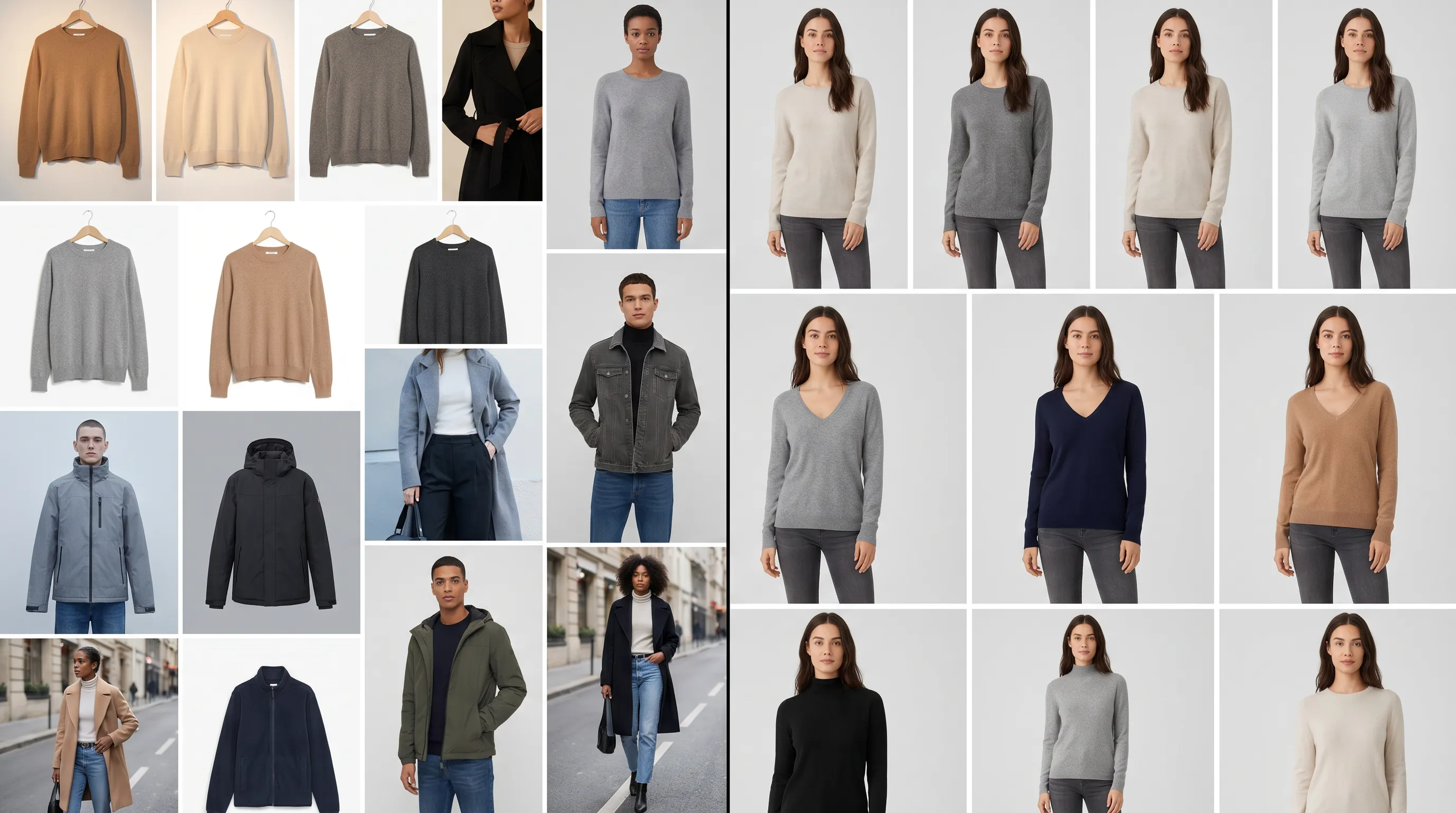
Why a mismatched catalog quietly costs you sales
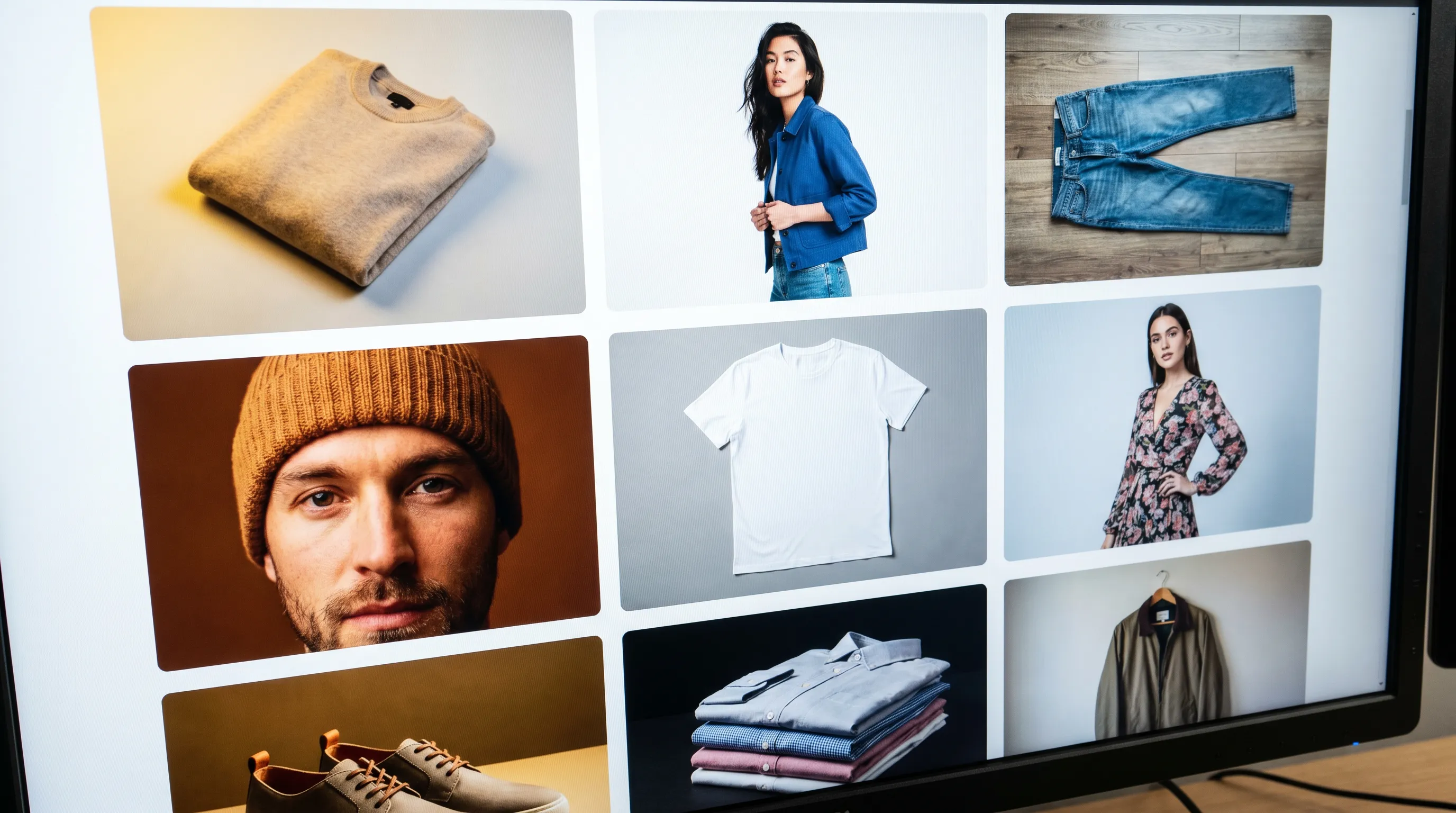
Open your collection page and scroll. If one row is warm studio light on a seamless white, the next is cool daylight on a gray backdrop, and a third is an outdoor lifestyle frame on a different model — your customer reads that instantly, even if they can't name it. The catalog looks stitched together from a dozen shoots, because it was.
The cost is measurable. A landmark study of brand consistency (Marq, formerly Lucidpress) found brands that present a consistent visual identity see an average revenue uplift of about 23%, and a consistent visual system can lift brand recognition by up to 80% (Marq/Lucidpress brand-consistency research). On the page itself, 56% of shoppers' first action is to explore the product images before they read a single word of the title or description (Baymard Institute) — so the first impression is the imagery, and a jarring one breaks trust before the copy gets a chance.
It also drives returns. Roughly 22% of all returns are "item not as described" — wrong color, wrong scale, looked different in person (returns-data analysis). When lighting and white balance drift between shoots, the same product photographs as two different colors, and the customer who guessed wrong sends it back. This page is the broad consistency fix; if the deeper problem is that each shoot is also breaking the bank, start with product photoshoot too expensive and come back.
Where the inconsistency actually comes from
Inconsistency is rarely carelessness — it's the accumulation of small, reasonable decisions made at different times by different people. Naming the sources is the first step to fixing them:
Different shoots, different conditions. Spring was shot in a rented studio with strobes; the summer restock was your founder's phone by a window; the collab capsule was the partner's photographer. Three light sources, three white balances, three crops.
Different people behind the camera. Even with the same brief, two photographers frame, expose, and retouch differently. Crop height, shadow density, and skin-tone rendering all drift.
Different models. When the face, body type, and styling change every drop, an on-model catalog stops reading as one brand and starts reading as a marketplace of unrelated sellers.
No written standard. Most brands carry the "house look" in one person's head. The moment that person isn't on set — a freelancer fills in, a marketplace listing gets a quick reshoot — the standard evaporates because it was never written down.
- Lighting & white balance — strobe vs daylight vs phone changes the product's apparent color drop to drop.
- Crop & framing — full-length here, cropped-at-the-knee there; the grid looks ragged.
- Background & surface — pure white, off-white, gray, lifestyle — mixed in the same collection page.
- Model & styling — a new face and new styling each season fractures an on-model catalog.
- Retouching style — heavy vs light, warm vs neutral grade, applied per-shoot with no recipe.
Fix it without new software: a shot list, a style guide, and one set of conditions
Before reaching for any tool, the highest-leverage fixes are process. They cost nothing but discipline, and they're what a good production team does by default.
Write a one-page photography style guide. Pin the variables that drift: background (e.g. RGB 245/245/245 seamless), camera height and distance, crop rules per category (full garment with X px headroom), the exact light setup, the color-grade recipe, and which file naming and aspect ratio every PDP uses. This single document is the difference between a look that lives in someone's head and one any contributor can hit.
Build a shot list per drop. List every SKU and the exact frames it needs — front, back, side, detail, on-model pose — so nothing gets improvised on set and no SKU ships with a different view count than its neighbors. (For what a complete angle set looks like, see one product, ten angles.)
Lock the conditions and reuse them. Same photographer, same studio, same lights, same lens, same backdrop — every shoot. Tape the marks. Save the camera and strobe settings as a preset. If you must switch photographers, hand them the style guide and a reference frame, and shoot a test against it before the real session.
Standardize post. One retoucher, or one saved color-grade and crop action applied to every file. Fix white balance off a gray card so the same garment is the same color in January and July.
Done consistently, this works. The catch is that it's expensive to sustain: it assumes you can re-book the identical crew, studio, and model for every restock and colorway — and the moment a marketplace reshoot or a rushed capsule breaks the chain, the patchwork creeps back in. That's the structural gap the next section closes.
The structural fix: generate every SKU under one locked look
The reason consistency erodes is that traditional photography re-rolls the dice every shoot — new room, new light, new face. AI photography removes the dice. Adstronaut AI Photoshoots renders on-model imagery from a single garment photo against a fixed, repeatable set of conditions you choose once and reuse forever, at 5 credits per pose — about $1 per finished image.
The consistency levers are built in. There are 22 named, consistent models (12 women, 10 men), and the key word is consistent: the same model keeps the same face, body proportions, and skin tone across every pose, scene, and drop — so a whole season reads as one shoot. There are 8 fixed poses and 12 named studio and location scenes (plus 36 lifestyle presets); pick one model, one pose set, and one scene, and every product you ever run through that recipe matches the last. Because the render is the final file, there's no per-shoot white-balance drift and no separate retouching pass introducing variation.
When you add a restock or a colorway six months later, you don't re-book anything — you load the same model and scene and the new SKU drops into the grid visually identical to the original. That's the property a written style guide describes but can't enforce: here the recipe is the software, so it can't be misremembered on set.
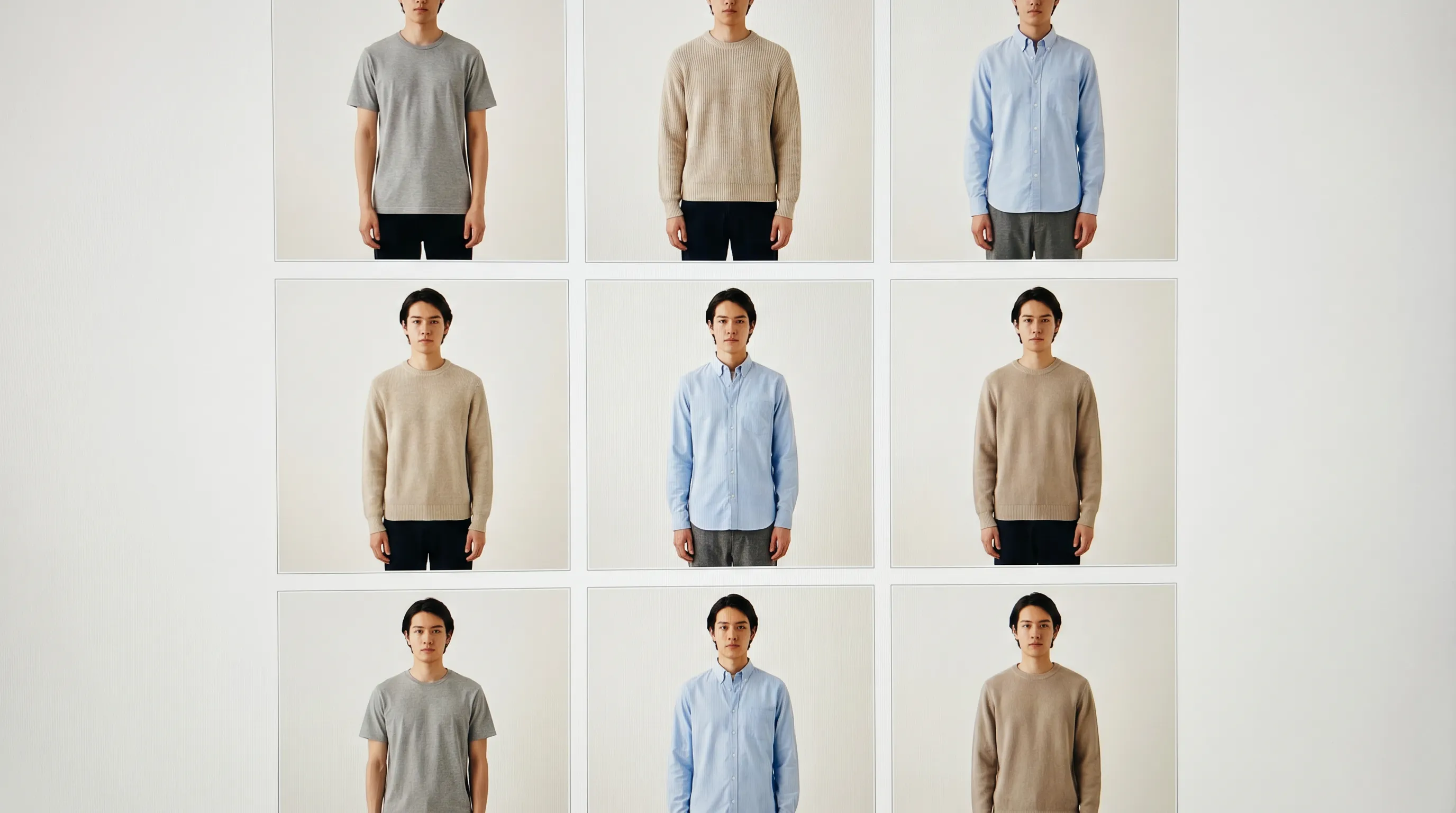
Consistency across angles, not just across drops
Catalog consistency has a second axis: within a single product, every view should match. Customers want the full set — and listings with five or more images convert markedly better than single-image ones, while Baymard recommends at least 3–5 images covering alternate angles and a scale reference (Baymard Institute). The problem is that hand-shooting back, side, and detail frames in separate sessions reintroduces the exact mismatch you just fixed.
The Lookbook Creator solves this directly: it turns one product photo into a complete multi-angle gallery — 35 view types across 10 product classes (footwear gets lateral and medial profiles, front toe and back heel; bags get hardware detail and scale reference; apparel gets the on-model pose set) — all rendered in one batch with identical lighting and backdrop. Run up to 10 products per session, pick the same model for the on-model views, and the entire collection ships as a unified set. For the full anatomy of a PDP that converts, the perfect e-commerce listing guide walks through how the consistent gallery fits with attributes and copy.
What drifts, and how each method holds the line
Every variable that makes a catalog look inconsistent, and how a process fix versus a generated fix controls it.
| Consistency variable | Multi-shoot reality | Style guide (process fix) | Adstronaut AI |
|---|---|---|---|
| Lighting / white balance | Drifts per studio, lens, and day | Held if crew + setup are re-booked exactly | Fixed — same rendered light every time |
| Background / surface | White, gray, lifestyle mixed in one grid | Standardized on paper | One chosen scene, reused across every SKU |
| Crop & framing | Photographer-dependent | Specified, but enforced by hand | Identical per pose, automatically |
| Model & styling | New face / styling each season | Only if the same model re-books | Same named model across the whole catalog |
| Retouching grade | Per-shoot, per-retoucher | One saved action — if applied | No separate pass; render is final |
| Restocks & colorways | Full re-shoot to match | Re-book identical crew (costly) | Reload same model + scene, regenerate |
| Cost to stay consistent | $2,500–$8,000+ per matching shoot | Same, plus coordination overhead | ~$1 per image (5 credits/pose) |
Live-shoot cost ranges per industry breakdowns (Wearview, Squareshot, 2026); Adstronaut per its plan credits (plans from $29/month).
Six variables that have to match across the catalog
Make your catalog consistent: a 4-step plan
Run this in order — process first, then lock the look at scale.
- 1
Audit the collection page for drift
Screenshot your busiest collection grid and mark every mismatch: lighting, background, crop, model, retouch. The list of what's drifting becomes your style-guide spec and your benchmark for "fixed." - 2
Write the one-page style guide
Pin background color, camera height/distance, crop rules per category, the light setup, the color-grade recipe, and aspect ratio. Anyone who shoots for you — staff, freelancer, marketplace reshoot — hits the same target. - 3
Pick one AI recipe for ongoing volume
In AI Photoshoots, choose one model, one pose set, and one scene, and save it as your catalog standard. Run a current SKU through it (~$5 in credits; the free plan covers watermarked test shots) and confirm it matches the look you want. - 4
Regenerate the inconsistent tail under that recipe
Work through the SKUs that broke the grid — restocks, colorways, rushed capsule frames — re-rendering each on the same model and scene. Add the full angle set via the Lookbook Creator so every product carries a matching gallery.
When the old way is still right
Process-led live shooting is the better answer for some imagery, and pretending otherwise would cost this page its credibility. Keep the consistent live shoot when the brand look itself is the differentiator — a luxury house whose lighting signature and real-fabric movement are the product story, shot by the same photographer who built that signature. Keep it when fit on a real body is the purchase driver under genuine scrutiny — bridal, tailoring, technical performance wear — where customers are studying drape on a specific physique.
And if you already run a tightly-controlled in-house studio with locked settings and a single retoucher, your consistency problem may already be solved by discipline alone; AI then earns its place only on the overflow — restocks, colorways, and marketplace SKUs that fall outside the studio calendar. The pattern most brands land on is hybrid: a consistent live system for the hero and fit-critical frames, one consistent AI recipe for the recurring catalog volume, both pointed at the same visual target so the grid reads as one brand regardless of which engine made each frame.
Who this fix is built for
Shopify and Amazon sellers whose catalog grew SKU by SKU across different shoots and now looks like several brands sharing a storefront. Multi-category sellers running apparel next to bags and eyewear, where each category was shot by a different specialist on a different background. Performance marketers who need every ad-creative variant to match the brand's established look instead of standing out as obviously off. Founders and small teams who carry the house look in one person's head and watch it slip every time someone else fills in on set.
If that's you, the move is the same: write the standard down, then make the standard enforceable. A style guide ends the guesswork; a single AI Photoshoots recipe makes the guide impossible to break, at about $1 per image. Browse the full set of acute-pain fixes for the adjacent problems — cost per image, slow turnaround — that usually travel with an inconsistent catalog.
Frequently asked questions
Why does product photo consistency matter for sales?
Because the catalog is a brand signal and the first thing shoppers judge. Brands with consistent visual presentation see roughly 23% higher revenue (Marq/Lucidpress), 56% of shoppers explore product images before reading anything (Baymard), and a consistent visual system can lift brand recognition up to 80%. A mismatched grid reads as amateur and breaks trust before the copy is even seen.
What actually makes a catalog look inconsistent?
Six variables drifting between shoots: lighting and white balance, background and surface, crop and framing, the model and styling, the retouching grade, and the angle set per product. Each changes whenever you switch studios, photographers, models, or seasons — so the catalog ends up looking stitched together from a dozen different shoots, because it usually was.
Can I fix inconsistency without buying any software?
Yes, and it's the first thing to try. Write a one-page photography style guide (background, camera height, crop rules, light setup, color-grade recipe, aspect ratio), build a per-drop shot list, lock one photographer/studio/lighting setup and reuse it, and standardize post with one saved color grade off a gray card. The limit is cost: sustaining it means re-booking the identical crew for every restock and colorway.
How does AI keep product photos consistent across the catalog?
Adstronaut AI Photoshoots renders against a fixed recipe you choose once — one of 22 consistent named models (same face every time), one of 8 poses, one of 12 scenes — and reuses it for every SKU. Because the render is the final file, there's no white-balance drift between sessions and no separate retouching pass adding variation. The recipe is the software, so it can't be misremembered on set.
Will the same AI model look identical across different drops?
Yes — that's the core feature. Each of the 22 named models keeps consistent facial features, body proportions, and skin tone across every pose, scene, and session. Load the same model six months later for a restock and the new SKU drops into the grid visually matching the original, so a whole season or year reads as one cohesive shoot.
How do I keep angles consistent within a single product?
Use the Lookbook Creator, which turns one product photo into a complete multi-angle gallery — 35 view types across 10 product classes — all rendered in one batch with identical lighting and backdrop. Pick the same model for on-model views and run up to 10 products per session, so every product's front, back, side, and detail frames match each other and the rest of the catalog.
How much does it cost to make my catalog consistent with AI?
About $1 per finished image (5 credits per pose). A six-view gallery for one product runs about $6 in credits; re-rendering a tail of inconsistent restocks and colorways across, say, 20 SKUs lands in the low tens of dollars. The free plan covers watermarked test shots so you can confirm the look matches before committing volume. Plans start at $29/month.
Does inconsistent imagery really cause returns?
Indirectly, yes. About 22% of returns are "item not as described" — wrong color, scale, or look versus the photo. When lighting and white balance drift between shoots, the same garment photographs as two different colors, so a customer guessing from a miscolored frame is more likely to return it. Consistent, true-to-life rendering is a return-rate control.
When is a traditional consistent shoot still the better choice?
When the brand's own lighting signature and real-fabric movement are the differentiator (luxury hero imagery), or when fit on a real body under scrutiny is the purchase driver (bridal, tailoring, technical performance wear). If you already run a locked in-house studio with one retoucher, discipline may already solve consistency, with AI used only for the overflow.
Do I have to choose between a style guide and AI?
No — they reinforce each other. The style guide defines the visual target (background, crop, grade, model look); the AI recipe makes that target enforceable at scale and near-zero marginal cost. The strongest setup is hybrid: a consistent live system for hero and fit-critical frames, one AI recipe for recurring volume, both aimed at the same look so the grid reads as one brand.
Lock one look across your whole catalog
Write the standard, then make it enforceable. Pick one model, one pose set, one scene — and render every SKU to match, at about $1 an image. Free watermarked test shots included.
Try AI PhotoshootsKeep going
Sources and further reading
- Marq (formerly Lucidpress) — brand consistency report — consistent visual presentation linked to ~23% average revenue uplift; consistency lifts brand recognition up to 80%
- Baymard Institute — product page image UX — 56% of shoppers explore images first; 3–5+ images with alternate angles and a scale reference recommended
- Velou — ecommerce returns as a product-data problem — ~22% of returns are 'item not as described' (color/size/look mismatch vs the photo)
- Let's Enhance — product image quality, conversion and returns — consistent quality, lighting, and background treatment build trust; inconsistent imagery reads as unprofessional
- Squareshot — clothing photoshoot cost (2026) — live shoot day ranges used for the cost-to-stay-consistent comparison
- Wearview — the real cost of a fashion photoshoot (2026) — per-role day rates underpinning the $2,500–$8,000 matching-shoot figure