
AI product photos for jewelry and accessories
Updated June 10, 2026
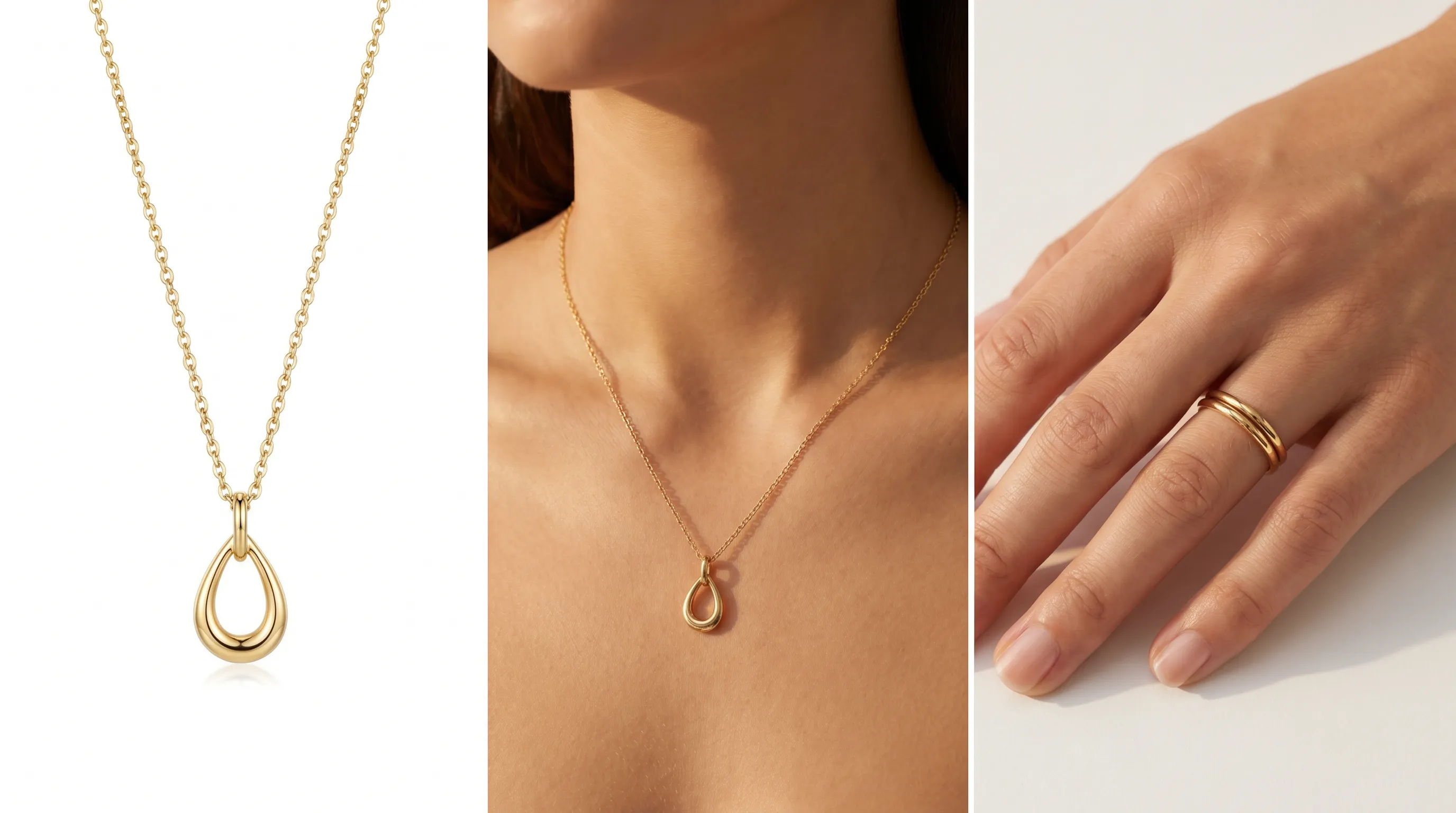
Professional jewelry photography costs $45–150 per image — roughly 2–3× basic product photography — because reflective metal and gemstone sparkle demand controlled lighting and focus stacking. AI is strongest for the on-model, lifestyle, and scale-reference shots a listing needs, at about $1 per image; keep a real macro photograph for fine-detail accuracy. Adstronaut builds the supporting set from one source photo.
What a jewelry listing actually needs
A jewelry product page has to answer questions a single hero shot never can: how big is it, what does it look like worn, how does the metal catch light, and is the stone the color the screen shows. Marketplaces formalize part of that. For Amazon and Shopify, sellers are advised to start with 3 to 5 angles on a white (or light-grey) background and scale up to 10 images for premium pieces or one-product landing pages (Dresma jewelry guide). Listings cap at 10 images in the slideshow, and best-practice galleries mix product-focused and lifestyle frames (Fine Jewellery Images).
The two platforms pull in different directions. Amazon treats the clean product shot on a plain background as non-negotiable for a consistent shopping experience, while Etsy rewards creativity, individuality, and visual storytelling for buyers seeking something handmade (Photta marketplace guide). A jewelry seller usually needs both: the white-background packshot for the marketplace main slot, and the worn, in-context frames for social and the supporting slots.
Scale is the constant. Because a ring or pendant photographed in isolation gives no sense of size, buyers need on-hand or on-model shots so they know exactly what they're getting — a worn frame, or the piece staged next to a familiar object (Pixelcut Etsy guide). That single missing frame is the most common reason a small jewelry listing underperforms.
The jewelry shot list, by job
What each frame does, who shoots it best, and where it lives in the listing.
| Shot | Job it does | Best produced by | Listing slot |
|---|---|---|---|
| White-background packshot | Clean, true-to-life main image for the marketplace | Real photo, or AI-cleaned view | Main / slot 1 |
| Macro detail | Hallmarks, prong setting, clasp, stone facets, finish quality | Real macro photography (focus-stacked) | Detail slot |
| On-model / on-body | How it sits, drapes, and scales when worn | AI on-model render | Lifestyle slots |
| Scale reference | Conveys real size — on-hand, on-ear, beside an object | AI on-body or staged shot | Early gallery slot |
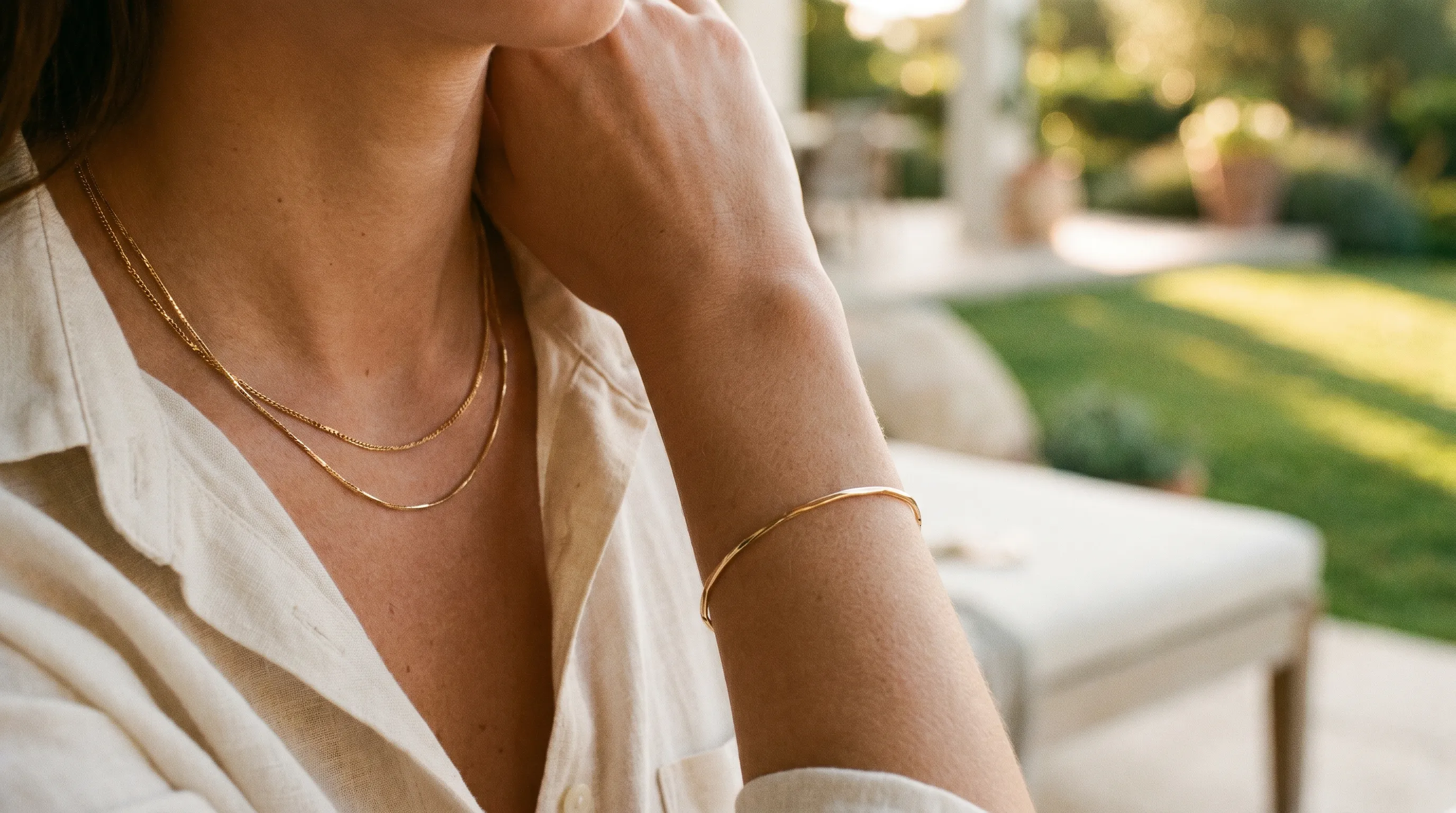
| Lifestyle / editorial | Mood and desirability for social and ads | AI lifestyle scene | Social + supporting slots |
| Collection-consistent set | Same lighting and backdrop across a whole line | AI batch (one source each) | Across the catalog |
Roles drawn from jewelry e-commerce best-practice guides (Fine Jewellery Images, Dresma, Photta, 2026); AI vs. real-photo split per the honesty section below.
Why jewelry is the hardest product category to shoot
Jewelry photography costs 2–3× more than basic product photography for a concrete reason: reflective surfaces (Welpix pricing 2026). Polished metal and faceted stones behave like tiny mirrors, picking up the camera, the lights, and the photographer, so a single careless setup litters the piece with distracting reflections (Adaptalux on reflections).
Lighting has to do two contradictory things at once. Soft, diffused light kills harsh reflections but also kills sparkle, while directional light brings out fire in a gemstone but risks blowing out glare — and what flatters a diamond produces flat, lifeless results on an emerald, because different stones have radically different optical properties (Photta macro guide). Metalwork rewards controlled reflected light that reveals finish; gemstones often want transmitted, directional light. They're effectively two different disciplines on one piece.
Then there's physics. Even professionals can't get an entire ring sharp in a single frame at macro distances — the depth of field is too shallow — so detail shots are commonly focus-stacked from many exposures (Photta macro guide). And color accuracy is unforgiving: an off white balance misrepresents a stone's hue and misleads the buyer. This is exactly why jewelry runs $45–150 per image versus a basic packshot (Glossy Retouching rates 2026) — and why deciding which frames to shoot live and which to generate is the real cost lever.
Building a complete jewelry listing from one source photo
Map each frame to the tool that produces it best — and keep real macro for the detail slot.
- 1
Slot 1 — the clean packshot
Your true-to-life white-background main image. Shoot it real, or generate a clean studio-background view in the Lookbook Creator when your raw photo needs replacing. White or light grey is what marketplaces expect for the main slot. - 2
Detail slot — real macro (keep this one)
Hallmarks, prong settings, clasp mechanism, stone facets, and finish quality belong in a real focus-stacked macro photograph. This is the honest boundary: tiny detail fidelity is where physical photography still wins. - 3
Scale + on-body — generate it
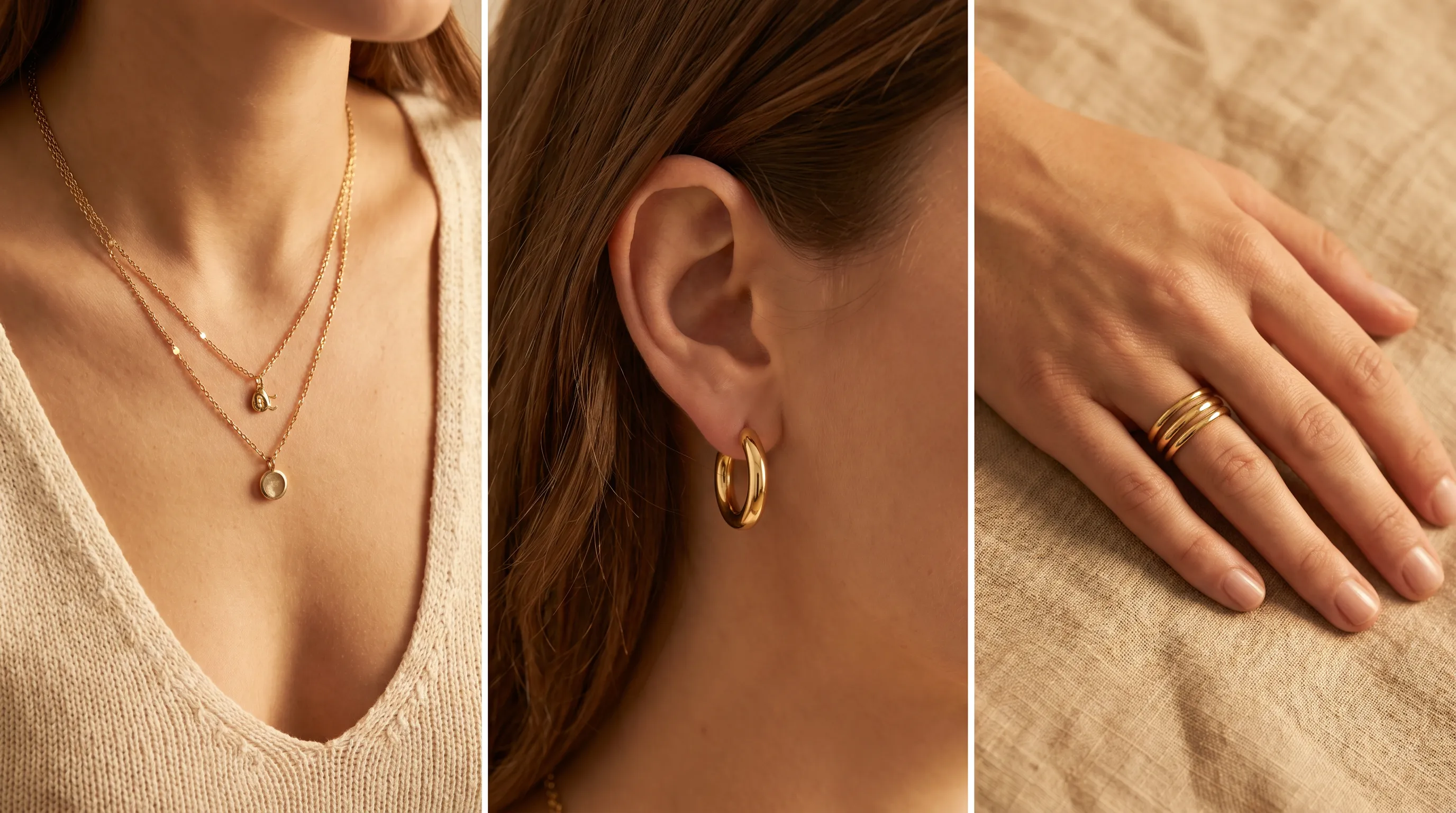
The frame most small sellers skip. AI Photoshoots renders the piece worn — on the ear, neck, wrist, or hand — on one of 22 named models, so buyers grasp real size. About $1 per finished image. - 4
Lifestyle slots — generate the mood
The Lifestyle workflow's editorial scenes give jewelry the desirability shots social and ads run on — golden-hour, on-model, in-context — without re-booking a shoot. Mix product and lifestyle frames across the gallery. - 5
Whole collection — one batch
Run the line through the Lookbook Creator: up to 10 products per session, 3 reference images each, jewelry as one of its 10 product classes, rendered with consistent lighting so the catalog reads as a single shoot.
Where AI helps with jewelry — and where it doesn't
Be honest about the split, because it determines whether the output sells or backfires. AI is strongest for context: on-model, on-body, scale-reference, and lifestyle frames. Those shots are about how a piece looks worn and how big it reads — exactly the questions a real photographer answers with a model booking and a styling kit, and exactly what a single packshot can't show. Generating them at about $1 each is where the cost math closes.
Where AI is weakest is fine macro detail. Hallmarks, the exact cut and inclusions of a specific stone, the precise prong geometry, micro-pavé, an engraved inscription — anything a buyer would zoom in on to verify authenticity or craftsmanship should be a real, focus-stacked macro photograph of the actual piece. Generative tools render a convincing jewelry-like surface, but they don't reproduce your specific stone's facets or a serial-numbered hallmark, and a render that implies detail the piece doesn't have inflates returns. The same accuracy principle that governs marketplace listings applies here: imagery must represent the real product.
The workflow that respects the boundary is a hybrid. Keep a true packshot in the main slot and a real macro in the detail slot; generate the on-model, scale, and lifestyle frames around them. That's the set most jewelry listings are missing anyway — research finds buyers need a worn or scale shot to judge size, and galleries should blend product and lifestyle imagery (Pixelcut, Fine Jewellery Images). AI fills the gap the photographer was too expensive to fill.
What the generated set costs
Adstronaut prices per output on plans from $29/month: 5 credits — about $1 — per finished image, whether it's a Lookbook angle or an on-model frame. A worn-and-lifestyle supporting set of six frames runs roughly $6 in credits; an on-body scale shot plus three lifestyle frames for a single piece lands near $4. Run a 10-piece collection through one Lookbook batch and the per-image economics hold across the line.
The comparison is steep. At $45–150 per jewelry image (Glossy Retouching, 2026), a five-image listing shot live runs $225–$750 before you reach the second SKU; small projects of 10–50 pieces sit at the top of that range, and only 200+ piece volumes earn the 15–20% discount studios reserve for efficiency at scale (Glossy Retouching, 2026). For an indie jewelry brand dropping new pieces every few weeks — the 43% of jewelers who refresh shots quarterly (Photoroom) — that cadence simply doesn't fit a studio calendar or budget. Generating the context frames and reserving live shooting for the macro detail is how the numbers work without thinning the gallery.
Built for jewelry and accessory sellers
Indie jewelry makers on Etsy who can shoot a clean packshot and a phone macro but can't afford on-model frames — and whose listings convert better with the worn and scale shots Etsy buyers expect. Multi-category accessory brands selling rings, earrings, sunglasses, and bags in one catalog, who used to need separate photographers per category and now run one Lookbook batch with the right view set per class. Marketplace sellers standardizing imagery across a back catalog to the 3–5 white-background angles Amazon wants, plus lifestyle frames for the listings that allow them. Social-first jewelry brands that refresh creative weekly and need a fresh on-model or golden-hour frame per piece without re-booking anything.
The pattern is the same across all four: jewelry photography is the most expensive product category to shoot, the listing needs more frames than a hero shot, and the missing frames are precisely the context shots AI does well. The honest move is to spend the photography budget where it counts — a real macro of the actual piece — and generate the rest. The Shopify guide and TikTok Shop guide cover the per-platform image specs when you syndicate the gallery out, and Product Tagger writes the titles and attributes from the same photos.
Frequently asked questions
How much does jewelry product photography cost?
Professional jewelry photography runs about $45–150 per image — roughly 2–3× basic product photography — because reflective metal and gemstone sparkle demand controlled lighting and focus stacking. Small projects of 10–50 pieces sit at the top of the range; only 200+ piece volumes earn the 15–20% discount studios offer at scale. AI-generated context frames cost about $1 each.
Why is jewelry so hard to photograph?
Polished metal and faceted stones act like tiny mirrors that pick up the camera, lights, and surroundings. Soft light kills reflections but also kills sparkle, while directional light brings out fire but risks glare — and what flatters a diamond falls flat on an emerald. On top of that, depth of field is so shallow at macro distances that detail shots usually have to be focus-stacked from many exposures.
Can AI generate good jewelry product photos?
AI is strongest for context shots — on-model, on-body, scale-reference, and lifestyle frames that show how a piece looks worn and how big it reads. Those are the frames a real photographer charges most for and a single packshot can't provide. AI is weakest at fine macro detail, so keep a real photograph there.
Where does AI fall short for jewelry?
Fine detail. Hallmarks, the exact cut and inclusions of a specific stone, precise prong geometry, micro-pavé, and engravings should be real focus-stacked macro photographs of the actual piece. Generative tools render a convincing jewelry-like surface but don't reproduce your specific stone's facets or a serial-numbered hallmark — and a render implying detail the piece lacks inflates returns.
How many photos does a jewelry listing need?
Marketplace guidance suggests starting with 3–5 white-background angles and scaling to as many as 10 images for premium pieces, within the 10-image slideshow cap. Best practice blends product-focused shots with lifestyle and a scale-reference frame so buyers can judge size and craftsmanship.
Should jewelry be shot on a white background or styled?
Both, for different slots. Marketplaces like Amazon treat the clean white or light-grey main image as non-negotiable, while Etsy rewards creative, styled storytelling. Use the packshot for the marketplace main slot and worn, lifestyle, and scale frames for the supporting slots and social.
How do I show the scale of a ring or pendant?
A piece photographed in isolation gives no sense of size, so buyers need an on-hand or on-model frame — the ring on a hand, earrings on an ear, a pendant at the neckline — or the piece staged beside a familiar object. AI Photoshoots renders these on-body scale frames from one source photo at about $1 each.
Can I keep a collection looking consistent across pieces?
Yes. Run the line through the Lookbook Creator — up to 10 products per session, 3 reference images each, jewelry as one of its 10 product classes — and Adstronaut renders every piece with consistent lighting and backdrop so the catalog reads as a single shoot rather than a patchwork of separate sessions.
Do better jewelry photos actually increase sales?
Evidence says yes: one case found switching to larger, high-resolution jewelry images lifted sales about 9.5% as shoppers could better appreciate the craftsmanship, and adding 360-degree views has been reported to raise conversion meaningfully. High-resolution, zoomable imagery builds the trust a high-consideration purchase needs.
Does Adstronaut work for accessories beyond jewelry?
Yes. The Lookbook Creator covers 10 product classes including jewelry, eyewear, bags, and headwear, each with its own class-specific view set — hardware detail for bags, side temple for sunglasses, macro and on-body for jewelry. Multi-category accessory sellers can run one batch instead of booking a photographer per category.
Build the jewelry shots a packshot can't
Upload one source photo. Generate the on-model, scale-reference, and lifestyle frames your listing is missing — about $1 each — and keep your real macro for the detail slot.
Start an AI PhotoshootKeep going
Sources and further reading
- Glossy Retouching — product photography rates (2026) — accessories & jewelry $45–150/image; 200+ volumes earn 15–20% discount
- Welpix — jewelry photography pricing (2026) — jewelry photography costs 2–3× basic product photography due to reflective surfaces
- Photta — jewelry macro photography — reflections, soft-vs-directional light trade-off, stone-specific optics, focus stacking for depth of field
- Dresma — jewelry photography backgrounds — 3–5 white/grey angles to start, up to 10 for premium pieces; Amazon clean vs Etsy creative
- Pixelcut — how to photograph jewelry for Etsy — scale and on-model/on-hand frames so buyers know real size
- Fine Jewellery Images — e-commerce best practices — 10-image slideshow cap; blend product-focused and lifestyle frames
- Photoroom — jewelry photography survey (1,000+ sellers) — 43% of jewelers refresh product shots at least quarterly