AI product photos for Shopify fashion stores
Updated June 10, 2026
A conversion-ready Shopify fashion PDP needs 2048×2048px square images (uploads accepted to 5000×5000px / 20MB; zoom activates above 800×800), a consistent aspect ratio across the catalog, and multiple angles including an on-model shot — fashion listings convert meaningfully better with 5+ images than with one. Adstronaut AI generates that full on-model gallery from one garment photo for about $1 per image.
What Shopify fashion product photos actually need
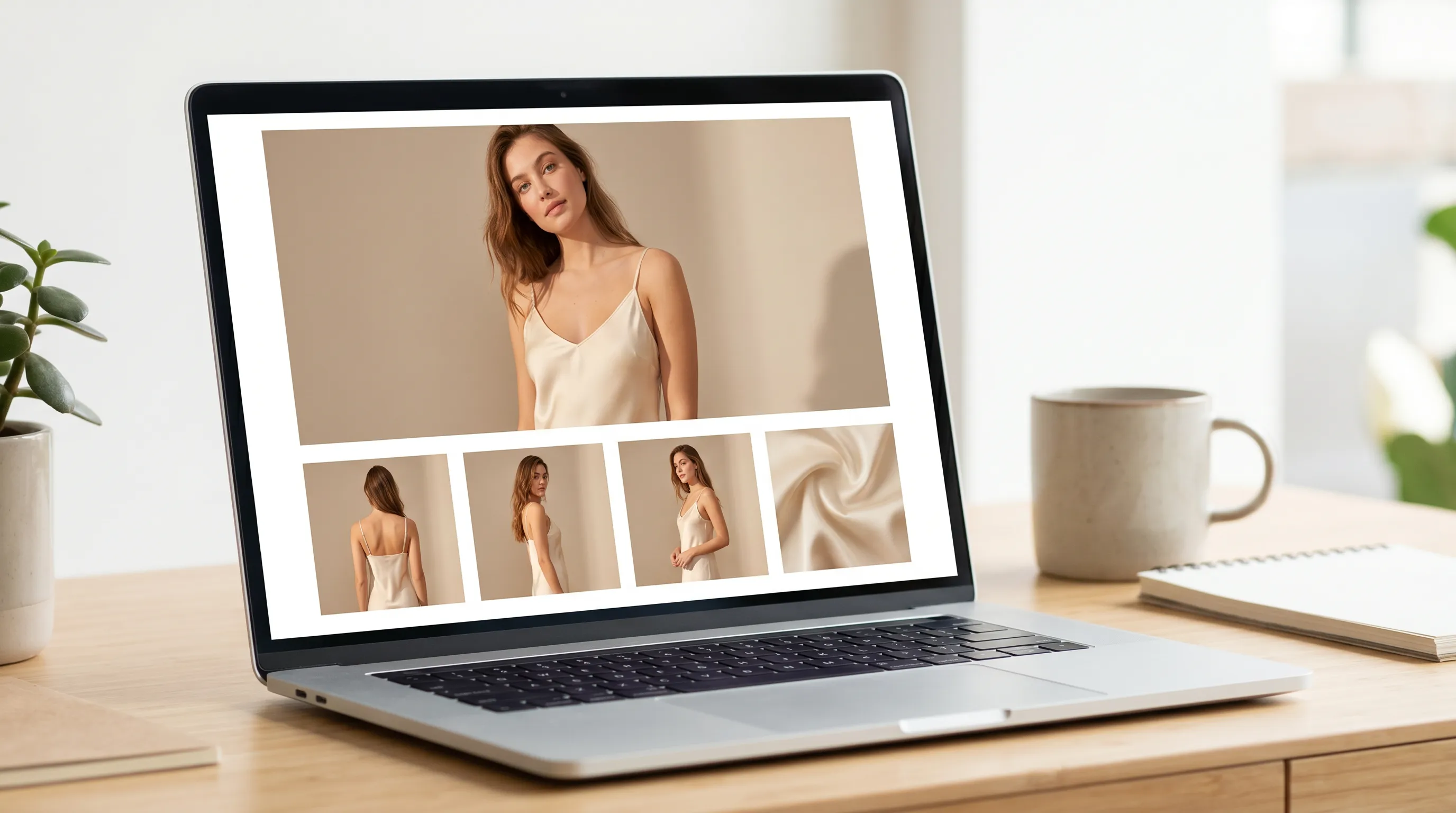
Shopify's official guidance recommends 2048×2048px square (1:1) product images, accepts uploads to 5000×5000px / 20MB, and notes that hover-zoom only activates when images exceed 800×800px (Shopify's image-size guide). Each product can carry up to 250 media files, and the platform's guidance stresses one thing repeatedly: a consistent aspect ratio across every main image, so collection grids stay aligned. With over 70% of Shopify traffic on mobile, file discipline matters too — compressed 2048-square images in the 150–400KB range keep PDPs fast, and WebP serves 25–35% smaller than JPEG.
For fashion specifically, one hero shot isn't a gallery. Apparel buyers resolve doubt visually — how it falls from the back, how the fabric drapes, how it reads on a body — and e-commerce conversion research consistently ties multi-angle, on-model galleries to higher conversion and fewer "not as described" returns (The Good's product-image analysis). The working standard: on-model shot, front, back, side, and a detail close-up, all in one square format. The bottleneck was never knowing this — it was producing five consistent frames per SKU affordably.
Shopify fashion product photo checklist
| Element | Recommendation |
|---|---|
| Resolution | 2048×2048px square (Shopify's recommendation); uploads accepted to 5000×5000px / 20MB |
| Zoom | Original must exceed 800×800px for hover-zoom; 2048-square gives every theme room |
| Aspect ratio | Pick one — 1:1 is the fashion standard — and hold it across every main image |
| Angles | 5+ images: on-model, front, back, side, detail close-up minimum |
| On-model | At least one on-body frame — apparel converts on bodies, not hangers |
| Detail shots | Macro fabric/stitching/hardware frames build confidence and cut returns |
| Background | Consistent studio backdrop across the catalog; lifestyle scenes in secondary slots |
| File size & format | 150–400KB after compression; WebP serves 25–35% smaller than JPEG |
Platform figures per Shopify's official documentation; angle and on-model guidance per e-commerce conversion research.
Building the full Shopify gallery from one photo
- 1
Generate the on-model set
Upload your flat-lay or mannequin shot to AI Photoshoots; pick one of 22 named models and 2–3 poses (full-length front, three-quarter, detail) on a clean studio scene. Same model across the catalog = one-shoot consistency. - 2
Fill the angle slots
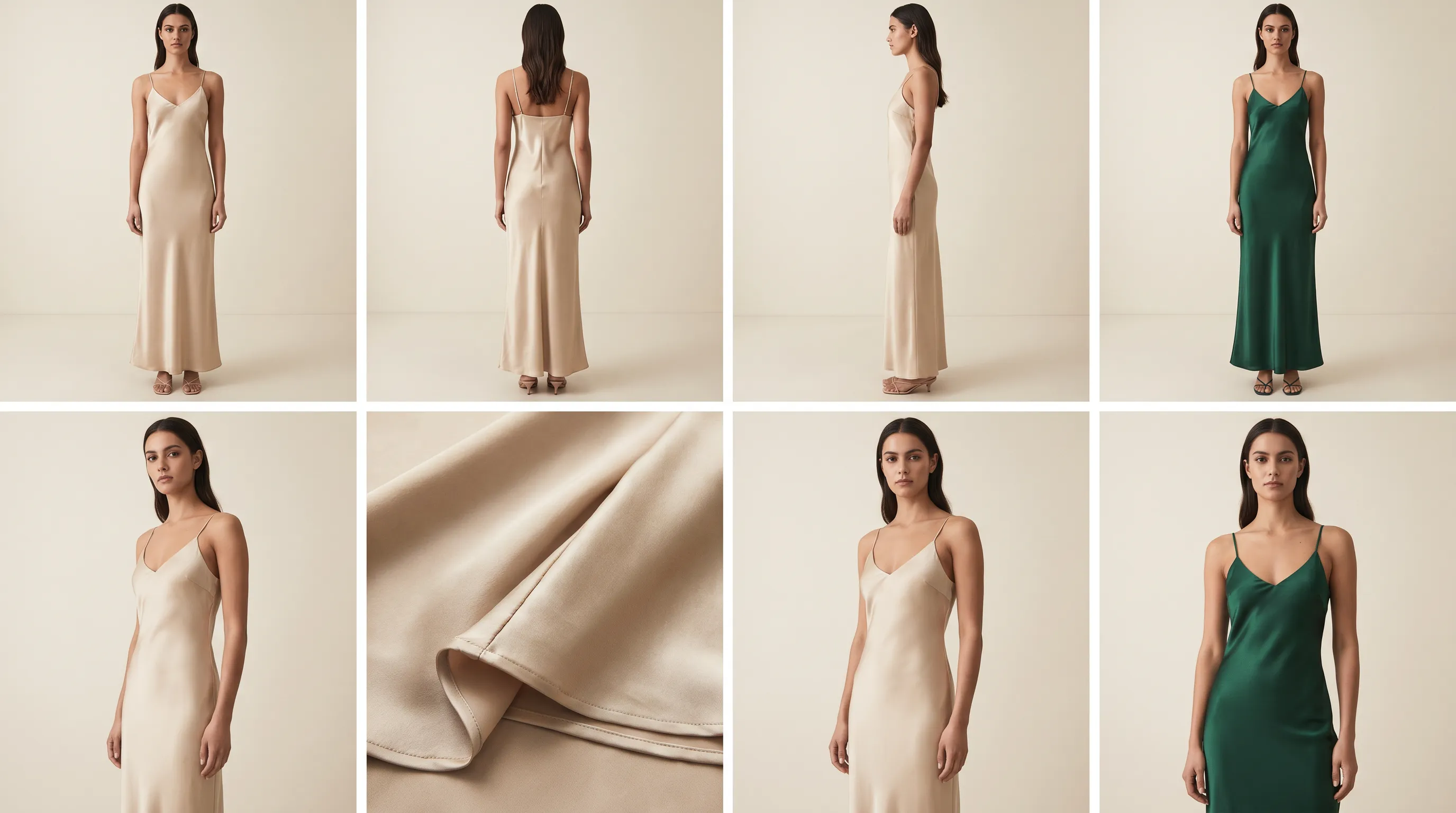
The Lookbook Creator generates front, back, side, hero, and detail views from the same source — class-aware for apparel, footwear, bags, and seven more categories, up to 10 products per batch. - 3
Add colorways without reshoots
The Color Changer renders Pantone-accurate variants (~$0.50), then re-render on the same model and scene so each Shopify variant gets matching imagery. - 4
Write the listing from the same photos
The Product Tagger extracts 13 attributes per SKU — title, description, material, fit — exporting CSV/Excel ready for Shopify import at ~$0.05 per product.
Cost vs a traditional Shopify product shoot
A traditional fashion production day runs $2,500–$8,000 once you add the photographer, model, studio, styling, and retouching — Squareshot's published full-day model-shoot rate is $7,450 — and a multi-angle e-commerce batch for ten SKUs totals $3,000–$10,000 with 1–3 weeks of lead time (Squareshot 2026).
Adstronaut prices per output: 5 credits — about $1 — per finished image on plans from $29/month. A six-view PDP gallery is ~$6 per product; a ten-style drop's complete imagery lands around $60–$100 in credits, generated the same day samples arrive. Listings go live the week you'd otherwise be waiting on a shoot date — and when a colorway launches mid-season, the variant imagery costs under $2 instead of a re-booking. For the deeper cost anatomy of what's being replaced, see the photoshoot-too-expensive fix.
Built for Shopify fashion store owners
Indie founders launching product pages the week first samples arrive instead of after a quarterly shoot. Sellers expanding colorways who recolor and regenerate instead of re-booking — variant imagery that matches the original set exactly. Multi-marketplace operators standardizing front-back-side-detail coverage across hundreds of SKUs at $1 a frame, then syndicating (the TikTok Shop guide covers the stricter sister spec). Brands fighting returns adding the detail and on-model frames that close the expectation gap.
The consistent thread: Shopify rewards complete, consistent, fast-loading galleries, and conversion follows imagery completeness. The constraint was always production cost — which is the variable that just changed.
Frequently asked questions
What image size does Shopify recommend for product photos?
2048×2048px square (1:1) is Shopify's recommended product-image size, with uploads accepted to 5000×5000px and 20MB. Hover-zoom requires images above 800×800px. Keep one consistent aspect ratio across every main image so collection grids align — it's the single most repeated guidance in Shopify's own documentation.
How many product photos should a Shopify fashion listing have?
At least five: an on-model shot, front, back, side, and a fabric/detail close-up. Conversion research consistently ties multi-angle, on-model galleries to higher conversion and fewer returns, because each angle removes a pre-purchase doubt. Shopify supports up to 250 media files per product — the constraint is production, not the platform.
How much do AI product photos for Shopify cost?
About $1 per finished image (5 credits), so a six-view PDP gallery runs ~$6 per product and a ten-style drop $60–$100 — versus $3,000–$10,000 and 1–3 weeks for the equivalent studio batch. Colorway variants add ~$1.50 each (recolor + re-render).
Are AI-generated product photos allowed on Shopify?
Yes — Shopify has no policy against AI-generated product imagery, provided photos accurately represent the product you ship. Fidelity-first generation preserves your garment's pattern, color, texture, and hardware, keeping the listing image consistent with the delivered product — which is also what keeps your return rate honest.
Can I create on-model photos without hiring a model?
Yes. AI Photoshoots renders your garment on a roster of 22 named, consistent synthetic models across 8 poses and 12 scenes. No model releases, royalties, or usage windows — paid-plan images are fully licensed for your store, ads, social, and email.
How do I get multiple angles of one product?
The Lookbook Creator generates front, back, side, hero, and detail views from one source photo, with class-specific angle sets across 10 product categories (35 view types total), batching up to 10 products with consistent lighting. Each view is 5 credits — about $1.
How do I add a new colorway without reshooting?
Recolor the source against 2,300+ Pantone TCX codes (~$0.50), then regenerate the on-model and angle set on the same model and scene. The variant's imagery matches the original collection visually — total cost per colorway is typically under $2 versus a $500+ sample-and-reshoot cycle.
Will better imagery actually lift Shopify conversions?
Multi-angle, on-model, fast-loading galleries are among the most consistently documented conversion levers in e-commerce research — they reduce pre-purchase uncertainty and post-purchase surprises. Pair complete imagery with accurate attributes (the Product Tagger handles those) and you've covered the two highest-leverage PDP inputs.
Build your Shopify gallery for ~$1 an image
Skip the studio batch. Upload one garment photo and generate a conversion-ready, on-model, multi-angle Shopify gallery in minutes — free test shots included.
Try AI PhotoshootsKeep going
Sources and further reading
- Shopify — website image size guidelines — 2048×2048 recommendation; 5000×5000/20MB caps; zoom >800px; consistent ratios; WebP
- Shopify Help Center — product media types — supported formats and media limits
- The Good — product images and conversion — multi-angle and detail imagery reduce uncertainty and lift conversion
- Squareshot — clothing photoshoot cost (2026) — $7,450 published day rate; $3,000–$10,000 multi-angle batch