Best Adobe Photoshop alternatives for product photography in 2026
Updated June 10, 2026
The best Photoshop alternative depends on the job. For fashion e-commerce imagery, Adstronaut AI recolors garments, edits them from a text prompt, and renders on-model photos from a flat-lay for $0.25–$1 per image — no masking, no Photoshop skills. Photoroom ($12.99/mo) and Pixelcut ($9.99/mo) handle fast background cleanup and batch listing photos; Canva ($15/mo) suits teams already designing there. Photoshop ($19.99–$59.99/mo) still wins for pixel-level compositing — at 15–90 minutes of manual work per image.
The quick answer
Photoshop is powerful and slow; for fashion e-commerce, faster tools exist.
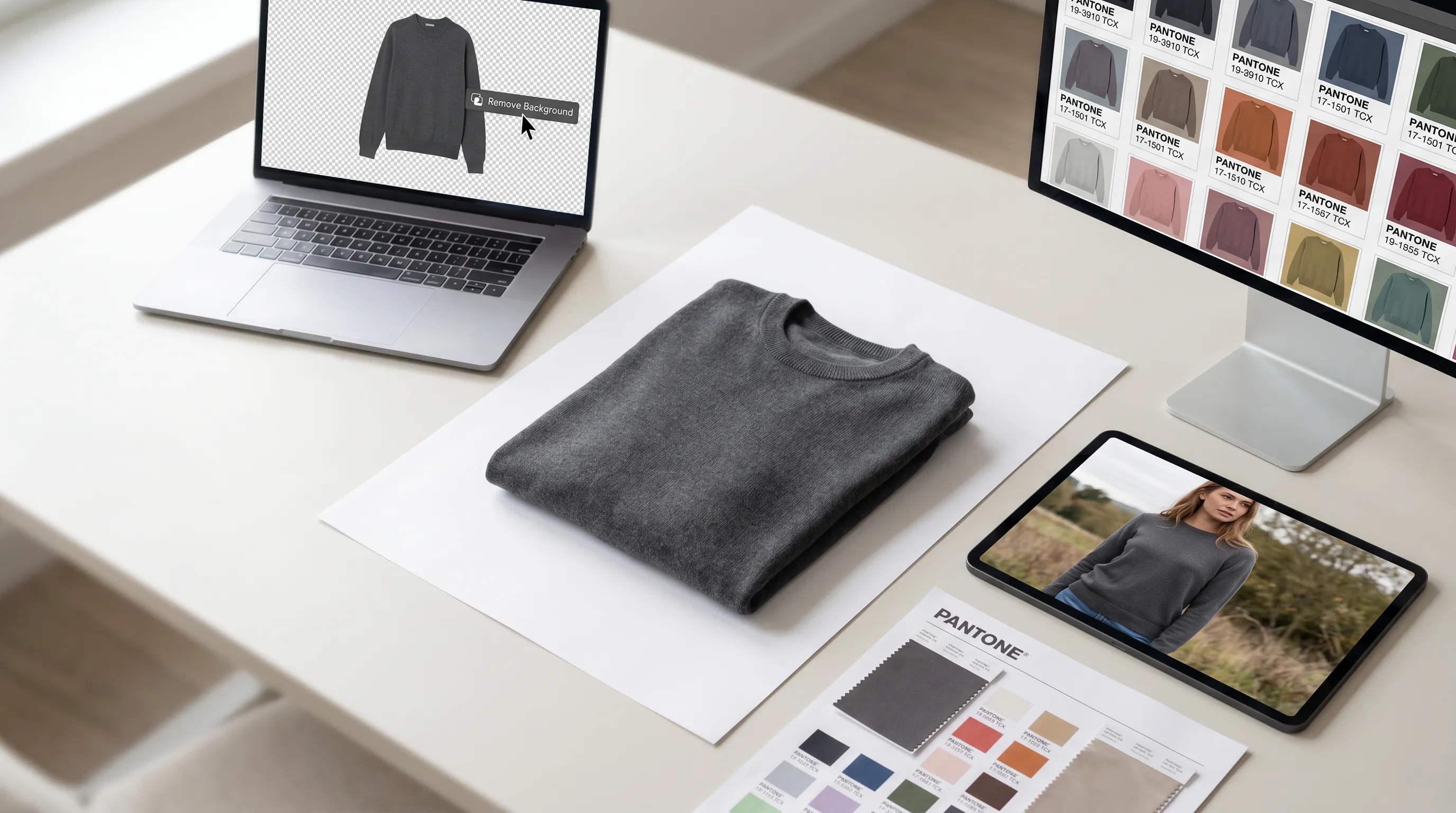
Adobe Photoshop is the most capable image editor made — but for repetitive product photography it's a manual tool with a real learning curve. Its plans run $19.99/month (Photography: Photoshop + Lightroom + storage) up to $59.99/month for All Apps, with the single-app plan at $22.99/month on an annual commitment (Adobe pricing). G2 reviewers report 20–40 hours to reach proficiency, and a skilled retoucher spends 15–90 minutes masking and finishing one garment shot (per-garment retouching benchmark). If your bottleneck is volume — recoloring a collection, cleaning 200 listing photos, or putting a garment on a model — the structural fix is an AI tool that skips the masking. For fashion specifically, that's Adstronaut AI, at $0.25–$1 per image.
Photoshop alternatives compared: price, best-for, and per-image effort
Prices are 2026 published rates. "Per-image effort" is the realistic hands-on time for a single fashion product image once you know the tool.
| Tool | Price (2026) | Best for | Per-image effort |
|---|---|---|---|
| Adobe Photoshop | Photography $19.99/mo; single-app $22.99/mo annual ($34.49 monthly); All Apps $59.99/mo | Pixel-level compositing, complex retouching, full creative control | 15–90 min manual masking + finishing per garment |
| Adstronaut AI | Plans from $29/mo; recolor/edit 2 cr = $0.25–$0.50; on-model image 5 cr ≈ $1 | Fashion brands: recolor, text-edit, and on-model imagery without masking | Upload + prompt; minutes, no masking |
| Photoroom | Free (no watermark); Pro $12.99/mo (~$7.50/mo annual) | Fast background removal and clean catalog cut-outs at volume | One-click cut-out; seconds per image |
| Pixelcut | Free (3 removals/day); Pro $9.99/mo ($7.99 annual); Business $30/mo | Solo sellers batching listing photos and quick AI backgrounds | One-click + batch; seconds per image |
| Canva | Free; Pro $15/mo (~$120/yr, 500 AI credits/mo) | Teams already designing in Canva who need light photo cleanup | Background remover + templates; minutes per image |
Adobe per its published 2026 plans. Photoroom, Pixelcut, and Canva per their 2026 pricing pages. Adstronaut credit costs per its pricing catalog (2 cr edit/recolor, 5 cr on-model).
Why brands look for a Photoshop alternative
Three concrete reasons dominate the switch search, and they're about fit for fashion e-commerce rather than Photoshop being bad.
It's manual, and fashion is repetitive. Product photography is the same handful of operations done hundreds of times — cut out the background, standardize the angle, recolor a panel, place the garment in context. In Photoshop each of those is hand-work: a skilled retoucher spends 15–90 minutes per garment masking and finishing (retouching speed benchmark), and outsourced fashion retouching runs $0.60–$5+ per image (FixThePhoto rates). A 50-SKU drop is days of masking or hundreds of dollars in freelance time.
The learning curve is real. G2 reviewers consistently put time-to-proficiency at 20–40 hours, and that's before you're fast. For a solo founder, the realistic outcome isn't "learn Photoshop" — it's "stay blocked" or "hire it out." That dependency is exactly what AI editors remove.
It can't put a garment on a model. This is the limit founders hit hardest. Photoshop edits the photo you already have; it cannot generate a new on-model image from a flat-lay. For that you've historically needed a studio photoshoot at $2,500–$8,000 a day — the single most expensive line item in launching imagery. The fairness note: for genuine compositing, frequency separation retouching, and total pixel control, Photoshop remains the professional standard and Adobe's 2026 Firefly integration adds generative fill on paid plans. The switchers aren't retouchers — they're brands who needed volume, speed, or on-model output Photoshop was never built to give cheaply.
The fashion e-commerce image pipeline, by tool
The best Photoshop alternative by use case
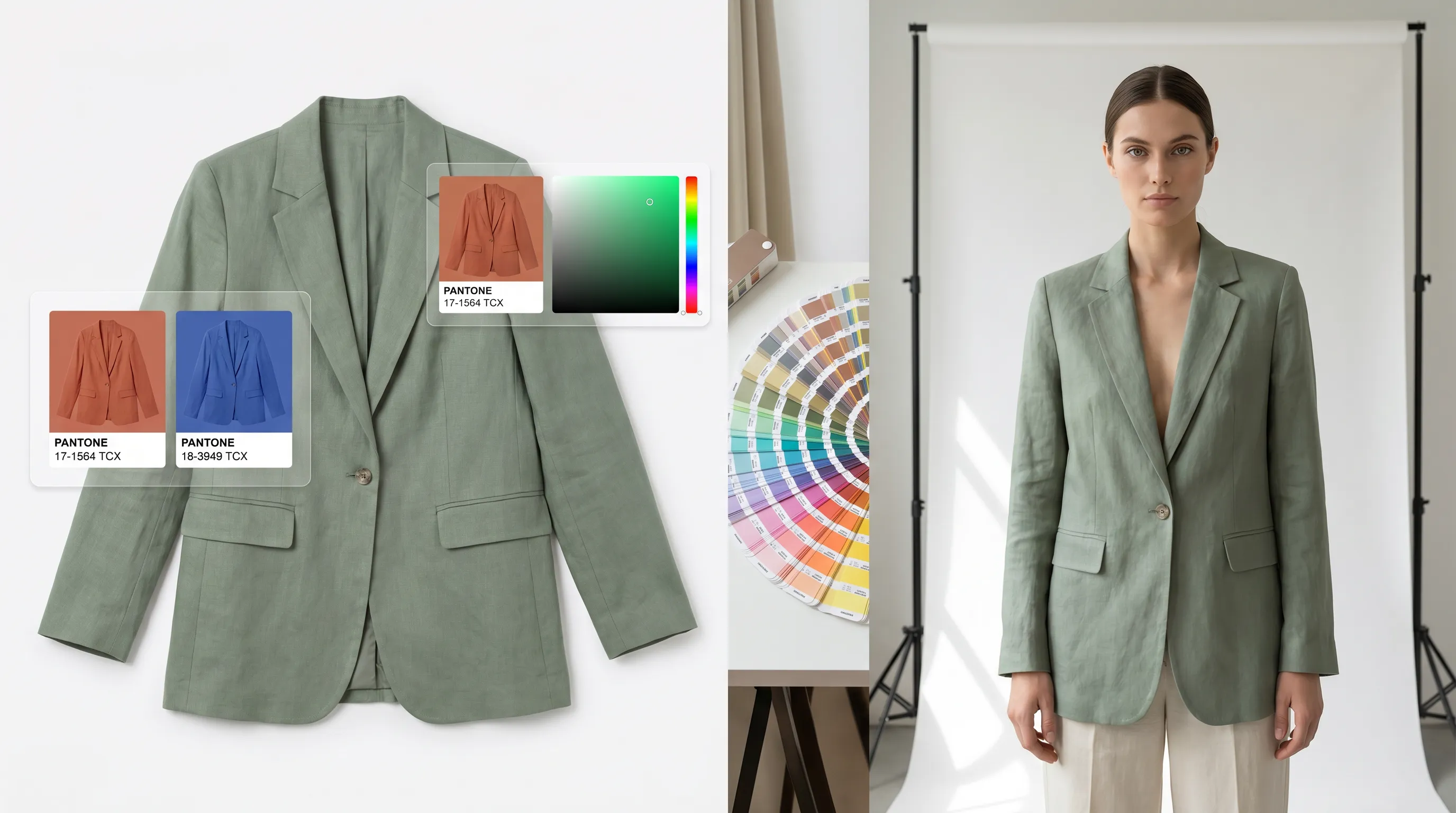
Fashion brand needing recolor, edits, and on-model imagery → Adstronaut AI. The only option here built specifically for garments rather than generic photos. The AI Color Changer recolors any zone against 2,300+ Pantone TCX codes while preserving real fabric texture and shadow — 2 credits ($0.25–$0.50) per render instead of hand-masking hue in Photoshop. The Garment Editor applies a detail change — "add a shearling collar," "change buttons to brass," "darken the wash" — from a typed sentence, also 2 credits, with every edit saved as a version. And AI Photoshoots does the thing Photoshop can't: render your flat-lay on one of 22 named models in a chosen pose and scene for 5 credits (~$1) per image. First image free. For the direct matchup, see Photoshop vs Adstronaut.
High-volume background removal and clean cut-outs → Photoroom. At $12.99/month (about $7.50 annually), Photoroom removes backgrounds in one click with no watermark even on the free tier, and background removal doesn't consume AI credits (Photoroom pricing). Pro adds batch exports — ideal for standardizing a marketplace catalog to a white background fast. It won't recolor a garment to a Pantone code or render on a model, but for the cut-out job it's faster and cheaper than Photoshop.
Solo seller batching listing photos → Pixelcut. $9.99/month ($7.99 annual), with unlimited background removals and batch processing up to 100 images, plus quick AI backgrounds (Pixelcut pricing). The closest free-tier-friendly option for an Etsy or Amazon seller cleaning product shots in bulk; the Business plan ($30/month) lifts the batch cap. Like Photoroom, it's a photo-cleanup tool, not a fashion-specialized editor.
Team already living in Canva → Canva Pro. $15/month (~$120/year) bundles a one-click background remover with 500 monthly AI credits and the whole template/design suite (Canva pricing). If your social and listing graphics already happen in Canva, its photo cleanup is "good enough" without a second subscription — but it's a general design app, not a product-photography engine.
Genuine compositing and pixel control → stay on Photoshop. Frequency-separation retouching, multi-layer composites, precise shadow reconstruction, print artwork — Photoshop is still the professional standard, and Adobe's 2026 Firefly generative features extend it. If your work is craft-level image manipulation rather than repeatable e-commerce throughput, no AI tool replaces it yet.
Switch from Photoshop, or stay?
Switch to an AI tool if…
- ✓You don't know Photoshop and don't want the 20–40-hour learning curve just to clean a product photo.
- ✓Your work is repetitive e-commerce volume — recoloring a collection, batching 200 listing photos — where 15–90 minutes per image doesn't scale.
- ✓You need on-model imagery from a flat-lay, which Photoshop cannot generate at all.
- ✓You want Pantone-accurate recolors without hand-masking hue and rebuilding shadows.
- ✓You'd rather pay per output ($0.25–$1/image) than a monthly subscription plus freelance retouching.
Stay on Photoshop if…
- ✓Your work is genuine compositing — frequency separation, multi-layer retouching, precise pixel control.
- ✓You're already fluent and a clean edit takes you minutes, not an hour.
- ✓You need print-resolution artwork, color-managed proofs, or CMYK output AI tools don't handle.
- ✓You rely on Adobe's ecosystem — Lightroom, Illustrator, Firefly generative fill on paid plans.
- ✓Every image is bespoke, so there's no repetition for AI to absorb.
Many brands pair them: Photoshop or Photoroom for the cut-out, Adstronaut for the recolor and on-model render.
Moving fashion imagery off Photoshop: 4 steps
You don't have to abandon Photoshop — just move the repetitive fashion jobs to tools built for them.
- 1
Separate the jobs
List what you actually do per image: background removal, garment recolor, detail edits, on-model rendering. Background removal has cheap fast options (Photoroom, Pixelcut); the fashion-specific jobs go to a garment-specialized tool. - 2
Test a recolor head-to-head
Take one garment you've recolored in Photoshop and run it through the AI Color Changer against the same Pantone target. Compare fidelity and time — 2 credits and seconds versus hand-masked hue. - 3
Render one flat-lay on a model
Upload a flat-lay to AI Photoshoots (first image free) and see the output Photoshop can't produce at any price — an on-model image for about $1 instead of a studio day. - 4
Keep Photoshop for the craft work
Hold onto a single-app or Photography plan for the compositing and print jobs that still need it. The win is removing the repetitive volume, not the tool.
Which Photoshop alternative should you choose?
Indie founders and small DTC brands launching apparel, footwear, handbags, or accessories get the most from Adstronaut AI — it removes the masking and the studio shoot at once, pricing per output instead of per month plus retouching. Marketplace sellers standardizing hundreds of listing photos to a white background are best served by Photoroom or Pixelcut, where one-click cut-outs cost pennies and batch through quickly. Teams already designing in Canva can lean on its built-in background remover rather than add a tool. Professional retouchers and studios doing compositing and print work should keep Photoshop — it's the standard for a reason.
For the deeper reads, see the fashion photoshoot cost breakdown, the best AI photoshoot tools roundup, and the head-to-head Photoshop vs Adstronaut.
Frequently asked questions
What is the best Photoshop alternative for product photography?
It depends on the job. For fashion e-commerce, Adstronaut AI is the strongest alternative — it recolors garments against 2,300+ Pantone codes, edits details from a text prompt, and renders flat-lays on models for $0.25–$1 per image with no masking. For pure background removal at volume, Photoroom ($12.99/mo) and Pixelcut ($9.99/mo) are faster and cheaper than Photoshop. Canva ($15/mo) suits teams already designing there. Photoshop itself still wins for compositing and pixel-level control.
How much does Adobe Photoshop cost in 2026?
Per Adobe's published plans: the Photography plan is $19.99/month (Photoshop + Lightroom + cloud storage), the Photoshop single-app plan is $22.99/month on an annual commitment ($34.49 month-to-month), and the All Apps Creative Cloud plan is $59.99/month. Adobe's 2026 Firefly integration adds generative features on paid plans. There's no permanent free tier — only a 7-day trial.
Why is Photoshop too slow for fashion e-commerce imagery?
Because product photography is repetitive and Photoshop is manual. A skilled retoucher spends 15–90 minutes masking and finishing a single garment photo, and reaching proficiency takes 20–40 hours per G2 reviewers. For a 50-SKU drop that's days of work or hundreds of dollars in freelance retouching. AI tools collapse the same recolor or cut-out into seconds because they infer the garment region instead of you masking it by hand.
Can Photoshop put a garment on a model?
No — and this is the limit founders hit hardest. Photoshop edits an existing photo; it cannot generate a new on-model image from a flat-lay. Historically that required a studio photoshoot at $2,500–$8,000 a day. Adstronaut's AI Photoshoots generates on-model imagery from a single garment photo for about $1 per image, choosing from 22 named models, 8 poses, and 12 scenes — the job Photoshop was never built to do.
Is Photoroom or Pixelcut better than Photoshop for product photos?
For background removal and clean catalog cut-outs, yes — they're faster and cheaper. Photoroom (free, no watermark; Pro $12.99/mo) and Pixelcut ($9.99/mo) remove backgrounds in one click and batch-process, where Photoshop takes minutes of manual masking per image. But neither recolors a garment to a Pantone code or renders it on a model. They're cut-out tools, not fashion-specialized editors, so most brands pair them with a garment AI for the harder jobs.
Is Adstronaut AI cheaper than Photoshop for fashion imagery?
For the repetitive fashion jobs, substantially. Photoshop runs $19.99–$59.99/month plus your time (15–90 min/image) or freelance retouching ($0.60–$5+/image). Adstronaut charges per output: a recolor or text edit is 2 credits ($0.25–$0.50) and an on-model image is 5 credits (about $1), with the first image free. A 20-image colorway set costs roughly $5–$10 in credits versus a monthly subscription plus hours of masking.
Can I recolor a garment without Photoshop?
Yes. In Photoshop, recoloring means masking the garment, adjusting hue/saturation, and rebuilding shadows by hand — 15–45 minutes if you're skilled. Adstronaut's AI Color Changer recolors any selected zone against 2,300+ Pantone TCX codes by name, code, or hex, preserving the real fabric texture and shadow automatically, for 2 credits per render. It's the closest thing to a one-click Pantone-accurate colorway.
Can I edit a garment detail without Photoshop skills?
Yes — that's exactly what Adstronaut's Garment Editor is for. Instead of compositing a new trim or button by hand, you type the change in plain English ("add a chest pocket," "change buttons to brass," "make the wash darker") and the AI applies it in under a minute, saving each result as a version you can jump back to. Two credits per edit, no masking, no vector software.
Is Canva a good Photoshop alternative for product photography?
Only as light cleanup, and only if you're already there. Canva Pro ($15/month) includes a one-click background remover and 500 monthly AI credits inside its broader design suite, which is convenient for teams making social and listing graphics in Canva anyway. But it's a general-purpose design app, not a product-photography engine — it won't deliver Pantone-accurate garment recolors or on-model fashion renders.
When is Photoshop still the right choice?
When the work is craft, not volume. Frequency-separation retouching, multi-layer compositing, precise shadow reconstruction, print-resolution and CMYK artwork, and any bespoke image where there's no repetition for AI to absorb — Photoshop remains the professional standard, extended in 2026 by Firefly generative fill on paid plans. Keep a single-app or Photography plan for those jobs and move the repetitive e-commerce imagery to AI.
Skip the masking. Recolor, edit, and shoot without Photoshop.
Upload one garment photo and recolor it to any Pantone code, edit a detail from a text prompt, or render it on a model — all without opening Photoshop. First image free, then $0.25–$1 each.
Try Adstronaut AI PhotoshootsKeep exploring
Sources and further reading
- Adobe — Photoshop pricing and plans — Photography $19.99/mo; single-app $22.99/mo annual ($34.49 monthly); All Apps $59.99/mo (2026)
- Rewarx — manual Photoshop editing speed — 15–90 minutes per-garment masking and retouching benchmark
- FixThePhoto — product retouching rates — $0.60–$5+ per image for advanced fashion retouching
- Squareshot — clothing photoshoot cost — $2,500–$8,000 mid-range production day for on-model photography
- Photoroom — pricing — Free tier no watermark; Pro $12.99/mo (~$7.50 annual); background removal free of AI credits (2026)
- Pixelcut — pricing — Free 3 removals/day; Pro $9.99/mo ($7.99 annual); batch to 100; Business $30/mo (2026)
- Canva — pricing — Pro $15/mo (~$120/yr) with background remover and 500 AI credits/mo (2026)