Adobe Photoshop vs Adstronaut AI for fashion product photos
Updated June 10, 2026
Adobe Photoshop is a general-purpose image editor — $19.99–$59.99/month — where a skilled retoucher spends 15–90 minutes masking and finishing one garment photo. Adstronaut AI recolors garments against 2,300+ Pantone TCX codes, edits them from a text prompt, and renders on-model imagery from a flat-lay in minutes, at $0.25–$0.50 per edit and about $1 per on-model image — no masking, no Photoshop skills.
Photoshop vs Adstronaut AI: the quick verdict
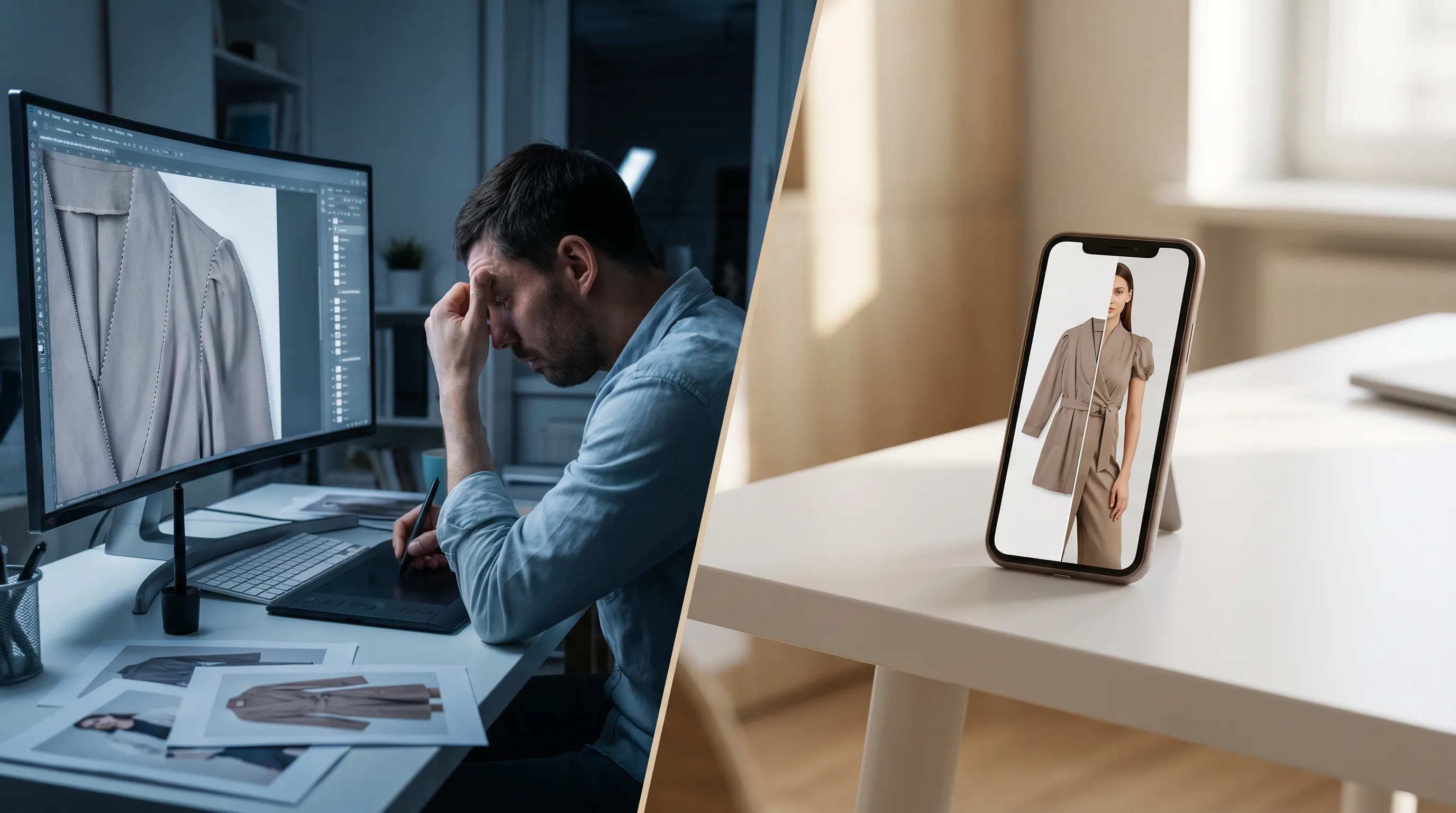
Adobe Photoshop and Adstronaut AI both finish fashion product photos — recoloring garments, swapping details, cleaning backgrounds — but they work in opposite directions. Photoshop gives you pixel-level manual control through layers, masks, and the pen tool, and with Firefly built in it now does strong generative fill. The cost is time and skill: a seasoned retoucher spends 15–90 minutes per garment depending on construction (Rewarx AI-vs-manual speed comparison), and G2 review analysis puts basic proficiency at 20–40 hours of guided practice (Aheri Systems' Photoshop review roundup).
Adstronaut AI inverts the workflow. You upload one garment photo and describe the outcome: the AI Garment Editor applies edits from plain-English prompts, the AI Color Changer recolors against 2,300+ Pantone TCX codes, and AI Photoshoots render the garment on a model — something Photoshop categorically cannot do without a real shoot to composite from. Choose Photoshop if you employ a retoucher and need bespoke pixel-level compositing. Choose Adstronaut if you're shipping product imagery at scale without Photoshop skills.
Adobe Photoshop vs Adstronaut AI, side by side
| Factor | Adobe Photoshop | Adstronaut AI |
|---|---|---|
| Price | Photography plan $19.99/mo (20GB, annual); single app ~$22.99/mo; All Apps $59.99/mo | Plans from $29/mo; edits 2 credits ( |
| Time per garment photo | 15–30 min standard; 45–90 min for a structured blazer | Under a minute per edit from a text prompt; no masking |
| Recolor a garment | Manual masking + hue/saturation + blend modes per panel | Pantone-accurate recolor (2,300+ TCX codes), texture and shadows preserved |
| Edit a detail (trim, hardware, wash) | Manual compositing, cloning, masking | Plain-English prompt; result in under a minute, saved as a version |
| On-model imagery | Cannot generate — requires a real photoshoot to composite | Generated from a flat-lay: 22 models, 8 poses, 12 scenes |
| Generative AI | Firefly generative fill/expand — general-purpose, not garment-aware | Fashion-specialized model; localizes edits to the region described |
| Skills required | Layers, masking, pen tool, color theory — 20–40 hrs to basic proficiency | None — upload a photo, type the change |
| Version history | Manual saves; history states are session-bound | Every edit saved as a version you can roll back to |
| Batch work | Actions automate repetitive steps at near-zero marginal cost | Recolor batches up to 10 images on Pro; per-output credits |
| Best for | Retouchers and studios doing bespoke compositing | Founders and e-commerce teams shipping imagery at scale |
Adobe pricing per 2026 plan listings (Photography 20GB $19.99/mo annual; the legacy $9.99 tier was discontinued). Editing-time benchmarks per Rewarx's published retoucher comparison.
Choose Adstronaut if… / Choose Photoshop if…
Choose Adstronaut AI if…
- ✓You need on-model imagery from a flat-lay — Photoshop edits pixels that exist; it cannot put your garment on a model without a real shoot.
- ✓Your edits are garment edits — recolor a panel, swap buttons, change a wash — not layered campaign composites.
- ✓You want Pantone-true colorways without hand-painting: 2,300+ TCX codes with weave and shadow preserved.
- ✓Nobody on the team has masking skills, and the 20–40 hour learning curve is a real cost.
- ✓You ship colorways and variants weekly and a 24–48 hr retoucher turnaround breaks your drop calendar.
Choose Adobe Photoshop if…
- ✓Your work is bespoke pixel-level compositing — multi-source key art, skin and hair retouching on real-model photography.
- ✓You need surgical corrections an AI prompt can't target — a single stray thread, a precise liquify on one seam.
- ✓You run high-volume standardized steps (resize, sharpen, color-profile) where Actions + batch cost nearly nothing.
- ✓You already pay for Creative Cloud and have a trained retoucher in-house.
- ✓Your deliverables must be layered PSDs for an agency or print pipeline.
Most fashion teams that adopt Adstronaut keep one Photoshop seat for the rare frame that needs hand-finishing.
Minutes per finished image, visualized
How much does each actually cost?
Adobe Photoshop is a subscription. The Photography plan is $19.99/month (Photoshop + Lightroom, 20GB, billed annually) — the old $9.99 tier was discontinued — with the single-app plan around $22.99/month and Creative Cloud All Apps at $59.99/month (2026 plan listings). In February 2026 Adobe added unlimited standard Firefly image generations to paid plans, which strengthens generative fill — but none of it changes the labor math: at 15–90 minutes per garment, a 100-SKU drop is 40–50 hours of retouching, and outsourced fashion retouching runs $0.60–$5+ per image for advanced work (FixThePhoto's published rates).
Adstronaut prices per output on plans from $29/month (125 credits). A text edit in the AI Garment Editor is 2 credits — $0.25–$0.50 depending on plan; an on-model image in AI Photoshoots is 5 credits — roughly $1; a Pantone colorway in the Color Changer is 2 credits. A 50-style season's worth of edits and colorways lands under $50 in credits — against dozens of retouching hours, or a four-figure outsourcing invoice. And for the job Photoshop can't do at all — putting the garment on a model — the comparison isn't with Photoshop but with a shoot: a mid-range production day runs $2,500–$8,000 (Squareshot's 2026 budget guide).
How does the workflow differ?
In Photoshop, a garment recolor is a manual sequence: trace a path with the pen tool (10–15 minutes alone), build a mask, isolate the panel, then hand-paint color through hue/saturation layers and blend modes so the weave and shadows survive. A standard sweater takes 20–35 minutes; a structured blazer needing neckline reconstruction takes 45–90 (Rewarx speed test). Firefly's generative fill helps with object removal and background extension, but it is general-purpose — it doesn't know what a placket or a French seam is, and it cannot conjure your garment onto a model.
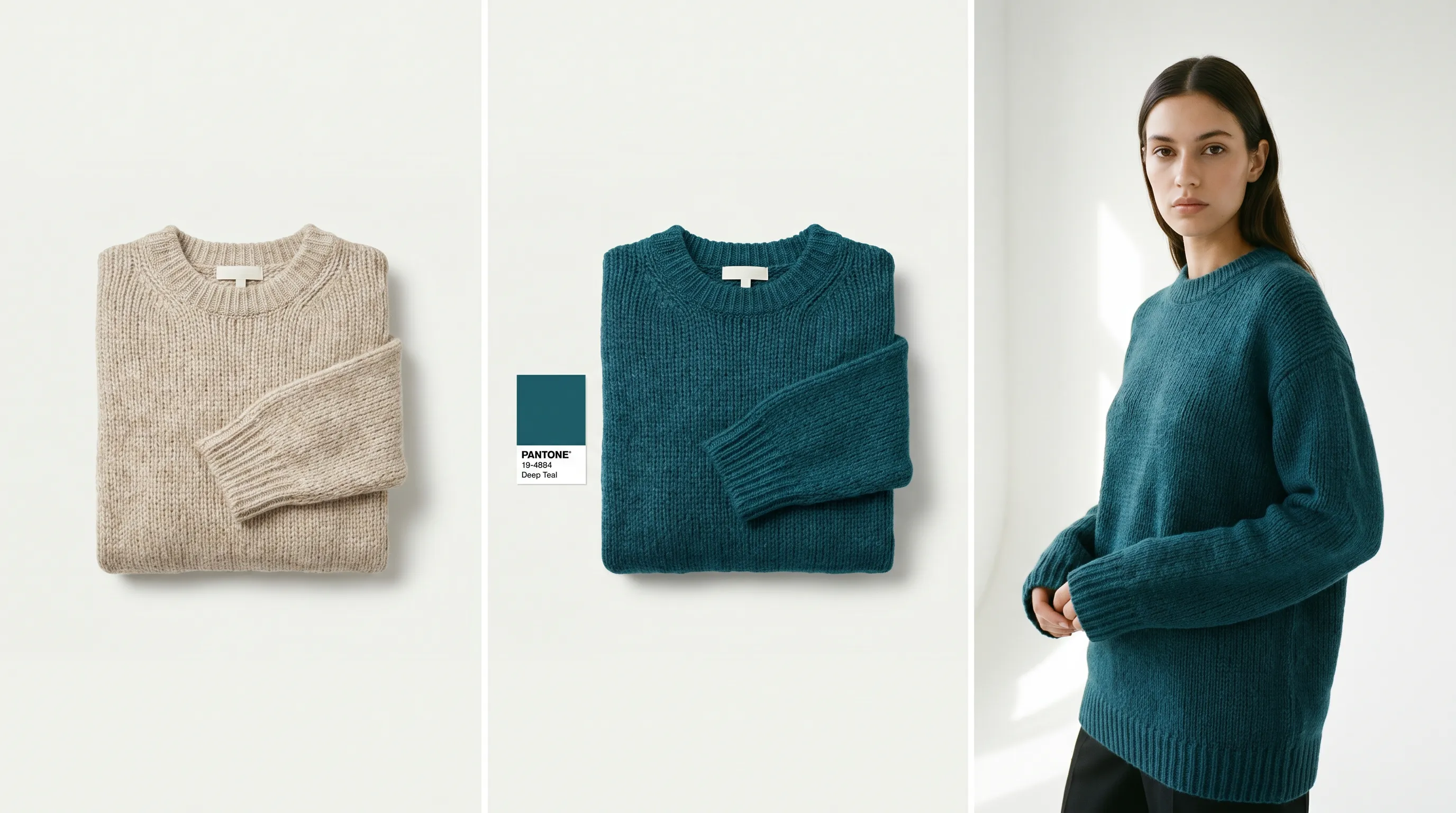
Adstronaut compresses each job into a prompt. To recolor, you pick the zone and the Pantone TCX code — 2,300+ colors — and the model preserves texture and shadow without a mask. To add a shearling collar or swap buttons to brass, you type the sentence in the Garment Editor; the fashion-specialized model localizes the change to the region you describe, and every edit lands as a saved version you can roll back. To get on-model imagery, AI Photoshoots renders the garment on one of 22 named models across 8 poses and 12 scenes. The deeper difference: Photoshop edits the photo you have; Adstronaut also creates the photos you don't.
When Adobe Photoshop is still the right tool
Adstronaut does not replace Photoshop for everything. Photoshop remains the better choice for bespoke pixel-level compositing — combining several source photos into one campaign frame, retouching a real model's skin and hair, or making a surgical correction an AI prompt can't target precisely. Its Actions + batch processing still win for repetitive standardized steps (resizing, sharpening, profile conversion) across hundreds of files at near-zero marginal cost, and agency and print pipelines still expect layered PSDs.
The honest pattern: brands run Adstronaut for recolors, edits, and on-model generation — the fashion-specific 90% — and keep one Photoshop seat for the rare frame that needs hand-finishing. If you're comparing the consumer-grade photo apps instead, see Photoroom vs Adstronaut and Pixelcut vs Adstronaut, which cover the background-removal-first tools.
Moving your fashion editing off Photoshop: 4 steps
- 1
Pick one live SKU as the pilot
Take a garment you'd normally send to retouching. Upload the flat-lay or mannequin shot to the Garment Editor — JPG, PNG, or WEBP. - 2
Run the edit as a prompt
Type the change you'd have masked by hand: "swap buttons to matte black," "soften the wash," "recolor the body to Pantone 19-4052." Compare against your retoucher's last version. - 3
Generate the on-model set
Run the same garment through AI Photoshoots — pick a model, poses, and a scene. This is the deliverable Photoshop never produced for you. - 4
Keep Photoshop for the exceptions
Route layered composites and real-model skin retouching to your remaining seat. Everything else — recolors, detail edits, colorways, PDP imagery — stays in the prompt workflow at $0.25–$1 per output.
Which should you choose?
Indie founders and first-time brand owners without Photoshop skills get the most from Adstronaut — the 20–40 hour learning curve disappears, and a flat-lay becomes a recolor, an edit, or an on-model image in minutes. E-commerce and Shopify teams testing PDP variants save the most per cycle: a colorway or trim swap costs cents and lands the same hour, not after a 24–48 hour retouch turnaround. Performance marketers generate ad-creative variants in an afternoon for a few dollars.
Retouchers, studios, and design teams whose work depends on layered compositing, real-model retouching, or print-ready PSDs should keep Photoshop at the center and treat Adstronaut as the fashion-specific accelerator beside it. For the wider landscape, see the best AI fashion product visualization tools and how to create colorways without samples.
Frequently asked questions
Can Adstronaut AI replace Adobe Photoshop for fashion photos?
For most fashion-editing tasks — recoloring garments, adding or swapping trims, changing washes, and generating on-model imagery — yes. Adstronaut does each from a text prompt in minutes with no masking. Retouchers needing bespoke pixel-level compositing, real-model skin retouching, or layered PSD deliverables should keep Photoshop for those frames.
Why do fashion teams switch from Photoshop to Adstronaut?
Three reasons dominate: time (15–90 minutes of masking per garment versus under a minute per prompt), skill (20–40 hours to basic Photoshop proficiency per G2 review analysis), and capability (Photoshop cannot generate on-model imagery from a flat-lay — Adstronaut can, at about $1 per image). The switch usually starts with colorways and PDP variants.
How much does Photoshop cost for fashion work in 2026?
The Photography plan (Photoshop + Lightroom, 20GB) is $19.99/month billed annually — Adobe discontinued the old $9.99 tier. The Photoshop single-app plan is about $22.99/month, and Creative Cloud All Apps is $59.99/month. The bigger cost is labor: 15–90 minutes of retouching per garment, or $0.60–$5+ per image outsourced.
Is Photoshop's Firefly AI the same as what Adstronaut does?
No. Firefly adds strong general-purpose generative fill and expand inside Photoshop — good for object removal and backgrounds. It is not garment-aware: it doesn't recolor against Pantone TCX codes, doesn't preserve textile weave by design, and can't render your garment on a consistent named model. Adstronaut's models are fashion-specialized for exactly those jobs.
How long does it take to edit one garment photo in Photoshop?
A skilled retoucher spends 15–30 minutes on a standard garment and 45–90 minutes on a structured piece like a blazer that needs neckline reconstruction — the pen-tool path alone takes 10–15 minutes. Adstronaut applies the equivalent edit from a text prompt in under a minute, saved as a version you can roll back.
Can Photoshop generate on-model fashion images?
No. Photoshop edits and composites existing pixels — to show a garment on a model you still need a real photoshoot for source frames, at $2,500–$8,000 for a mid-range production day. Adstronaut generates on-model imagery directly from one flat-lay: 22 named models, 8 poses, 12 scenes, about $1 per finished image.
How accurate is Adstronaut's recoloring compared to Photoshop?
Adstronaut recolors against the Pantone Textile (TCX) library — 2,300+ codes — while preserving fabric weave and shadows automatically, per zone. In Photoshop the same result takes manual masking plus hue/saturation and blend-mode work per panel, typically 15–30 minutes. For production color decisions, the TCX anchor also means the code on the image matches the code on your tech pack.
Do I need Photoshop skills to use Adstronaut?
No. There are no layers, masks, or pen tool — you upload a garment photo and either type the change in plain English or pick a Pantone color. Most first-time users produce a usable edit in their first five minutes, against the 20–40 hours of guided practice G2 reviewers report for Photoshop basics.
Are Adstronaut's images commercially licensed like a Photoshop export?
On paid plans, yes — every recolor, edit, and on-model image is high-resolution and licensed for product pages, ads, social, email, and lookbooks, with no royalties or usage caps. The AI models are synthetic, so there are no model releases to manage. The free tier is for evaluation and watermarks its outputs.
Can I batch-process images like Photoshop Actions?
Partly. Adstronaut's Color Changer batches up to 10 images on the Pro plan, and the Lookbook and Photoshoot tools generate multi-image sets in one run. For non-fashion repetitive transforms — bulk resizing, sharpening, format conversion — Photoshop Actions or a dedicated DAM pipeline remains the better tool, and many teams keep both.
Finish your next fashion photo without Photoshop
Skip the masking. Upload one garment photo, type the edit or pick a Pantone color, and get the finished image in minutes — edits from $0.25, on-model images about $1.
Try the AI Garment EditorKeep comparing
Sources and further reading
- Aheri Systems — Adobe Photoshop pricing and review analysis (2026) — Photography 20GB $19.99/mo; All Apps $59.99/mo; 20–40 hrs to proficiency per G2 analysis
- Rewarx — AI vs manual Photoshop editing speed — 15–90 minute per-garment retouching benchmark
- FixThePhoto — product retouching pricing — $0.60–$5+ per image for advanced fashion retouching
- Adobe — generative credits and Firefly FAQ — Firefly integration and Feb 2026 unlimited standard generations on paid plans
- Squareshot — clothing brand photoshoot cost (2026) — $2,500–$8,000 mid-range production day for on-model source photography
- Photoroom — e-commerce retouching guide — Actions + batch processing for repetitive standardized steps