
Best Botika alternatives in 2026
Updated June 10, 2026
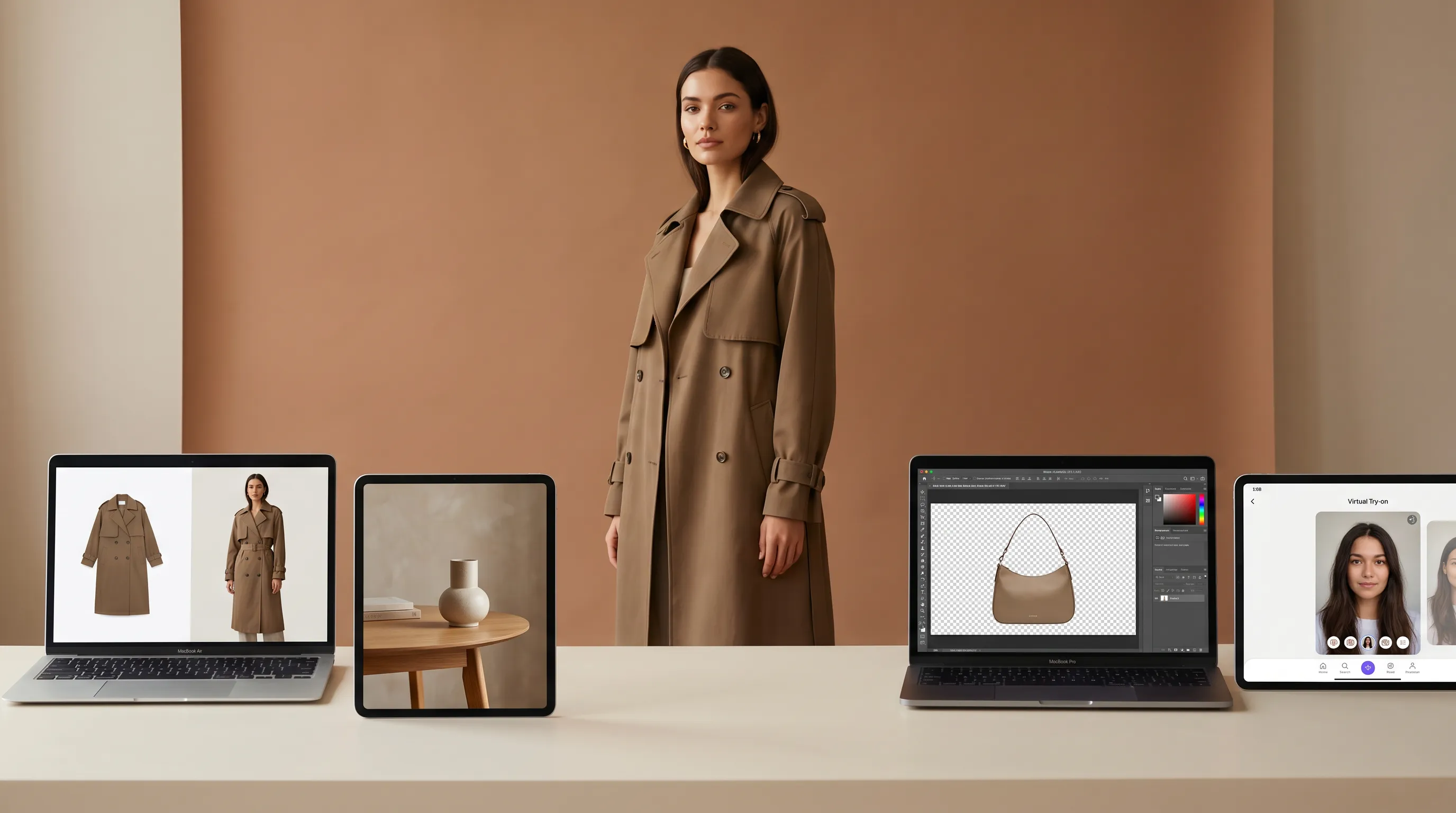
The best Botika alternative depends on what's blocking you. For brands that need directed poses, named scenes, and multi-angle galleries — not just a face swap — Adstronaut AI generates on-model imagery across 22 models, 8 poses, and 12 scenes for ~$1 per image ($0.62–$1.16). Botika stays cheapest per image (~$0.17–$0.75) for high-volume swaps on simple garments. Pebblely and Photoroom fit product-only scenes; FASHN AI suits virtual try-on.
The quick answer
Botika is a cheap model-swap engine; the alternatives compete on control and breadth.
Botika is a focused, fashion-trained AI photography tool: upload a flat-lay, mannequin, or existing on-model shot and it re-renders the garment on one of 50+ stock AI models at a genuinely low per-image cost (~$0.17–$0.75 depending on plan and volume), with 8 free credits on signup, no card (Botika FAQs; Photta review). What sends brands looking: the pose library is fixed, you can't build a custom model, and its flat-lay-to-model path is still in beta and covers mainly tops, with documented trouble on dresses, swimwear, and complex prints (Style3D analysis). If you need directed poses, named scenes, and a multi-angle gallery rather than a single swap, the structural fix is Adstronaut AI Photoshoots at about $1 per image.
Botika alternatives compared: price, best-for, and what each outputs
| Tool | Price (2026) | Best for | On-model output |
|---|---|---|---|
| Botika | ~$22–$33/mo entry; annual credit bundles, 1 credit/photo; ~$0.17–$0.75 per image by volume; 8 free credits | High-volume model-swaps on simple garments (tops first) | Re-renders the garment on 50+ stock AI models; fixed poses, no custom model, flat-lay-to-model in beta |
| Adstronaut AI | Plans from $29/mo; photoshoot image 5 credits = ~$1 ($0.62–$1.16) | Brands needing pose/scene control, multi-angle galleries, and non-apparel | Directed shoot: 22 named models, 8 poses, 12 scenes, 36 lifestyle presets, 4 outfit slots, plus a multi-angle Lookbook |
| Pebblely | Free tier (40 images); paid from ~$19/mo | Product-only lifestyle backgrounds and scenes | Places products into AI scenes; not built for on-model fashion photography |
| Photoroom | Free (no watermark); Pro ~$12.99/mo | Background removal and quick product scenes at scale | Background/edit tooling and AI backgrounds; on-model is not its core |
| FASHN AI | Free trial credits; paid plans from ~$10/mo | Virtual try-on — putting a garment onto a supplied model image | Try-on rendering of a garment onto an existing person/model photo, not a directed studio shoot |
Botika and FASHN per published 2026 pricing pages and third-party reviews (Photta, Modelia); Adstronaut per its credit catalog (photoshoot = 5 credits); Pebblely and Photoroom per their pricing pages. 'Output' = what the tool actually produces for an on-model fashion image.
Why brands look for a Botika alternative
Botika is well-liked for what it does — the searches for an alternative are about fit, not failure. Three concrete reasons dominate.
You can't direct the shot. Botika gives you a model and a background; it does not give you a pose. Reviewers consistently note a fixed pose library, no custom-model creation, and limited ability to adjust a model's stance to a specific garment (Style3D analysis). For a product detail page that needs a full-length front, a walking shot, and a detail close-up, you're re-running the engine and hoping the framing lands, rather than choosing the pose you need.
The flat-lay path is narrow. Botika's flat-lay-to-model feature is still in beta and skewed to tops; dresses, bottoms, outerwear, and swimwear hit workarounds, and the NSFW filter regularly rejects standard swimwear photos (Style3D analysis). If your catalog isn't mostly tees and tops, the cheapest-per-image advantage erodes against the time spent fighting rejected uploads and inconsistent results on layered or printed garments.
It's one tool, not a workflow. Botika swaps a garment onto a model and stops. There's no structured multi-angle set tied to a product class, no recoloring, no fabric swap, no tech pack. Brands building a whole launch — PDP imagery, colorway variants, social creative — end up stitching several tools together. The fairness note: at high volume on simple garments, Botika's ~$0.17 per image on a committed annual plan is hard to beat on raw price, and for a brand whose only need is a clean model-swap on tops, it remains an excellent, focused choice (Photta 2026 review).
Which Botika alternative fits your need
The best Botika alternative by use case
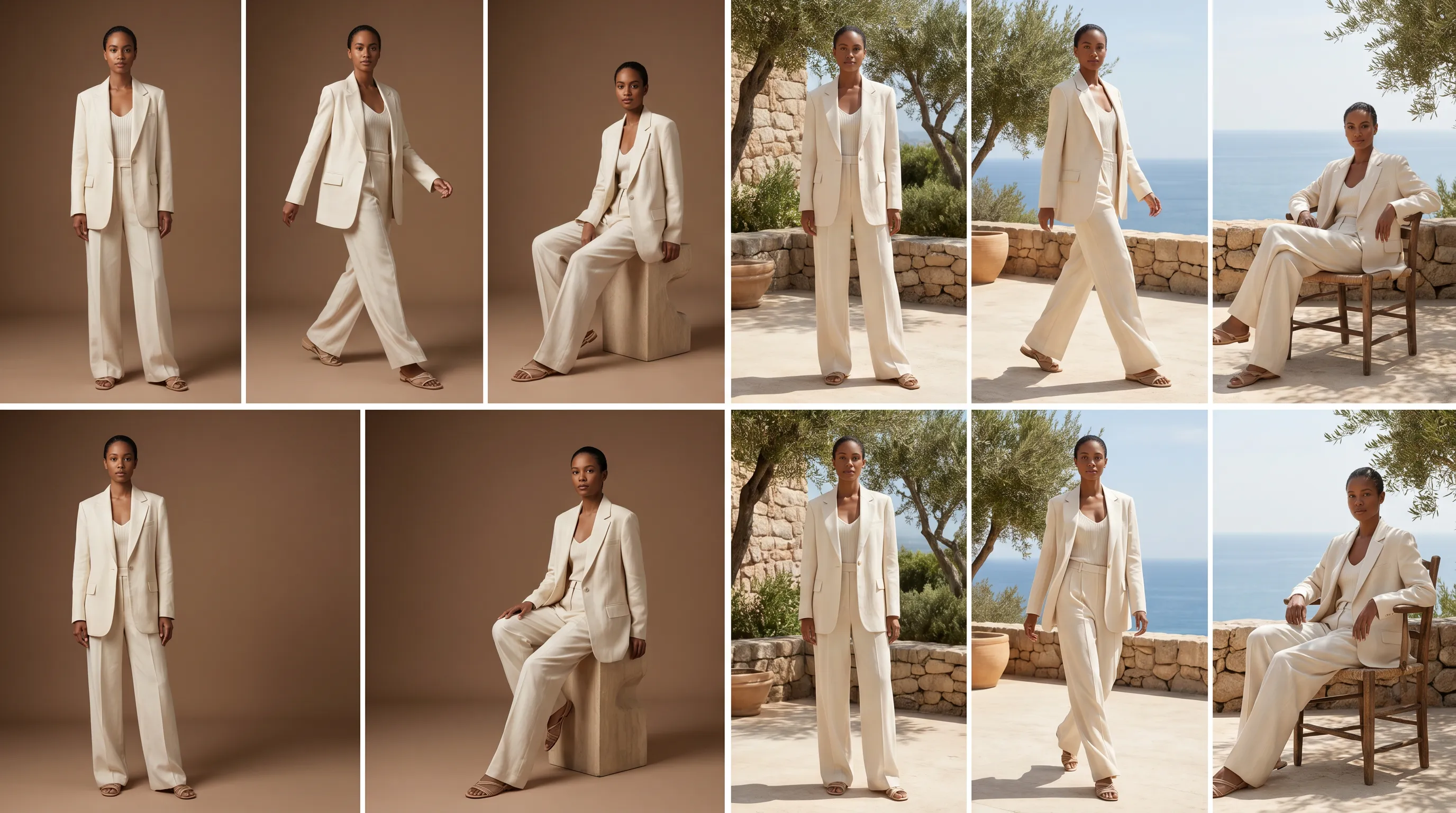
Need pose and scene control, multi-angle, and the rest of the workflow → Adstronaut AI. This is the alternative that turns a swap into a directed shoot. The AI Photoshoots tool ships 22 named models (12 women, 10 men) — each with a consistent face across every render so a whole collection reads as one shoot — plus 8 specific poses (full-length front, hands-on-hip, dynamic walk, side profile, detail close-up, over-the-shoulder, seated, leaning), 12 named scenes (Studio Mocha Mousse, Tropical Greenhouse, Santorini Sunscape, Villa Poolside and more), and 36 lifestyle presets for social. The E-commerce workflow assembles a full outfit from 4 slots (top, bottom, full-body, footwear). Pricing is 5 credits per image, about $1 ($0.62–$1.16 depending on plan), and the free plan includes 25 credits to preview real output before paying. Beyond the shoot, the same balance buys the multi-angle Lookbook, per-zone recoloring, fabric swaps, and tech packs — the launch pipeline Botika doesn't cover. The head-to-head lives at Botika vs Adstronaut.
Need a complete product-detail-page gallery → Adstronaut Lookbook Creator. Botika returns one re-rendered image per credit, with no structured multi-angle set tied to a product class. The Lookbook Creator is purpose-built for that gap: 35 view types across 10 product classes, batching up to 10 products with up to 3 reference images each — so a footwear SKU gets lateral and medial profiles, front toe and back heel, while a bag gets hardware detail and scale reference, all in one consistent gallery. See one product, ten angles for why multi-view PDPs convert.
Need product-only lifestyle scenes (no model) → Pebblely. Pebblely places a product into AI-generated backgrounds and scenes, with a free tier (around 40 images) and paid plans from roughly $19/month. It's strong for flat-lay-on-marble or candle-on-table styling, but it isn't built to render a garment on a person — wrong tool if on-model fashion is the goal.
Need background removal and quick product edits at scale → Photoroom. Photoroom is the background-removal and product-scene workhorse — free with no watermark, Pro around $12.99/month — and it's excellent for clean cut-outs and AI backgrounds. On-model fashion isn't its core; see the full Photoroom comparison for where the lines fall.
Need virtual try-on → FASHN AI. FASHN renders a garment onto an existing person or model image — useful for try-on widgets and fit visualization — rather than producing a directed studio shoot from a flat-lay. Different job: try-on starts from a model you supply; a photoshoot tool starts from a garment and gives you the model.
Cheapest per image on simple tops, high volume → staying on Botika is legitimate. If your catalog is mostly tees and tops, you don't need pose control, and per-image cost is the only metric, Botika's annual credit math is hard to beat. Some brands even pair it with an AI photoshoot tool for the dresses and complex garments its beta can't handle yet.
Fidelity and breadth: where the engines actually differ
Both Botika and Adstronaut are fashion-trained, so the casual viewer won't clock either output as AI. The honest distinction is breadth and consistency.
Garment fidelity. Botika reviewers report inconsistent results on complex prints, layered outfits, and detailed garments (Style3D analysis). Adstronaut transfers pattern, color, texture, seam placement, and hardware across apparel and non-apparel classes — with the caveat every AI tool shares: the model drafts from what it can see, so a hidden construction detail is something you confirm against your physical sample. If exact color is the priority, the per-zone Color Changer holds 2,300+ Pantone TCX references across the recolor so a recolored garment stays on-spec.
Category coverage. Botika's roster of 50+ AI models is genuinely broad across ethnicities and body types — that's its strength. But its flat-lay path is tops-first, and it doesn't extend to footwear, bags, jewelry, or beauty the way the Lookbook Creator does across 10 product classes. For a multi-category catalog — apparel today, accessories next season — the breadth of an integrated suite outweighs roster size.
The cost lens. Per image, Botika undercuts Adstronaut. Per launch, the math changes: an Adstronaut credit buys a directed pose, a named scene, and access to recoloring, fabric swaps, and tech packs in the same balance. Both tools sit far under the $5,000–$15,000-per-day studio shoot the fashion photoshoot cost guide breaks down — the real competition for both is the studio, not each other.
Switch from Botika, or stay?
Switch to Adstronaut if…
- ✓You need to direct the shot — specific poses and named scenes, not a single fixed swap.
- ✓Your catalog is more than tops — dresses, outerwear, swimwear, footwear, bags, accessories.
- ✓You need a multi-angle PDP gallery (35 view types, 10 classes) batched across up to 10 products.
- ✓You want the whole launch in one place: shoot, recolor, fabric swap, tech pack — one credit balance.
- ✓Consistent named models across a collection matter more than the size of the roster.
Stay on Botika if…
- ✓Your catalog is mostly simple tops and Botika's flat-lay beta already handles them well.
- ✓Lowest price per image is the deciding metric and you ship at high volume.
- ✓You don't need pose or scene control — a clean model-swap on a plain background is enough.
- ✓A roster of 50+ stock models matters more than directing the shot.
- ✓You only need on-model swaps, with no multi-angle, recolor, or tech-pack steps.
A pairing also works: use Botika for high-volume tops, and Adstronaut for the dresses, multi-angle galleries, and non-apparel its beta can't cover yet.
Switching from Botika: 4 steps
- 1
Keep your Botika library
Your existing Botika renders stay live on your store — nothing breaks. Switch the new and reshot SKUs first, then backfill at your own pace. - 2
Run one garment through a directed shoot
Upload a clear garment photo to AI Photoshoots, pick a model, a pose, and a scene (free plan = 25 credits) and compare the directed result against your fixed-pose Botika version. - 3
Build the full PDP set in one batch
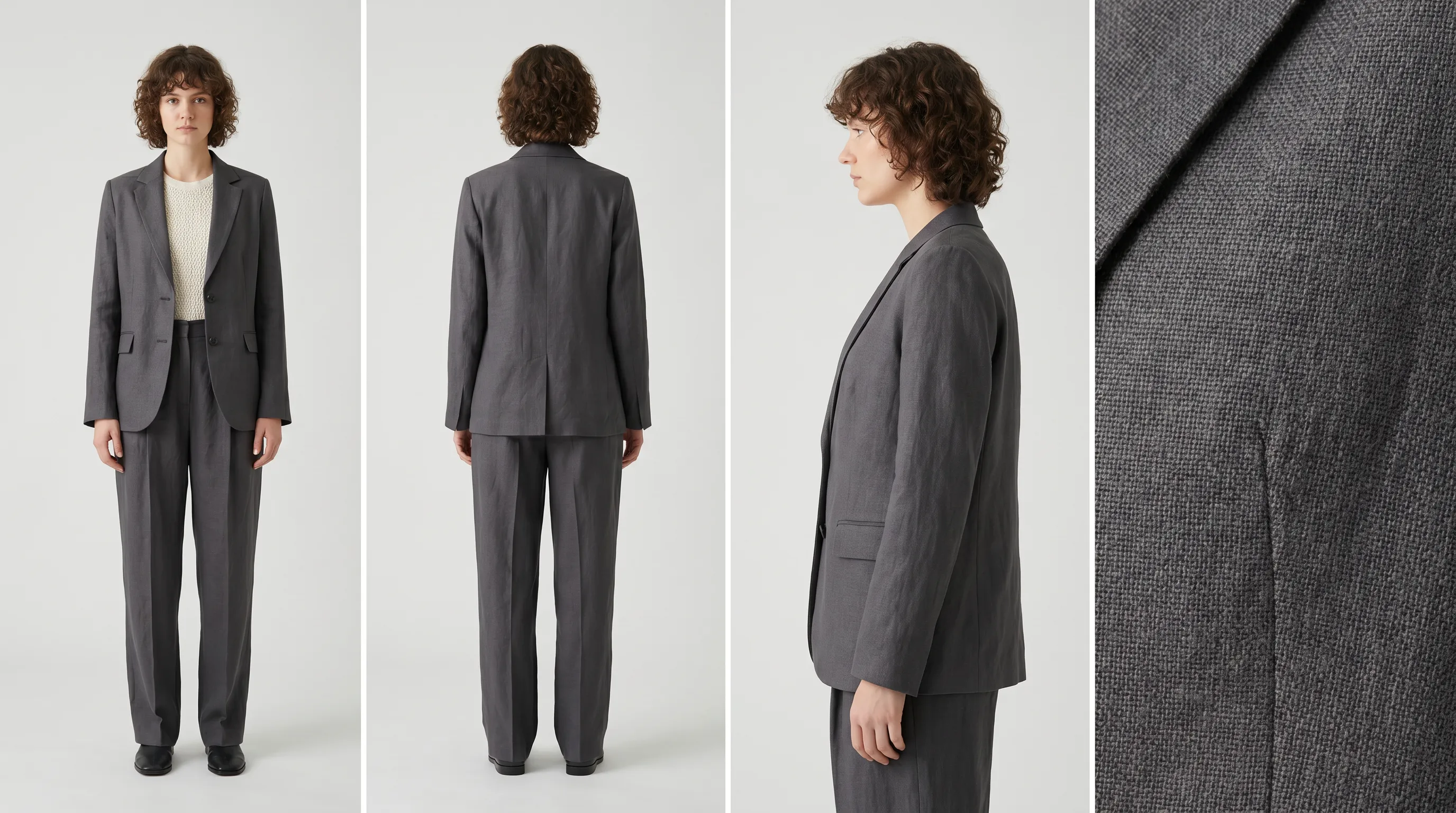
Use the Lookbook Creator to generate front, back, side, and detail views on the same model — the multi-angle gallery Botika doesn't assemble. - 4
Fold in the rest of the launch
Recolor for colorway variants, swap fabrics to test materials, and generate a tech pack from the same photos — all from one Adstronaut credit balance instead of a stack of separate tools.
Which Botika alternative should you choose?
Indie founders and DTC brands shipping a varied catalog — dresses, outerwear, accessories, not just tees — get the most from Adstronaut, because it removes Botika's two real constraints (no pose control, tops-first flat-lay) and folds the multi-angle gallery, recoloring, and tech packs into one workflow. High-volume sellers shipping mostly simple tops who optimize purely on price-per-image are well-served staying on Botika. Sellers who only need product-only scenes should look at Pebblely or Photoroom rather than any on-model tool. Teams adding a virtual try-on widget want FASHN AI, a different job from a directed shoot.
For the deeper head-to-head, read Botika vs Adstronaut and the best AI photoshoot tools roundup. To see how all of this compares against a real studio booking, the fashion photoshoot cost breakdown is the baseline both tools beat.
Frequently asked questions
What is the best alternative to Botika?
It depends on the gap. For brands that need directed poses, named scenes, and multi-angle galleries — not just a stock-model swap — Adstronaut AI is the strongest alternative: 22 named models, 8 poses, 12 scenes, and a multi-angle Lookbook for about $1 per image. Botika stays cheapest per image (~$0.17–$0.75) for high-volume swaps on simple tops. Pebblely and Photoroom fit product-only scenes; FASHN AI fits virtual try-on.
How much does Botika cost in 2026?
Botika sells mostly annual credit bundles at 1 credit per photo. Its pricing page frames entry around $22–$33/month, and third-party reviews report a per-image cost from roughly $0.17 on a committed annual plan to about $0.75 on lighter usage. New accounts get 8 free credits on signup with no card. The exact per-image figure depends heavily on which tier you commit to and your volume.
Why do people switch away from Botika?
Three patterns dominate: no shot control (the pose library is fixed and you can't build a custom model), a narrow flat-lay-to-model path that's still in beta and mainly handles tops (dresses, swimwear, and complex prints hit workarounds), and the fact that it's a single tool rather than a launch workflow — no multi-angle set, recoloring, or tech packs. Brands whose catalog is mostly simple tops and who only need cheap swaps tend to stay.
Is Adstronaut AI cheaper than Botika?
Per raw image, no — Botika undercuts it, around $0.17–$0.75 versus Adstronaut's ~$1 ($0.62–$1.16) for a 5-credit photoshoot image. Per launch, the comparison shifts: an Adstronaut credit also buys directed poses, named scenes, and access to the Lookbook, recoloring, fabric-swap, and tech-pack tools in the same balance. If price-per-image is your only metric and you ship simple tops at volume, Botika wins; if you need the workflow, Adstronaut does.
Does Botika let me choose the pose?
Not really — this is its most-cited limitation. Reviewers report a fixed pose library, no custom-model creation, and limited ability to adjust a model's stance to a specific garment. You pick a model and a background, but you don't direct the shot. Adstronaut is the alternative built around direction: 8 specific named poses plus 12 named scenes you select per render.
Can Botika handle dresses and swimwear?
With caveats. Botika's flat-lay-to-model feature is still in beta and skewed toward tops; dresses, bottoms, outerwear, and swimwear require workarounds, and its NSFW filter regularly rejects standard swimwear photos, per third-party analysis. If your catalog is heavy on non-top garments, an alternative with broader category coverage will save you the fight with rejected uploads.
How many AI models does Botika offer versus Adstronaut?
Botika offers 50+ stock AI models across ethnicities and body types — its roster is genuinely broad, and that's a real strength. Adstronaut offers 22 named models (12 women, 10 men), each with a consistent face and proportions across every pose and scene, so a whole collection reads as one cohesive shoot. The trade-off is roster size (Botika) versus consistency plus shot direction (Adstronaut).
Is Pebblely or Photoroom a good Botika alternative?
Only if you need product-only scenes rather than on-model fashion. Pebblely places products into AI backgrounds (free tier around 40 images, paid from ~$19/month), and Photoroom is the background-removal and product-scene workhorse (free with no watermark, Pro ~$12.99/month). Neither is built to render a garment on a person, so for true on-model photography an AI photoshoot tool is the closer fit.
What's the difference between Botika and a virtual try-on tool like FASHN AI?
Direction of the workflow. A virtual try-on tool like FASHN AI starts from a model or person image you supply and renders a garment onto it — useful for try-on widgets and fit visualization. Botika (and Adstronaut) start from the garment and give you the model, scene, and pose. If you already have the model photo and just need the garment on it, try-on fits; if you need the whole shoot produced, a photoshoot tool does.
Can I keep Botika and still use Adstronaut?
Yes, and some brands do exactly this: Botika for high-volume swaps on simple tops where its per-image price is unbeatable, and Adstronaut for the dresses, multi-angle PDP galleries, and non-apparel categories its beta can't cover yet — plus recoloring, fabric swaps, and tech packs. The pairing covers Botika's category and control gaps while keeping its cost advantage where it applies.
Direct the shoot Botika can't
Skip the fixed-pose swap. Upload one garment photo and pick a model, a pose, and a scene — then build the full multi-angle gallery in the same workflow. First photoshoot is free (25 credits, no card), then about $1 per image.
Try AI Photoshoots freeKeep exploring
Sources and further reading
- Botika — pricing and plans — tiered plans, annual credit bundles, 1 credit/photo, no watermark on paid (2026)
- Botika — FAQs — 50+ AI models, 1 credit/photo, 8 free credits on signup, commercial usage included
- Photta — Botika pricing & reviews 2026 — per-image cost range (~$0.17–$0.75) and plan entry pricing across usage levels
- Modelia — Botika pricing breakdown — plan-by-plan credit and per-image cost analysis
- Style3D — Botika analysis 2026 — fixed pose library, no custom model, flat-lay-to-model in beta (mainly tops), swimwear/print limitations
- Botika — product overview — flat-lay, mannequin, on-model and video inputs; fashion-trained foundation models