Best Pixelcut alternatives in 2026
Updated June 10, 2026
The best Pixelcut alternative depends on what you sell. Pixelcut (rebranded Pixa in March 2026) is a mobile-first app for editing product photos — background removal, AI backgrounds, mockups, and a basic try-on — at $0–$60/month. For fashion brands that need on-model photoshoots and multi-angle PDP views, Adstronaut AI generates editorial on-model imagery from a garment photo for about $1 each. Photoroom suits fast catalog cutouts, Pebblely suits AI backgrounds for objects, and Canva suits all-in-one marketing design.
The quick answer
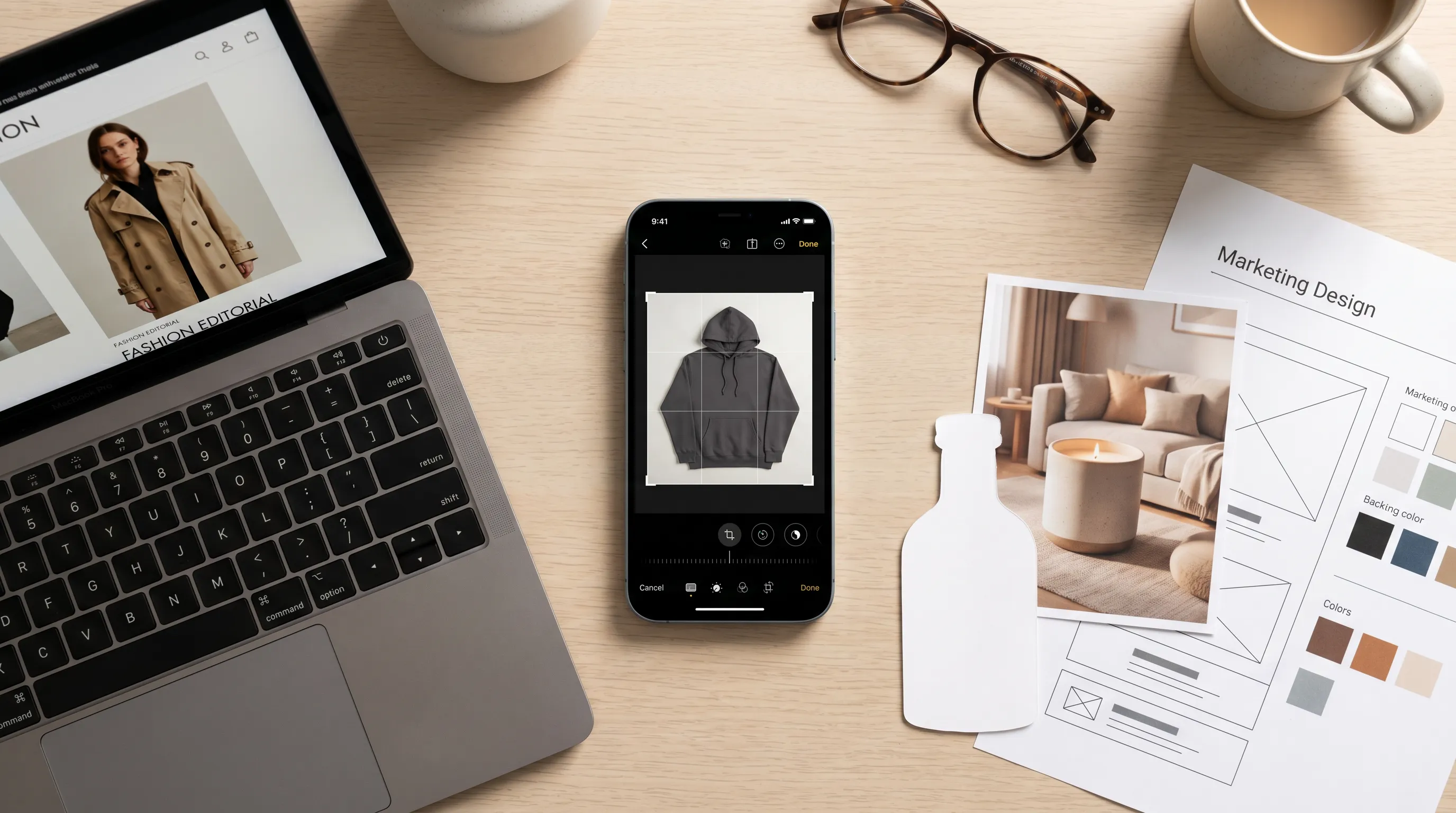
Pixelcut is a great photo-editor; fashion needs a photo-maker.
Pixelcut — which rebranded to Pixa on March 3, 2026 — is a fast, mobile-first product-photo app: one-tap background removal, AI backgrounds, mockups, batch editing, and a single-garment virtual try-on, priced Free, Pro $10/mo, Pro+ $30/mo, Max $60/mo (about 20% off annually), with the AI tools metered by monthly credits (Pixelcut pricing). It's excellent at cleaning up a photo you already have. The reason fashion sellers search for an alternative is structural: it edits an existing photo, it doesn't produce a new on-model shot or a full multi-angle PDP set. If you sell clothing and the gap is imagery you don't have yet, the purpose-built option is Adstronaut AI Photoshoots — on-model editorial images from one garment photo for about $1 each.
Pixelcut alternatives compared: price, best-for, and what each outputs
All five overlap on product imagery, but they solve different problems. Read the right-hand column before the price column — output is what actually separates them for a fashion seller.
| Tool | Price (2026) | Best for | What it outputs |
|---|---|---|---|
| Pixelcut (Pixa) | Free; Pro $10/mo; Pro+ $30/mo; Max $60/mo (~20% off annual); AI metered by credits | Solo sellers editing product photos on a phone | Edits the photo you have: cutouts, AI backgrounds, mockups, basic single-garment try-on |
| Adstronaut AI | Plans from $29/mo; photoshoot image 5 credits ≈ $1; lookbook view 5 credits ≈ $1 | Fashion brands needing on-model imagery and multi-angle PDP sets | Creates new imagery: on-model photoshoots (22 models, 8 poses, 12 scenes) + 35 class-specific product views |
| Photoroom | Free 250 exports/mo (watermarked, non-commercial); Pro ~$12.99/mo monthly, ~$7.50/mo annual | High-volume marketplace cutouts and batch background swaps | Background removal, AI backgrounds, batch exports; no on-model fashion render |
| Pebblely | Free tier; Lite $9/mo (30 imgs); Basic $19/mo (200); Pro $39/mo (500); ~20% off annual | AI lifestyle backgrounds for objects (candles, bottles, bags) | Places a product into AI scenes; not built for garments on a person |
| Canva | Free; Pro $15/mo or $120/yr | All-in-one marketing design (social, ads, mockups, copy) | Templates, Magic Studio AI edits, product mockups; generic, not fashion-tuned |
Pixelcut/Pixa prices per its published 2026 plans. Photoroom, Pebblely, and Canva per their official pricing pages (2026). Adstronaut credit-to-dollar ranges per its pricing catalog. 'Output' = what the tool produces versus the editing it applies to a photo you supply.
Why fashion sellers look for a Pixelcut alternative
Pixelcut is genuinely good at what it does — its homepage self-reports 70M+ users, and review sites consistently praise its speed and one-tap editing. The searches for an alternative cluster around three honest gaps, and they're about category fit, not quality.
It edits photos; it doesn't shoot them. Background removal, AI backgrounds, and mockups all start from an image you already have. A fashion seller who only owns a flat-lay or a mannequin shot still has no on-model image — and on-model is what converts on a clothing PDP. Pixelcut's virtual try-on handles a single garment on a generic figure, but it isn't a controllable photoshoot with a consistent model across a collection.
Mockups are not garment renders. A mockup drops your artwork onto a template tee or tote. That's perfect for print-on-demand previews and wrong for a real product page — it shows a template, not your garment's fabric, drape, and construction. Fashion buyers can tell, and the return rate reflects it.
The pricing is metered, and AI burns credits. The headline tiers look cheap, but the AI features that fashion sellers actually want are credit-metered — Pro includes 600 monthly credits, Pro+ 3,600, Max 9,000 (Pixelcut pricing). Heavy generative use pushes you up the ladder fast. The fairness note: for a seller of mugs, candles, or phone cases who just needs clean cutouts on a phone, Pixelcut is a strong, affordable choice — the mismatch is specific to apparel and accessories that need to be seen on a person, from every angle.
Edit vs. create, visualized
The best Pixelcut alternative by use case
Fashion brand needing on-model and multi-angle imagery → Adstronaut AI. The only option here built specifically for clothing. AI Photoshoots renders your garment on a roster of 22 named, reusable models across 8 poses and 12 named scenes, so a whole collection reads as one shoot — about $1 per finished image. The Lookbook Creator adds 35 class-specific product views (front, back, side, hardware detail, on-foot) across 10 categories for the same ~$1 each. First shoot is a free watermarked preview. The deeper head-to-head lives at Pixelcut vs Adstronaut.
High-volume marketplace cutouts → Photoroom. If your real job is removing backgrounds and swapping them across hundreds of SKUs, Photoroom is built for exactly that: Pro runs about $12.99/month monthly or ~$7.50/month annual, with 500 batch exports and strong bulk tooling. Note its free tier watermarks exports and marks them non-commercial. It still doesn't render apparel on a model — see Photoroom vs Adstronaut for where the line sits.
AI lifestyle backgrounds for objects → Pebblely. At $9–$39/month (30 to 500 images, no rollover), Pebblely places a product into AI-generated scenes — great for candles, bottles, and bags. It's an object-staging tool, not a garment-on-person tool.
All-in-one marketing design → Canva. At $15/month or $120/year, Canva Pro bundles templates, the Magic Studio AI suite, and product mockups. If you need social posts, ads, and a brand kit in one place, it's hard to beat — but its imagery is generic, not fashion-tuned, so the on-model gap remains. The Canva vs Adstronaut comparison covers the split.
Solo seller editing on a phone → staying on Pixelcut is legitimate. If you mostly need fast cutouts, clean backgrounds, and mockups from your phone, and you don't sell garments that must be seen on a body, Pixelcut at $0–$10/month does that job well.
Why fashion needs a fashion-specific tool, not a generic editor
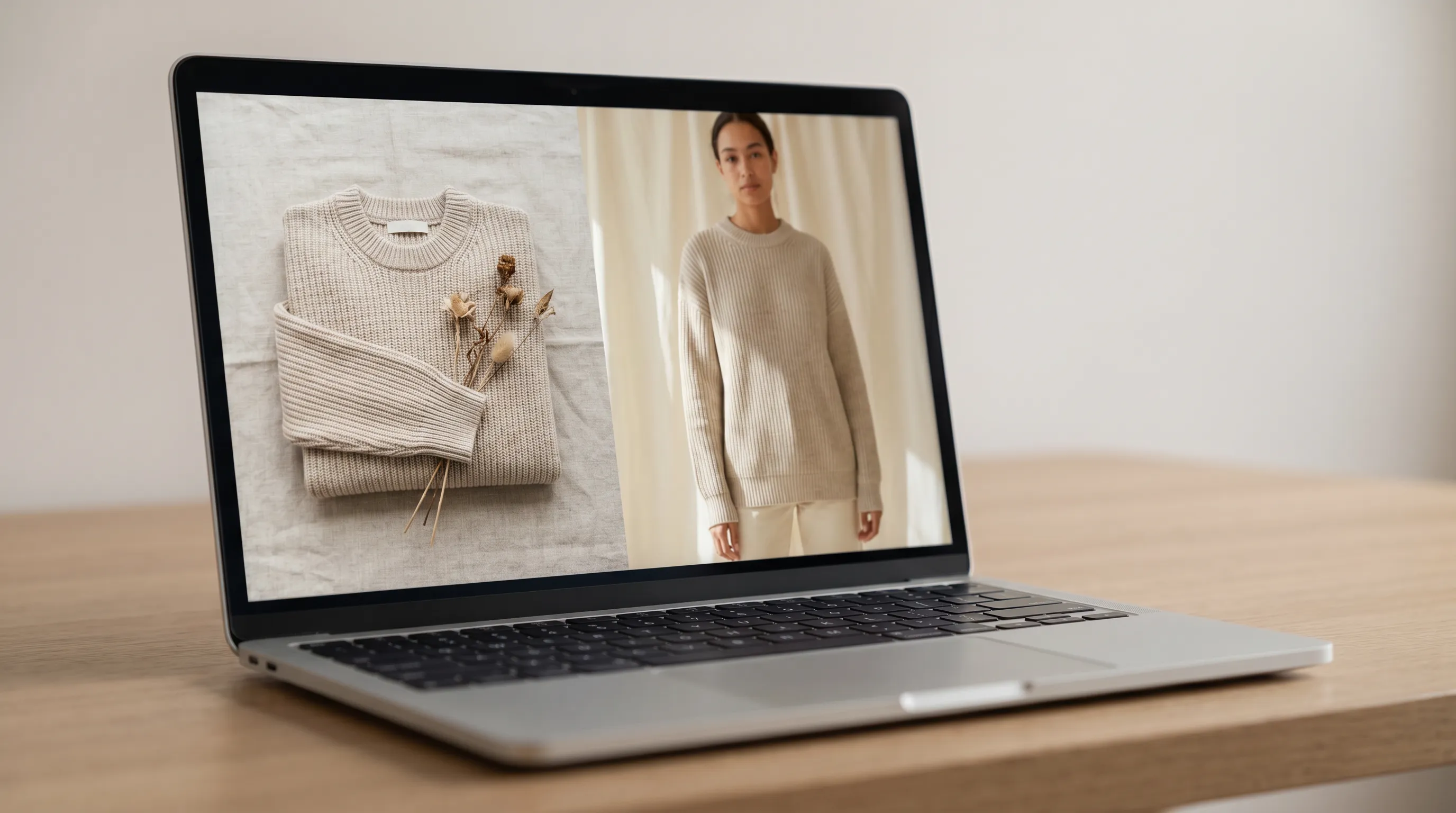
Generic product-photo apps treat a hoodie like a coffee mug — an object to cut out and re-stage. Clothing doesn't work that way, and three differences explain why a fashion-tuned tool wins for apparel and accessories.
On-model is the conversion driver. Shoppers buying clothes want to see fit, drape, and proportion on a body. A cutout on a clean background answers none of that. Adstronaut's AI Photoshoots render the exact garment from your photo onto a consistent model — fabric weight, weave, seam placement, and hardware all carry through, which is why AI photoshoot output keeps return rates in line with traditional photography.
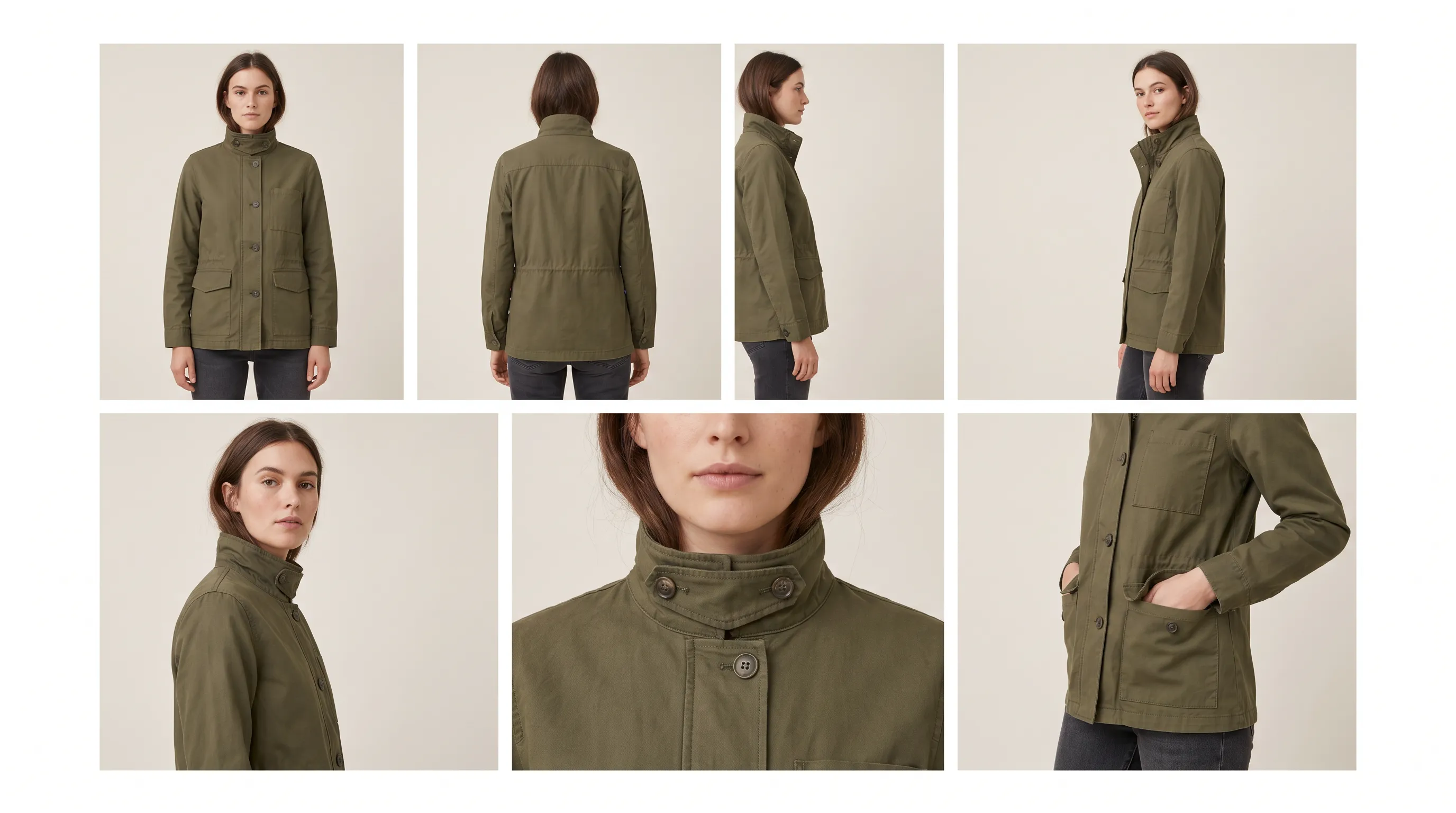
PDP completeness, not a single hero. A converting clothing listing needs back, side, and detail views, not one front shot. The Lookbook Creator outputs 35 class-specific views — and pairs with the Product Tagger so the whole listing, imagery plus attributes, ships in one pass. A mockup-and-cutout app gives you one cleaned image and stops.
Diversity and localization at no extra shoot cost. The same garment renders on whichever model fits the market — a step that used to mean three separate shoots in three cities. That's a fashion-specific need a generic editor was never designed to meet.
None of this makes Pixelcut bad. It makes it general-purpose. For a fashion seller, the question is whether your bottleneck is cleaning up photos (Pixelcut) or creating the on-model and multi-angle photos you don't have (Adstronaut).
Switch from Pixelcut, or stay?
Switch to Adstronaut if…
- ✓You sell clothing or wearable accessories and need on-model imagery a cutout app can't produce.
- ✓You need a complete multi-angle PDP set — back, side, detail, on-foot — not a single cleaned hero shot.
- ✓You want one consistent model across a whole collection so the catalog reads as a single shoot.
- ✓You want per-image pricing (~$1) instead of climbing credit tiers as your AI usage grows.
- ✓Your real bottleneck is imagery you don't have yet, not the photo you already shot.
Stay on Pixelcut if…
- ✓You mostly need fast cutouts and AI backgrounds from a phone, and your photos already exist.
- ✓You sell objects (mugs, candles, gadgets) where a clean background is the whole job.
- ✓Print-on-demand mockups on template products are genuinely what you need to show.
- ✓You're price-sensitive at the $0–$10/month entry and your AI usage stays light.
- ✓Mobile-first, one-tap editing fits your workflow better than a full generation pipeline.
A pairing also works: shoot the garment on-model in Adstronaut, then use Pixelcut for quick on-the-go cutouts and social mockups.
Switching from Pixelcut to fashion-specific imagery: 4 steps
Moving over doesn't mean dropping Pixelcut — it means producing the on-model and multi-angle images it can't.
- 1
Gather your existing garment photos
Flat-lays, mannequin shots, even amateur on-model photos all work as input — the same images you were cleaning up in Pixelcut become the source for a real photoshoot. - 2
Generate one on-model shoot
Upload a garment to AI Photoshoots, pick a model, pose, and scene, and compare the result against your edited-cutout version (first shoot is a free watermarked preview). - 3
Build the full PDP gallery
Run the Lookbook Creator to add back, side, and detail views — the angles a single edited photo can't give you — at about $1 per view. - 4
Keep Pixelcut for quick edits
Solo sellers often keep a free or $10/month Pixelcut seat for fast phone cutouts and social mockups, while Adstronaut handles the imagery that has to be created, not edited.
Which Pixelcut alternative should you choose?
Indie clothing founders and DTC fashion brands get the most from Adstronaut — it produces the on-model and multi-angle imagery a cutout app structurally can't, at about $1 per image with the first shoot free. High-volume marketplace sellers doing pure background work should look at Photoroom. Object sellers wanting AI lifestyle scenes fit Pebblely. Solo marketers who need design, copy, and mockups in one place fit Canva. Phone-first sellers of non-apparel products with light AI needs can comfortably stay on Pixelcut.
For the direct matchup, read Pixelcut vs Adstronaut, and for the broader category, the best AI photoshoot tools roundup and the full AI fashion visualization overview.
Frequently asked questions
What is the best alternative to Pixelcut?
It depends on what you sell. For fashion brands, Adstronaut AI is the strongest alternative — it generates on-model photoshoots and 35 class-specific product views from a garment photo for about $1 each, which a cutout-and-mockup app like Pixelcut can't do. Photoroom fits high-volume background work, Pebblely fits AI scenes for objects, and Canva fits all-in-one marketing design.
How much does Pixelcut cost in 2026?
Per its published pricing, Pixelcut (now branded Pixa) offers a Free tier, Pro at $10/month, Pro+ at $30/month, and Max at $60/month, with roughly 20% off on annual billing ($8, $24, and $48/month equivalent). The AI features are metered by monthly credits — 600 on Pro, 3,600 on Pro+, and 9,000 on Max — so heavy generative use pushes you toward the higher tiers.
Did Pixelcut rebrand to Pixa?
Yes. Pixelcut rebranded to Pixa on March 3, 2026, moving its product and pricing under the new name. The tool itself is the same mobile-first product-photo app — background removal, AI backgrounds, mockups, and a basic virtual try-on. Search interest still runs under 'Pixelcut,' which is why this page keeps that name.
Why do fashion sellers switch away from Pixelcut?
Because Pixelcut edits the photo you already have rather than creating the photo you need. A clothing PDP converts on on-model imagery and multiple angles, and a cutout, AI background, or template mockup delivers none of that. Sellers of objects like mugs or candles rarely switch — the move is driven specifically by apparel and accessory brands who need garments shown on a body.
Is Adstronaut AI cheaper than Pixelcut?
They price differently. Pixelcut charges a flat $0–$60/month with AI metered by credits; Adstronaut charges per output — a photoshoot image or product view is 5 credits, about $1 each, with plans from $29/month. For a fashion seller, the better question isn't the monthly headline but cost-per-on-model-image: Adstronaut produces that image for about a dollar, while Pixelcut produces a cutout, not an on-model render, at any price.
Can Pixelcut create on-model fashion photos?
Not in the way a clothing PDP needs. Pixelcut has a single-garment virtual try-on that places one item on a generic figure, but it isn't a controllable photoshoot with a chosen, consistent model across poses and scenes. Adstronaut's AI Photoshoots render your exact garment on 22 reusable named models across 8 poses and 12 scenes, which is the on-model imagery fashion listings rely on.
Is Photoroom or Pixelcut better for product photos?
Photoroom leans toward high-volume background removal and batch exports (Pro ~$12.99/month monthly, ~$7.50 annual, 500 batch exports), while Pixelcut leans toward mobile-first editing and mockups. Both are background-and-edit tools — neither renders apparel on a model. For fashion specifically, a purpose-built tool like Adstronaut covers the on-model and multi-angle gap both leave open. The Photoroom-vs-Adstronaut comparison details the boundary.
Is Pebblely a good Pixelcut alternative?
For objects, yes. Pebblely ($9–$39/month, 30 to 500 images with no rollover) generates AI lifestyle backgrounds — strong for candles, bottles, skincare, and bags. It's an object-staging tool, so it isn't built to render a garment on a person. If your catalog is mostly clothing, it closes the same gap Pixelcut leaves open rather than solving it.
Can I use Canva instead of Pixelcut?
If your need is broader marketing design, yes. Canva Pro ($15/month or $120/year) bundles templates, the Magic Studio AI suite, and product mockups in one place — useful for social, ads, and brand assets. But its product imagery is generic rather than fashion-tuned, so for on-model clothing photography it leaves the same gap as Pixelcut. Many fashion sellers pair Canva for layout with Adstronaut for the actual on-model shots.
Can I keep Pixelcut and still use Adstronaut?
Yes, and many sellers do. Generate your on-model photoshoots and multi-angle PDP set in Adstronaut, then keep Pixelcut for quick phone cutouts, social mockups, and on-the-go edits. The pairing covers Pixelcut's one structural gap for fashion — creating the on-model image — while keeping its fast mobile editing for everything else.
Create the on-model shot Pixelcut can't
Skip the cutout-and-mockup ceiling. Upload one garment photo and get an editorial on-model photoshoot — or a full 35-view PDP gallery — in minutes. First shoot is a free watermarked preview, then about $1 per image.
Try AI Fashion PhotoshootsKeep exploring
Sources and further reading
- Pixelcut (Pixa) — pricing and plans — Free; Pro $10/mo (600 credits); Pro+ $30/mo (3,600); Max $60/mo (9,000); ~20% off annual (2026)
- Pixelcut 2026 review — features and rebrand — confirms March 2026 Pixa rebrand, mobile-first editing, mockups, single-garment try-on; 70M+ self-reported users
- Photoroom — pricing — Free 250 exports/mo watermarked non-commercial; Pro ~$12.99/mo monthly, ~$7.50/mo annual; 500 batch exports (2026)
- Pebblely — pricing — Free tier; Lite $9/mo (30 imgs); Basic $19/mo (200); Pro $39/mo (500); ~20% off annual; no rollover (2026)
- Canva — pricing — Free; Pro $15/mo or $120/yr; Magic Studio AI suite and product mockups (2026)
- Squareshot — clothing photoshoot cost — $2,500–$8,000 per production day; multi-angle e-commerce shoot economics