
Your Canva tech pack isn't factory-ready — here's exactly what's missing and how to fix it
Updated June 10, 2026
Factories reject Canva-built tech packs because Canva lays out a tidy page but generates none of the three sections a manufacturer reads first: a real annotated flat sketch, a structured bill of materials, and measurements graded across the size run with tolerances. You can add all three to a Canva pack by hand, or generate a complete factory-ready pack from one garment photo in minutes for $3–6 with Adstronaut's AI Tech Pack Generator.
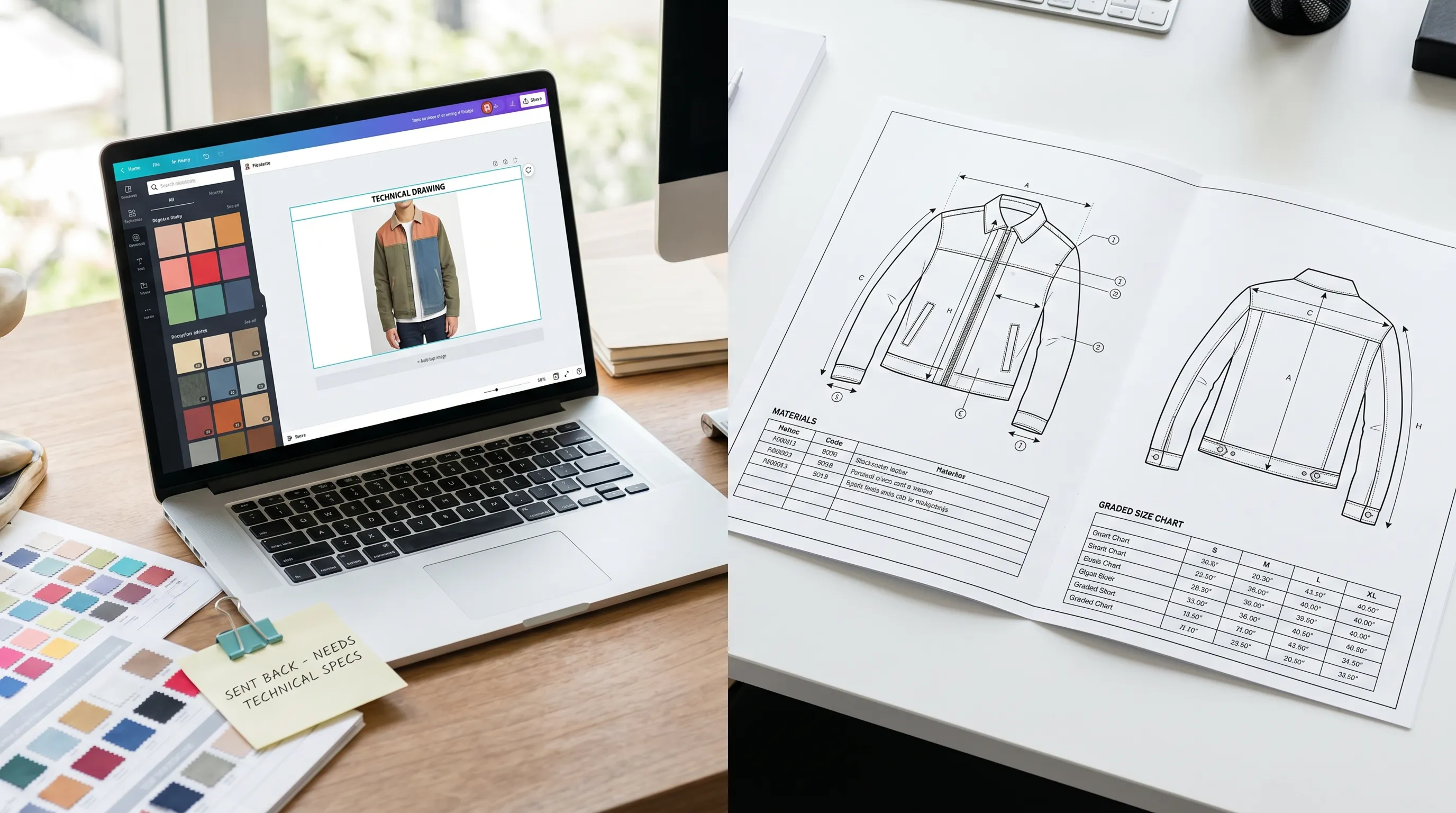
Why your factory bounced the Canva pack
You built a clean tech pack in Canva, sent it to a manufacturer, and got back a list of questions instead of a quote — or worse, a wrong first sample. That isn't a layout failure. Canva did the layout job well. The problem is that a tech pack is judged on its technical content, and Canva generates none of it.
A factory reads three things before it reads anything else: the annotated flat sketch (the page it cuts from), the bill of materials (what to buy and from whom), and the graded points of measure (the garment's dimensions across every size, with tolerances). A Canva template gives you labeled boxes where those belong — but you have to draw, source, and grade all three somewhere else. When they're thin, missing, or pasted in as flat images a machinist can't measure, the pack stalls in revision rounds.
That stall is expensive. Incomplete or ambiguous specs are the leading cause of first-sample failure (World Fashion Exchange, Tech Pack 101), and each failed round costs roughly $200–$1,500 and 1–2 weeks (sampling-cost breakdown). This page fixes the gap two ways: the honest manual repairs you can make to your existing Canva pack today, then the structural fix that removes the gap entirely. If the symptom you're seeing downstream is a confused factory rather than an outright rejection, the factory-keeps-misunderstanding-your-tech-pack fix goes deeper on the communication side.
The five sections a factory checks — and which ones Canva leaves blank
Fix #1: get a real flat sketch into the pack
The single biggest reason a Canva pack reads as amateur is the flat. A photo of your sample, or a rough drawing dropped into a layout box, is not a flat — a factory needs a clean front-and-back vector line drawing with annotated points of measure it can read at any scale. Canva cannot draw one.
Three honest ways to get a real flat without changing tools yet: (1) draw it yourself in vector software if you have the skill — figure 2–4 hours per style in Illustrator (five non-Illustrator methods compared); (2) buy just the flat from a freelance technical designer at $100–$300 for a simple style, up to $600+ for structured outerwear (published rate survey), then place it in your Canva layout; or (3) trace your sample photo into a clean line drawing and label the seam lines and measurement points by hand. Whichever you choose, export it as a crisp image and replace the photo in your Canva template. This one change alone moves a pack from "mockup" to "someone took this seriously."
Fix #2 and #3: structure the BOM and grade the measurements by hand
The bill of materials. Canva's table is decorative — it displays whatever you type, with no required fields. A factory-ready BOM needs a row for every component: shell fabric, lining, thread, each trim and closure, labels, hangtags — with supplier, quantity, unit, and per-unit price columns. Build it in a spreadsheet first so the structure is enforced, then paste the finished grid into Canva. A simple hoodie runs 18–25 rows; a lined blazer can pass 55. If a component isn't on the BOM, the factory either guesses or pauses to ask — both cost you a round.
The graded measurements. This is the section Canva structurally cannot help with: its tables can't apply grade rules, so you grade manually. Start from a body-measurement basis (ASTM D5219 is the common reference; D5585 covers women's apparel sizing), list each point of measure, and step it across the size run with a tolerance on each (typically ±1/4" to ±1/2" depending on the point). Type the finished chart into your Canva layout. The honest ceiling of all three manual fixes: they work, but they're the same 6–10 hours of spec labor the manual route always costs — Canva just formats the result. If your bottleneck is the time, the tech-pack-takes-too-long fix is the sibling page for you.
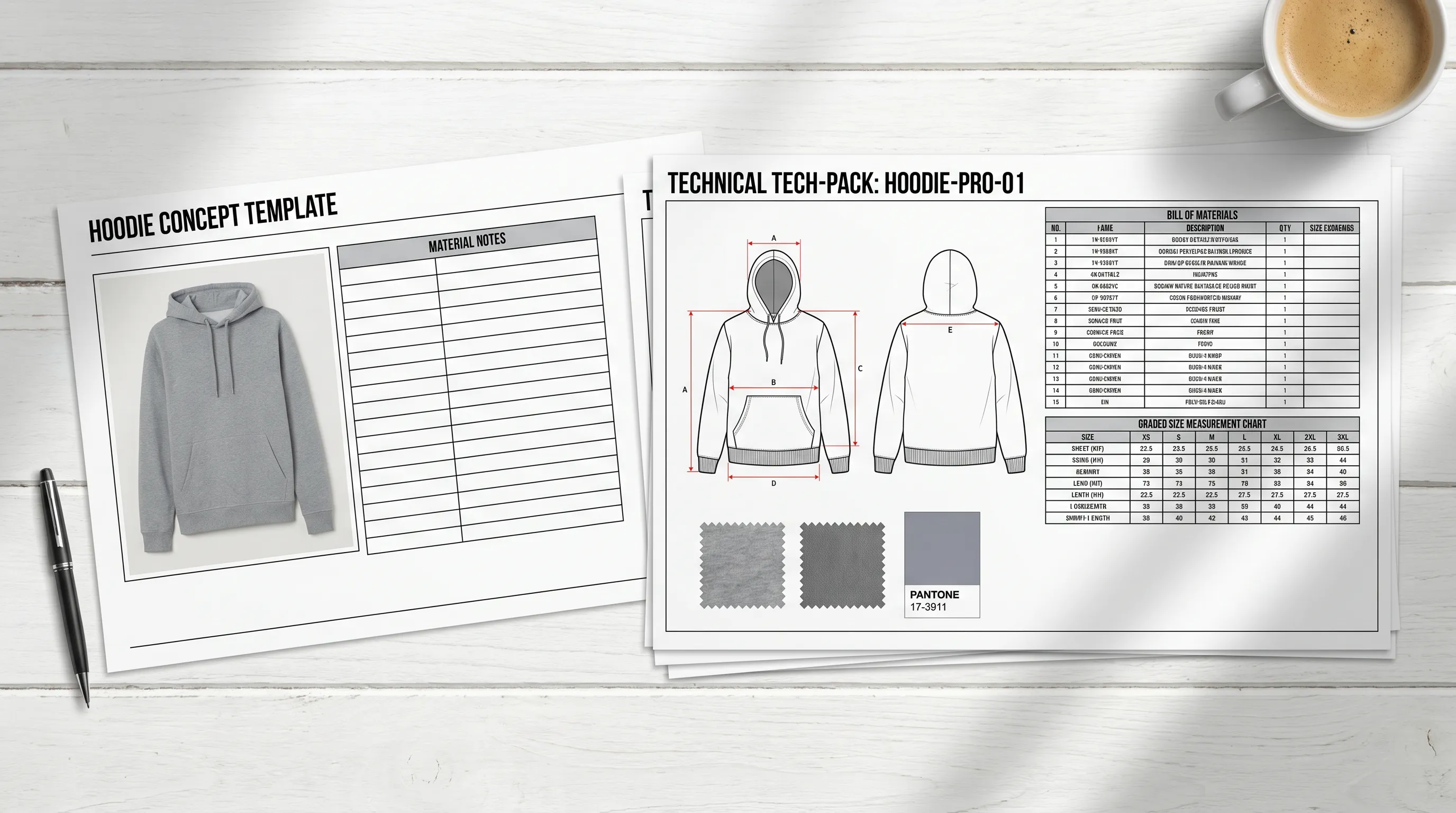
The structural fix: generate the three missing sections instead of building them
The manual repairs work, but they re-introduce the exact labor Canva was supposed to save you. The structural fix is to generate the technical content rather than assemble it. Upload one photo of your sample — flat-lay, mannequin, mockup, or clean sketch — to Adstronaut's AI Tech Pack Generator and it returns the annotated front-and-back flat, a structured BOM with supplier and per-unit price fields, graded points of measure with tolerances, construction notes, and Pantone TCX colorways in 3–5 minutes.
Every field stays editable, so the remaining work is review, not creation: 10–15 minutes typing real supplier names, refining measurements off your physical sample, and dropping in custom artwork. End to end that's under 30 minutes per style for $3–6 (a tech pack is 25 credits; plans start at $29/month; the first pack is free as a watermarked preview). It also produces the class-correct sections automatically — apparel, footwear, leather goods, knitwear, and bodywear each get the fields that product type needs, instead of a generic apparel template with the wrong rows. A footwear pack swaps in upper materials, sole-unit specs, and closure hardware; a knitwear pack adds yarn specification, gauge, and finishing; a leather-goods pack adds panel callouts and hardware specs. Measurements stay graded to the relevant ASTM table where one applies, so the chart your factory reads is the chart it expects.
The test that matters is the one our factory-grade criteria guide describes: can a manufacturer cut a sample from the pack without emailing you first? That's what "factory-ready" means, and it's exactly the gap Canva leaves open. Generation closes it not by formatting the page better, but by producing the three sections — flat, BOM, graded POMs — that were never really there in the Canva version.
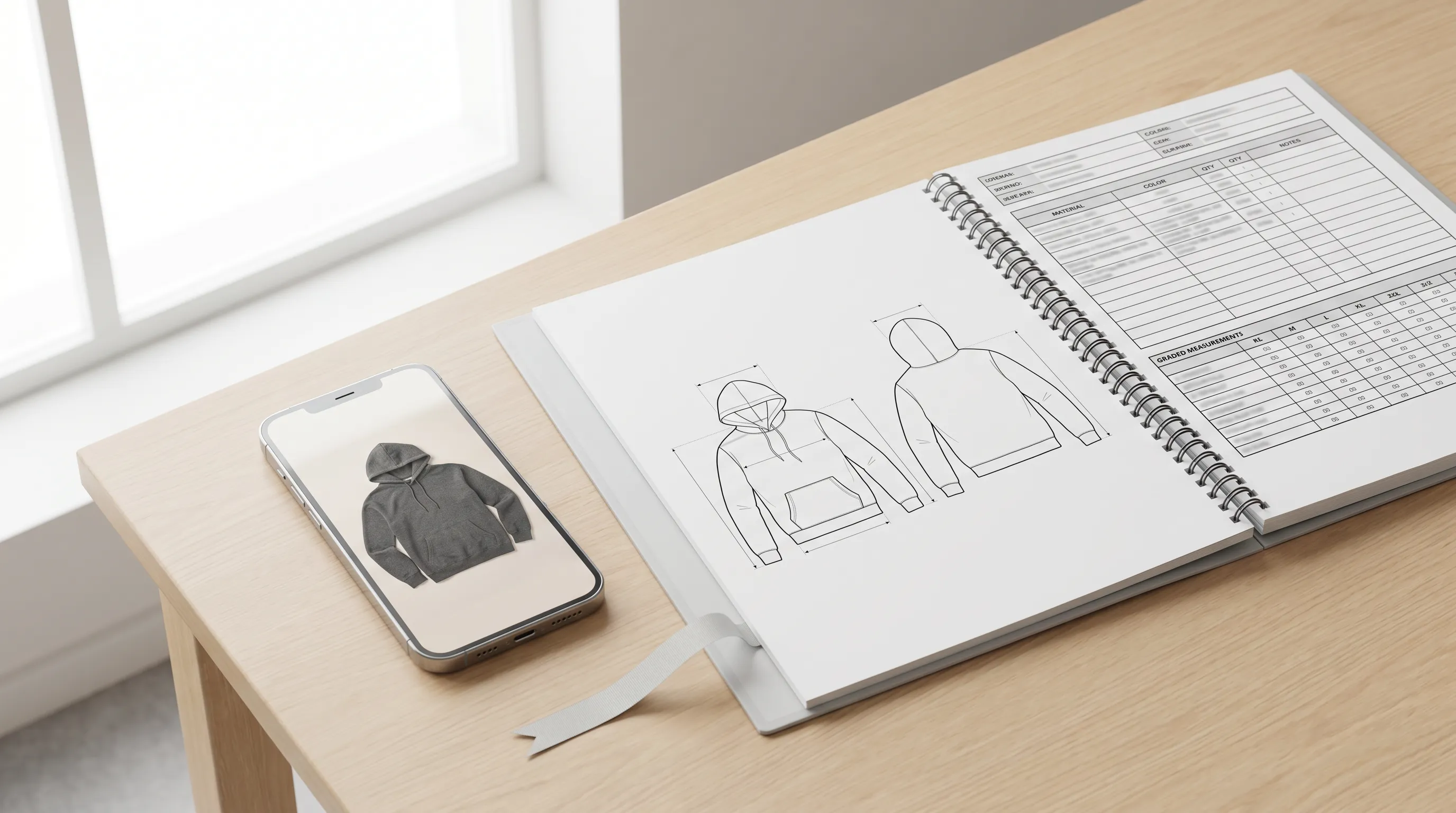
Three ways to make a Canva pack factory-ready, compared
Pick by what's actually blocking you — skill, budget, or time.
| Approach | What you do | Time + cost | The catch |
|---|---|---|---|
| Patch the Canva pack yourself | Draw the flat, structure the BOM, grade the measurements, paste into Canva | 6–10 hrs/style; Canva $0–$15/mo | Re-creates all the spec labor; needs CAD skill for the flat |
| Canva + freelance technical designer | Buy just the missing flat/specs, lay them out in Canva | 3–7 days; $100–$600+ per style | Queue time; $2,000–$12,000 across a 20-style drop |
| Generate the pack (Adstronaut) | Upload one photo, review the draft, export the PDF | 3–5 min draft + 10–15 min review; $3–6/pack | Bespoke placement art still wants a manual pass |
Manual timings per Tech Pack Wizard's benchmark; freelance rates per Successful Fashion Designer's published survey; Canva pricing per Canva.com (2026). Adstronaut tech pack = 25 credits, $3–6.
Make your pack factory-ready this week: 4 steps
Whether you patch Canva or switch, work the same sequence:
- 1
Audit against the five sections
Open your Canva pack next to the checklist above. Mark which of the five — flat, BOM, graded POMs, construction, colorways — are real versus decorative. The blanks are why it bounced. - 2
Generate the same style once
Upload its photo to the Tech Pack Generator (first pack free) and compare the generated flat, BOM, and graded chart against your Canva version section by section. - 3
Keep your 10–15 minute review habit
Type real supplier names into the BOM, refine each point of measure off your physical sample, attach custom artwork. That human layer is what makes any pack — Canva or generated — trustworthy at the factory. - 4
Split the jobs cleanly
Send the factory the generated technical PDF; keep Canva for the line sheets, lookbooks, and launch graphics it's genuinely best at. One technical source of truth, one marketing layer.
When sticking with Canva is the right call
Canva isn't the villain here — it's the wrong tool for one specific job. Keep using it, and don't switch, if your garment is genuinely simple (a basic tote or tee), you already own real flats and graded specs from a designer and only need them arranged, and your maker is a flexible local workshop that fills gaps with a quick message rather than a failed sample. In that situation a clean Canva layout of content you already have is perfectly factory-ready.
Canva also stays the best tool on the table for everything around the pack — mockups, line sheets, lookbooks, buyer decks, and social graphics. The honest framing: if your bottleneck is making things look presentable, Canva is right; if your bottleneck is producing the flats, BOM, and graded measurements in the first place, Canva can't help, and patching it by hand just relocates the work. For the full side-by-side, see Canva vs Adstronaut; for where Canva ranks among every alternative, the Canva alternatives breakdown.
Who hits this wall
Indie and first-time founders hit it hardest: Canva is approachable, so it's the natural first try — but it assumes you already have the flats and specs a factory needs, which is exactly what a first-timer doesn't. Small brands and DTC labels running 10–50 styles hit it at scale, when patching every Canva pack by hand quietly becomes a 120–200 hour bottleneck across a drop. Production leads hit it downstream, in the revision queue, when a marketing-built pack arrives missing the graded chart and stitch callouts a sample run depends on.
If you're CAD-fluent with a stable component library, patching Canva is defensible — you already own the hard parts and Canva just arranges them. If you can't draw a flat — or you simply don't want to re-do the spec work Canva skipped — generating the pack is the cleaner fix, because it produces the missing sections rather than asking you to. Many brands run both: generate the factory PDF in Adstronaut, build the brand assets in Canva, and never confuse the two documents again. The factory gets a pack it can quote from on the first read; the marketing team keeps the tool it's fastest in. The mistake is asking one tool to do both jobs — which is how the not-factory-ready Canva pack happens in the first place.
Frequently asked questions
Why isn't my Canva tech pack factory-ready?
Because Canva produces the page layout but none of the technical content a factory reads first: a real annotated flat sketch, a structured bill of materials, and measurements graded across the size run with tolerances. Canva's tables are decorative and can't grade, and it can't draw a flat at all — so unless you've sourced those three sections elsewhere and pasted them in, the pack reads as a mockup and stalls in revision rounds.
Do factories accept tech packs made in Canva?
Factories judge completeness, not software. A Canva-assembled pack works if it contains a real flat, a complete structured BOM, and graded measurements with tolerances — but Canva makes you create all three elsewhere. Incomplete specs are the leading cause of first-sample failure, and each failed round costs roughly $200–$1,500 and 1–2 weeks, which is why a thin Canva pack so often comes back with questions.
What's actually missing from a Canva tech pack?
Usually three things: a real flat sketch (Canva can't draw one, so people drop in a photo), a structured BOM (Canva's table has no required supplier/quantity/price fields), and graded measurements (Canva can't apply grade rules or tolerances). Construction callouts and Pantone colorways are often thin too. Those are the five sections a manufacturer checks before quoting.
How do I make my Canva tech pack factory-ready without switching tools?
Add the three missing sections by hand: get a real vector flat (draw it in 2–4 hours, or buy just the flat from a freelancer for $100–$600), build the BOM in a spreadsheet with supplier, quantity, unit, and price columns before pasting it in, and grade every point of measure across the size run with tolerances. It works — it's just the same 6–10 hours of spec labor the manual route always costs; Canva only formats the result.
Can Canva draw a flat sketch for a tech pack?
No. Canva cannot generate a technical flat — the most important page in a tech pack. Your options are drawing it in Illustrator (2–4 hours with CAD skills), buying it from a freelancer ($100–$600 per style), or generating it: Adstronaut produces annotated front-and-back flats automatically from a garment photo.
Can Canva grade measurements across sizes?
No. Canva tables are static — they display whatever numbers you type and can't apply grade rules, calculate a size run, or carry tolerances. You'd grade manually in a spreadsheet (starting from a basis like ASTM D5219, with D5585 for women's apparel) and paste the values in. Adstronaut auto-generates the graded points-of-measure chart across the full size range, with tolerances, from one photo — and every value stays editable.
Is it faster to fix my Canva pack or generate a new one?
Generate a new one, in most cases. Patching a Canva pack means re-doing the flat, BOM, and grading by hand — 6–10 hours per style. Generating the same style from a photo takes 3–5 minutes to draft plus 10–15 minutes to review, so you reach a factory-ready PDF in under 30 minutes for $3–6. Patching only wins when you already own a real flat and graded specs and just need them arranged.
How much does a factory-ready tech pack cost with Adstronaut?
A tech pack is 25 credits — roughly $3–6 depending on plan (plans start at $29/month for 125 credits), and the first pack is free as a watermarked preview. A 20-style collection generates for about $60–$120 in credits, versus $2,000–$12,000 to outsource the missing flats and specs a Canva pack leaves blank, or 120–200 in-house hours patching them by hand.
Can I keep using Canva alongside Adstronaut?
Yes — it's the recommended setup. Generate the factory pack and product imagery in Adstronaut (tech pack $3–6; on-model images about $1 each), then drop the imagery into Canva for line sheets, lookbooks, and launch graphics — the layout work Canva is genuinely best at. The factory gets the technical PDF; buyers get the Canva-built brand assets. One source of truth each.
Does Adstronaut handle footwear, knitwear, and leather goods, or just apparel?
It produces class-correct sections for apparel, footwear, leather goods, knitwear, and bodywear — each with the fields that product type actually needs, generated automatically from your photo. A footwear pack swaps in upper materials and sole-unit specs; knitwear adds yarn and gauge; leather goods add panel and hardware callouts. That's something a generic Canva apparel template can't do.
Make the pack the factory won't bounce
Stop patching the three sections Canva leaves blank. Upload one garment photo and get a complete factory-ready tech pack — real flat, structured BOM, graded measurements, construction notes — in minutes. First pack free, then $3–6 each.
Try the AI Tech Pack GeneratorKeep going
Sources and further reading
- World Fashion Exchange — Tech Pack 101 — incomplete/ambiguous specs as the leading cause of first-sample failure
- Successful Fashion Designer — freelance rates — $100–$600+ per style for the flat/specs Canva can't produce; 3–7 day turnaround
- Style3D — using Canva for tech-pack templates — static tables, no grading, no BOM structure, no flat generation
- Canva — pricing (Free, Pro, Teams) — Free; Pro $15/mo or $120/yr (2026)
- Tech Pack Wizard — timed benchmark — 6–10 hour per-pack manual baseline for patching sections by hand