
Adobe Illustrator vs Adstronaut AI for tech packs
Updated June 10, 2026
Adobe Illustrator is a vector design tool that, paired with Excel, takes a technical designer 6–10 hours to produce one tech pack and costs $22.99–$34.49 per month. Adstronaut AI generates the same factory-ready document — flat sketches, bill of materials, graded measurements — from one garment photo in 3–5 minutes, for $3–6 per pack in credits on plans from $29/month.
Illustrator vs Adstronaut AI: the quick verdict
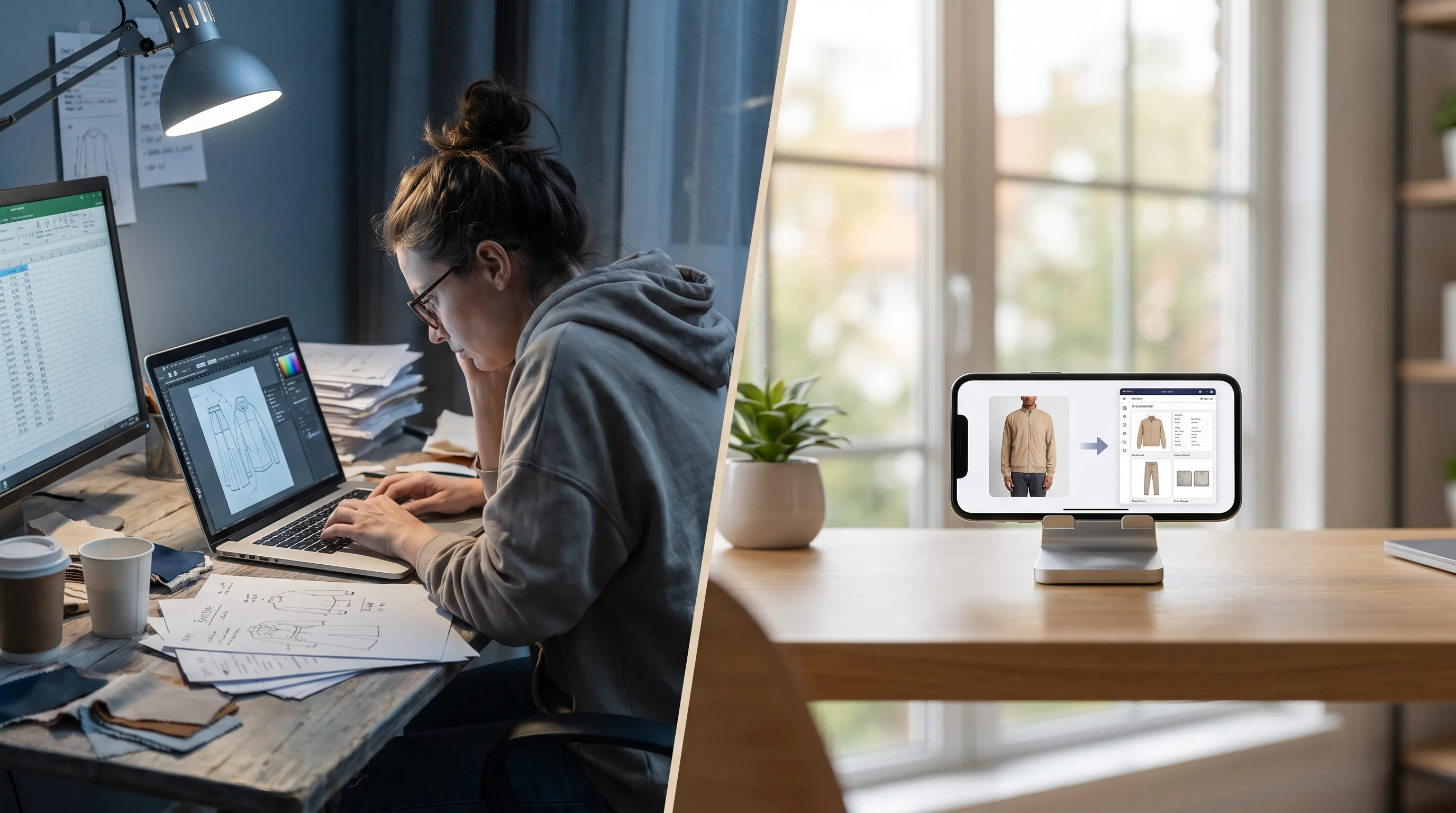
Adobe Illustrator and Adstronaut AI solve the same problem — turning a garment idea into a factory-ready technical package — from opposite directions. Illustrator gives you pixel-perfect manual control over flat sketches, but demands CAD skill, a separate Excel workbook for the bill of materials and points of measure, and 6–10 hours per style end to end (Tech Pack Wizard timed test). It remains the incumbent: technical-designer job postings overwhelmingly list Illustrator as a required skill.
Adstronaut AI inverts the workflow: you upload one product photo and the AI Tech Pack Generator returns the flat sketches, a structured bill of materials, graded measurements, and construction notes as an editable draft in three to five minutes. Choose Illustrator if you employ a technical designer and need bespoke vector illustration. Choose Adstronaut if you're an indie founder or small brand shipping styles without a CAD background. The rest of this page is the evidence for that one-line verdict.
Adobe Illustrator vs Adstronaut AI, side by side
| Factor | Adobe Illustrator (+ Excel) | Adstronaut AI |
|---|---|---|
| Price | $22.99/mo annual, $34.49/mo month-to-month (single app) | Plans from $29/mo (125 credits); a tech pack is 25 credits — $3–6 per pack |
| Time per tech pack | 6–10 hours (3–4 hrs for a tee, 12+ for a lined blazer) | 3–5 minutes to generate, 10–15 minutes to review |
| Flat sketches | Drawn by hand with the pen tool, 2–4 hrs per style | Generated automatically, front and back, annotated |
| Bill of materials | Built by hand in a separate Excel file | Generated as a structured BOM with supplier and price fields |
| Graded measurements (POMs) | Typed manually into a spec table; you apply grade rules yourself | Auto-generated and graded across the size run, with tolerances |
| Skills required | Vector/CAD proficiency plus technical-design knowledge | None — upload a front-facing photo |
| Garment classes | Anything you can draw — if you know each class's conventions | Apparel, footwear, leather goods, knitwear, bodywear — class-specific sections |
| Editability | Total control, every anchor point | Every field editable in the browser before export |
| Output | PDF assembled manually from artboards + spreadsheet | Print-ready PDF assembled automatically; Excel/CSV export on Pro |
| Best for | Studios with technical designers; bespoke artwork | Indie founders and small brands without CAD skills |
Pricing per Adobe's published 2026 plans and Adstronaut's pricing page. Time benchmarks per Tech Pack Wizard's timed Illustrator + Excel comparison.
Choose Adstronaut if… / Choose Illustrator if…
Choose Adstronaut AI if…
- ✓You can't draw a technical flat — the AI generates it from your photo, which is the single step every manual method still requires.
- ✓You ship 5–50 styles a year and the 6–10 hours per pack is your real bottleneck.
- ✓You want the BOM, graded POMs, and construction notes in one document instead of an Illustrator file plus a spreadsheet.
- ✓You produce footwear, leather goods, or knitwear and want class-correct sections (sole units, panel callouts, yarn and gauge) without learning each convention.
- ✓You'd rather pay $3–6 per output than maintain a subscription you use ten times a year.
Choose Adobe Illustrator if…
- ✓You employ a technical designer whose hourly cost is justified by volume and whose flats are part of your brand's craft.
- ✓Your styles need fully bespoke vector artwork — placement prints, intricate embroidery paths, brand-specific illustration.
- ✓You need pixel-level control over every seam line and consider the drawing itself part of the design process.
- ✓You already own the Creative Cloud stack and your tech-pack volume is low enough that 6–10 hours per style doesn't hurt.
- ✓Your factory relationship runs on legacy AI/EPS source files they expect to receive and edit.
Many brands run both: Adstronaut for the first draft, Illustrator to fine-tune the one flat that needs bespoke work.
The per-pack math, visualized
How much does each actually cost?
Adobe Illustrator's single-app plan is $22.99/month billed annually ($263.88/year prepaid, about $21.99/month) or $34.49/month month-to-month (Adobe pricing). But software is the small line item. At 6–10 hours per style, a technical designer billing $25–$75/hour adds $150–$750 of labor to every pack — which is why outsourcing lands in the same band: freelance technical designers charge $100–$300 for a simple style, $300–$600 for mid-complexity, and $600–$1,200+ for structured outerwear, on 3–7 business-day turnarounds (Successful Fashion Designer's published rate survey).
Adstronaut prices per output. A tech pack costs 25 credits: on the Standard plan ($29/month, 125 credits) that is five packs a month at $5.80 each; on Pro ($69/month, 375 credits) $4.60; on annual Studio it falls to about $3.10. Call it $3–6 per pack. The free plan includes 25 credits — your first pack free as a watermarked preview before you pay anything. For a 20-style collection, the spread is roughly $3,000–$15,000 of designer time versus $60–$120 in credits — the math our tech pack cost guide breaks down across freelancer, AI, and in-house methods.
How long does a tech pack take in each?
In Illustrator, the flat sketch alone takes 2–4 hours per style for most designers — even fast professionals spend 30–45 minutes per flat (Successful Fashion Designer) — before you open Excel to build the measurement chart and bill of materials. A basic t-shirt runs 3–4 hours end to end; a lined blazer can exceed 12. Even Illustrator's own ecosystem concedes the drag: the Tech Pack Wizard plugin's self-published timed test produced a pack 43% faster than plain Illustrator + Excel — and that still left a fully manual drawing step (Tech Pack Wizard).
Adstronaut compresses the same job to 3–5 minutes of generation. The model detects the garment class from your photo, draws annotated front and back flats, fills a structured BOM, and grades the points of measure with tolerances. You then spend ten to fifteen minutes on the review only you can do — real supplier names, the exact measurements off your sample — and export the PDF. For a 10-style drop, that collapses a full work-week of tracing and typing into one afternoon. If the drawing step is your specific frustration, the dedicated fix page — Illustrator too slow for tech packs — covers in-Illustrator speed tips honestly before making the AI case.
What about quality? What factories actually check
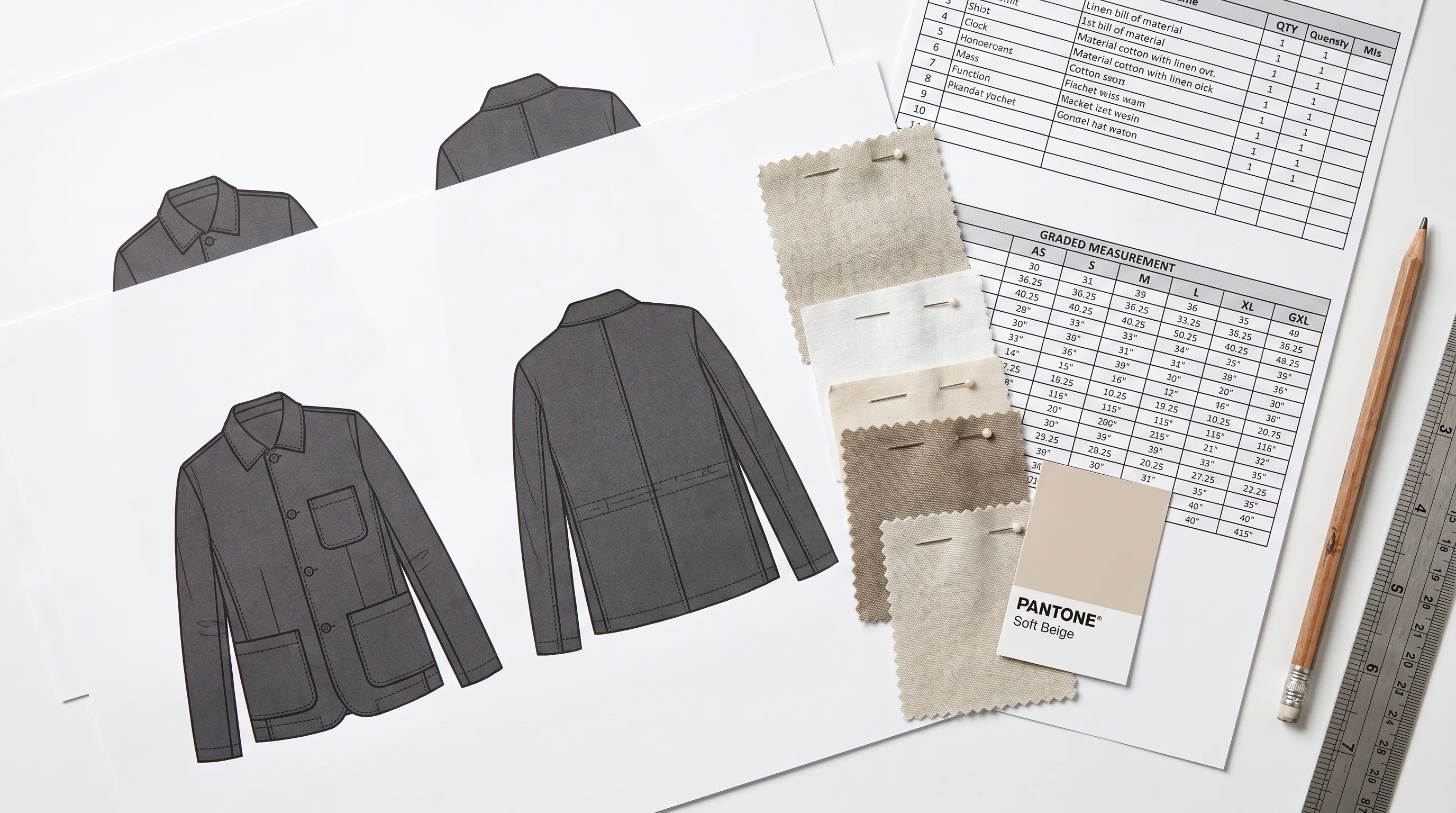
Speed is irrelevant if the factory rejects the document, so judge both tools against what manufacturers check: complete flats with construction callouts, a line-itemized BOM, graded POMs with tolerances, and unambiguous stitch and seam specs (what makes a tech pack factory-grade). Illustrator can produce all of that at the highest craft level — if the person driving it knows garment construction. The tool doesn't supply the knowledge; a beautifully drawn flat with a missing seam allowance still triggers a revision round.
Adstronaut encodes the conventions per garment class: a footwear pack gets upper materials and sole-unit sections, knitwear gets yarn specification and gauge, bodywear gets elastic and hardware callouts, and measurements grade against the relevant ASTM body-measurement tables where one applies (D5585 for women's sizing; stitch classes per ASTM D6193). The honest caveat: the AI drafts from what it can see, so details only you know — your mill's exact GSM, a hidden interior pocket — get added in review. Production teams that made the switch report first-sample revision rounds dropping from roughly three per style to about one, consistent with the industry finding that unclear specs are the leading cause of first-sample failure (WFX Tech Pack 101).
When Adobe Illustrator is still the right tool
Adstronaut does not replace Illustrator for everything, and pretending otherwise would cost this page its credibility. Illustrator remains the better choice for fully bespoke vector illustration — placement graphics, embroidery artwork, intricate brand-specific flats — and for studios whose factories expect editable .ai source files. If your technical designer's flats are part of your brand identity, keep them.
The pattern most brands land on is hybrid: generate the first-draft pack in Adstronaut, then open Illustrator only for the one flat that needs bespoke handwork. That keeps the 6–10 hours where they're justified and removes them everywhere else. If you're weighing more than these two tools, the Illustrator-alternatives roundup scores Techpacker, Canva, and Google Sheets on the same criteria, and the three-way Techpacker comparison goes deeper on the collaboration-platform option.
Switching from Illustrator: the 4-step workflow
There is no migration project — your existing Illustrator packs stay valid, and the new workflow runs per style.
- 1
Photograph the garment
A flat-lay, mannequin shot, digital mockup, or clean sketch works. Front-facing, evenly lit, JPG/PNG/WEBP. This replaces the 2–4 hour pen-tool session. - 2
Generate the draft pack
Upload to the AI Tech Pack Generator. In 3–5 minutes you get annotated flats, a structured BOM, graded POMs with tolerances, construction notes, and Pantone colorways. - 3
Review the fields only you know
Type real supplier names into the BOM, set the exact measurements from your sample, adjust any grade rule. Ten to fifteen minutes — this is where your product knowledge goes. - 4
Export and send
Print-ready PDF for the factory; Excel/CSV export on the Pro plan if your manufacturer works in spreadsheets. Keep Illustrator installed for the rare bespoke flat.
Which should you choose?
Indie founders and first-time designers without a CAD background get the most from Adstronaut — it removes the single biggest barrier (drawing a technical flat) entirely, and the first pack is free to preview. Small brands and DTC labels shipping 10–50 styles a year save the most labor: the per-collection math runs $60–$120 in credits against $3,000–$15,000 in designer time. Production leads use it to get first drafts to factories days earlier and cut revision rounds.
Studios with in-house technical designers producing bespoke vector artwork should stay on Illustrator — or run the hybrid. For the wider field beyond these two, see the best tech pack software roundup and the five ways to create a tech pack without Illustrator.
Frequently asked questions
Can Adstronaut AI replace Adobe Illustrator for tech packs?
For most indie and small-brand tech-pack work, yes. Adstronaut generates the flat sketches, bill of materials, and graded measurements automatically from one photo, removing the need to draw flats in Illustrator or build spec tables in Excel. Studios needing fully bespoke vector illustration typically keep Illustrator for fine-tuning specific flats and run both.
Why do designers switch from Illustrator to an AI tech pack generator?
Three reasons come up consistently: time (6–10 hours per pack, with 2–4 hours on the flat sketch alone), skill (vector proficiency plus garment-construction knowledge most first-time founders never learned), and cost (at $25–$75/hour, every manual pack carries $150–$750 of labor). The AI route removes the drawing step entirely, which is the part no template or plugin fixes.
Is Adstronaut cheaper than an Adobe Illustrator subscription?
For typical small-brand volumes, yes. Illustrator costs $22.99–$34.49/month regardless of output, plus 6–10 hours of designer time per pack. Adstronaut plans start at $29/month with 125 credits — five tech packs at $5.80 each — and the effective price falls to about $3.10 per pack on annual Studio. The first pack is free as a watermarked preview.
How long does a tech pack take in Illustrator versus Adstronaut?
A complete manual pack in Illustrator + Excel runs 6–10 hours per style — 3–4 hours for a basic tee, 12+ for a lined blazer, with the flat sketch alone eating 2–4 hours. Adstronaut generates the draft in 3–5 minutes; with a 10–15 minute review you finish in under 30 minutes per style.
Do factories accept AI-generated tech packs?
Yes. Factories judge completeness and accuracy, not the tool. Adstronaut outputs the sections manufacturers check — annotated flats, line-itemized BOM, graded points of measure with tolerances, construction notes, Pantone callouts — as a print-ready PDF. Teams that switched report first-sample revision rounds dropping from about three per style to one.
Can I edit the tech pack after Adstronaut generates it?
Yes — every field is editable in the browser before export: BOM rows, suppliers, measurements, grade rules, tolerances, construction notes, and colorways. The intended workflow is generate, then spend 10–15 minutes adding the details only you know (real suppliers, sample measurements), then export.
Can I still use Illustrator alongside Adstronaut?
Yes, and many brands do exactly that. Generate the complete pack in Adstronaut, then open Illustrator only when a specific flat needs bespoke vector work — placement prints, embroidery paths, brand-specific illustration. You keep manual control where it earns its hours and drop it everywhere else.
Do I need design or CAD skills to use Adstronaut?
No. You upload a front-facing garment photo — flat-lay, mannequin, mockup, or clean sketch — and the AI handles the flats, measurements, and BOM. This is the core difference from Illustrator, which assumes vector proficiency and technical-design knowledge before you can produce anything.
What garment types does each tool support?
Illustrator can draw anything, but you must know each class's documentation conventions yourself. Adstronaut generates class-specific packs for apparel, footwear, leather goods, knitwear, and bodywear — footwear gets upper materials and sole-unit sections, knitwear gets yarn and gauge specs, bodywear gets elastic and hardware callouts — without you needing to know what belongs where.
What does Adstronaut's output include that Illustrator's doesn't?
Structure. Illustrator produces artwork; the BOM and measurement data live in a separate Excel file with no link between them. Adstronaut produces one structured document — flats, BOM with supplier and per-unit price fields, graded POMs with tolerances, construction notes — exportable as PDF, with Excel/CSV export on the Pro plan.
Generate your first tech pack free
Skip the 6–10 hours in Illustrator and Excel. Upload one garment photo and get a factory-ready tech pack — flats, BOM, graded measurements — in minutes. First pack free, then $3–6 each in credits.
Try the AI Tech Pack GeneratorKeep comparing
Sources and further reading
- Adobe Illustrator pricing and plans — $22.99/mo annual, $34.49/mo monthly, $263.88/yr prepaid (2026)
- Tech Pack Wizard — timed Illustrator + Excel comparison — 6–10 hour per-pack benchmark; plugin 43% faster on the same job
- Successful Fashion Designer — drawing flats in Illustrator — 2–4 hrs per flat for most designers; 30–45 min for professionals
- Successful Fashion Designer — freelance technical design rates — $100–$1,200+ per tech pack by complexity; 3–7 day turnaround
- World Fashion Exchange — Tech Pack 101 — unclear specifications as the leading cause of first-sample failure
- Techpacker — making tech packs in Adobe Illustrator — manual flat-sketch workflow the Illustrator method requires